
Odoo Experience 2023 was held in Brussels, Belgium from 8 to 10 November 2023, and Odoo version 17.0 was unveiled there. Below, following the presentation as it went, are the various new features and improvements from the keynote speech given by Odoo's CEO Fabien on day one.
Related links:
Usability
Odoo's icons have been redone across the board.
They change the feel of it a good deal and look odd until you get used to them, but to my own eye they are softer, and easier to warm to.
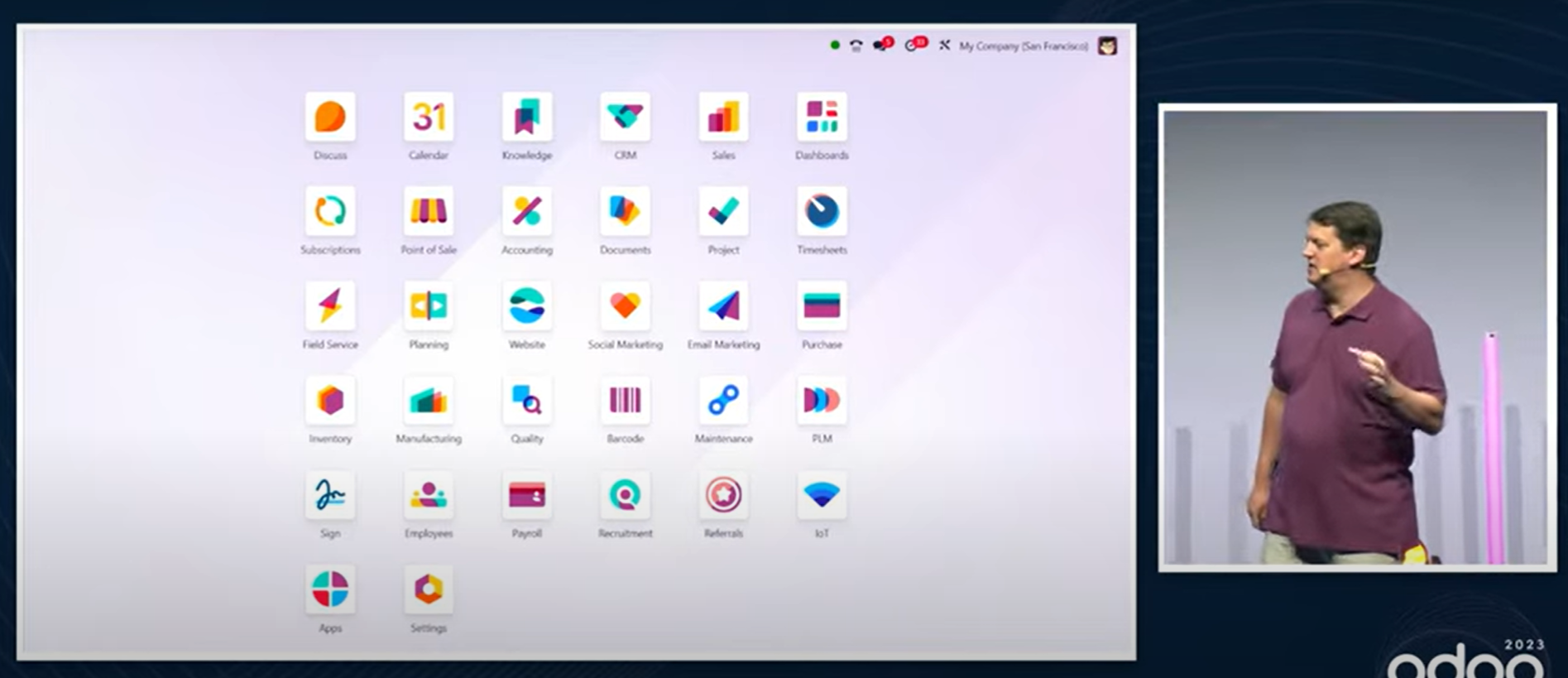
Until now the order of the icons on the menu screen could not be changed; now it can be changed easily by dragging and dropping.
In the kanban view, the title text is larger, and other touches make it easier to read without changing how much information is shown.
The kanban view in Project can show subtasks as well.
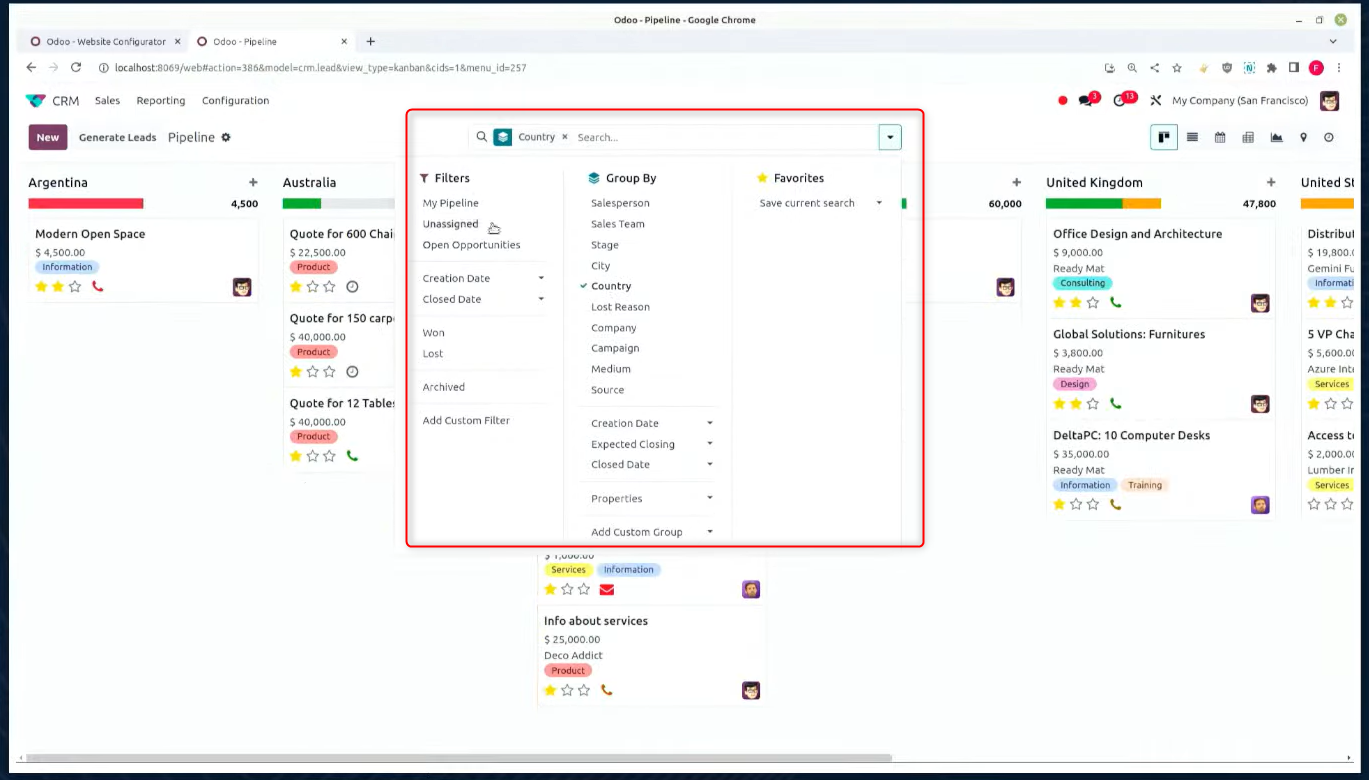
Until now the search view kept filters, grouping and favourites separate; click the ▼ in the search box and they can all be set together.
The website builder
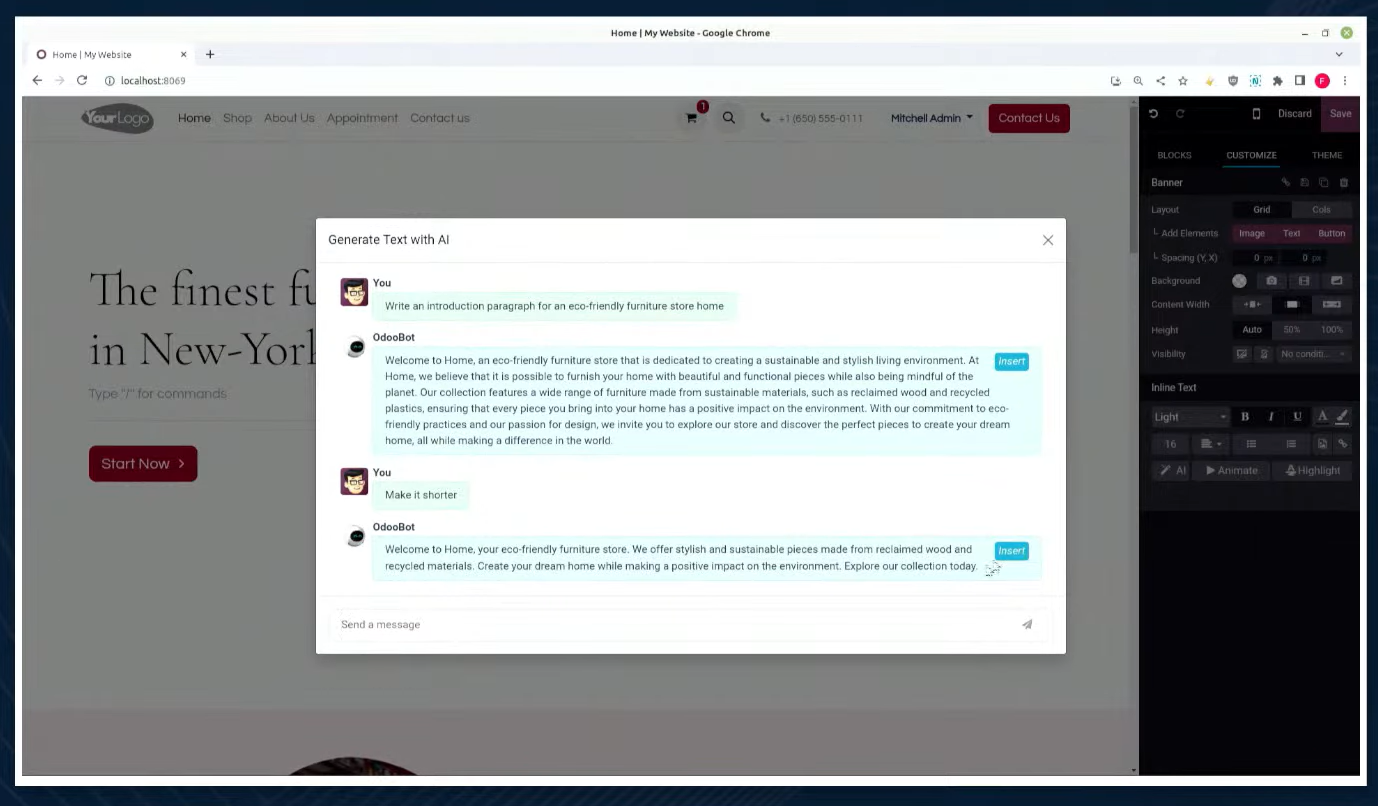
Type the "/chat" command in a text field and chatGPT comes up, so you can use AI to write text or to revise it. This is not limited to the website builder — it can be used when writing in the chatter and elsewhere. It works in Japanese too.
※ It can be used straight away, with no ChatGPT account registration or anything of the kind.
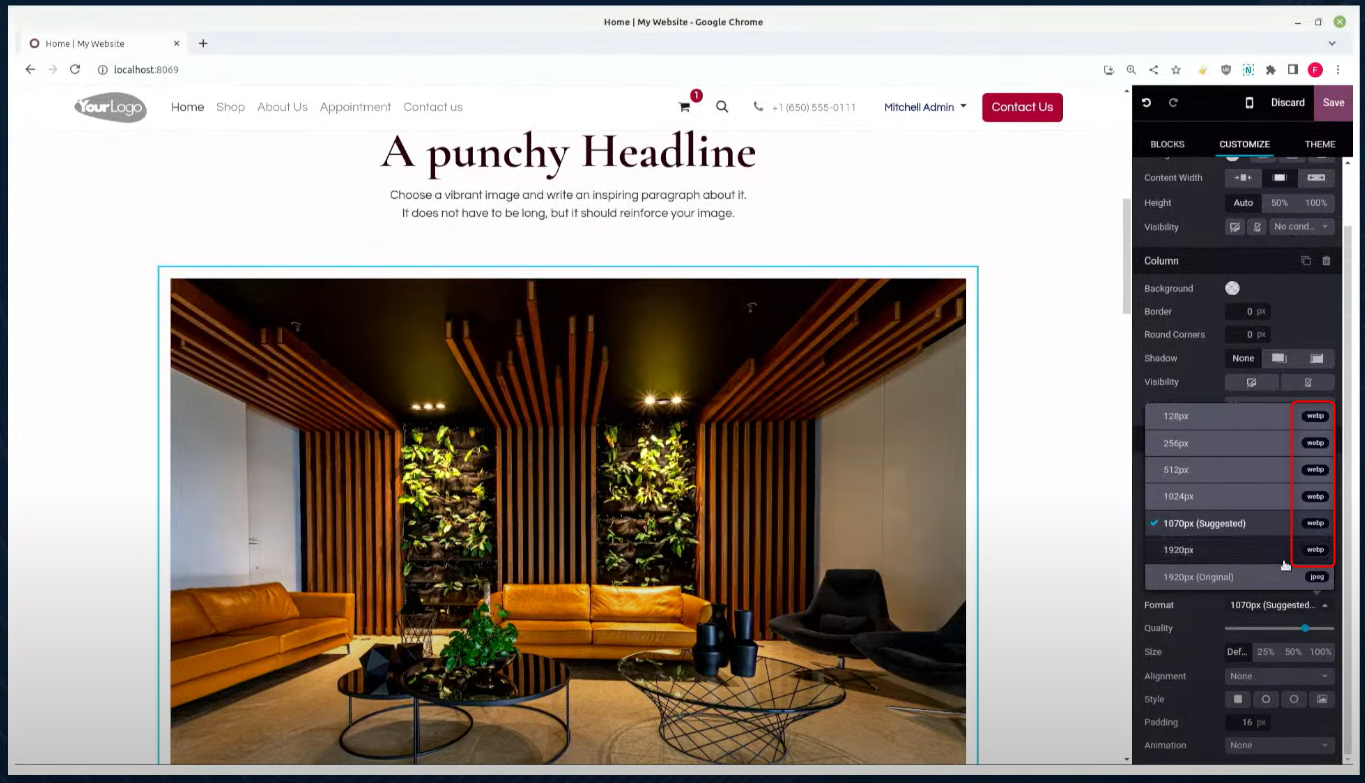
The Webp image format is supported — the next-generation image format Google developed in 2010, whose files are light — and when Webp is chosen Odoo converts automatically, compressing the file size, so the website displays faster.
CRM
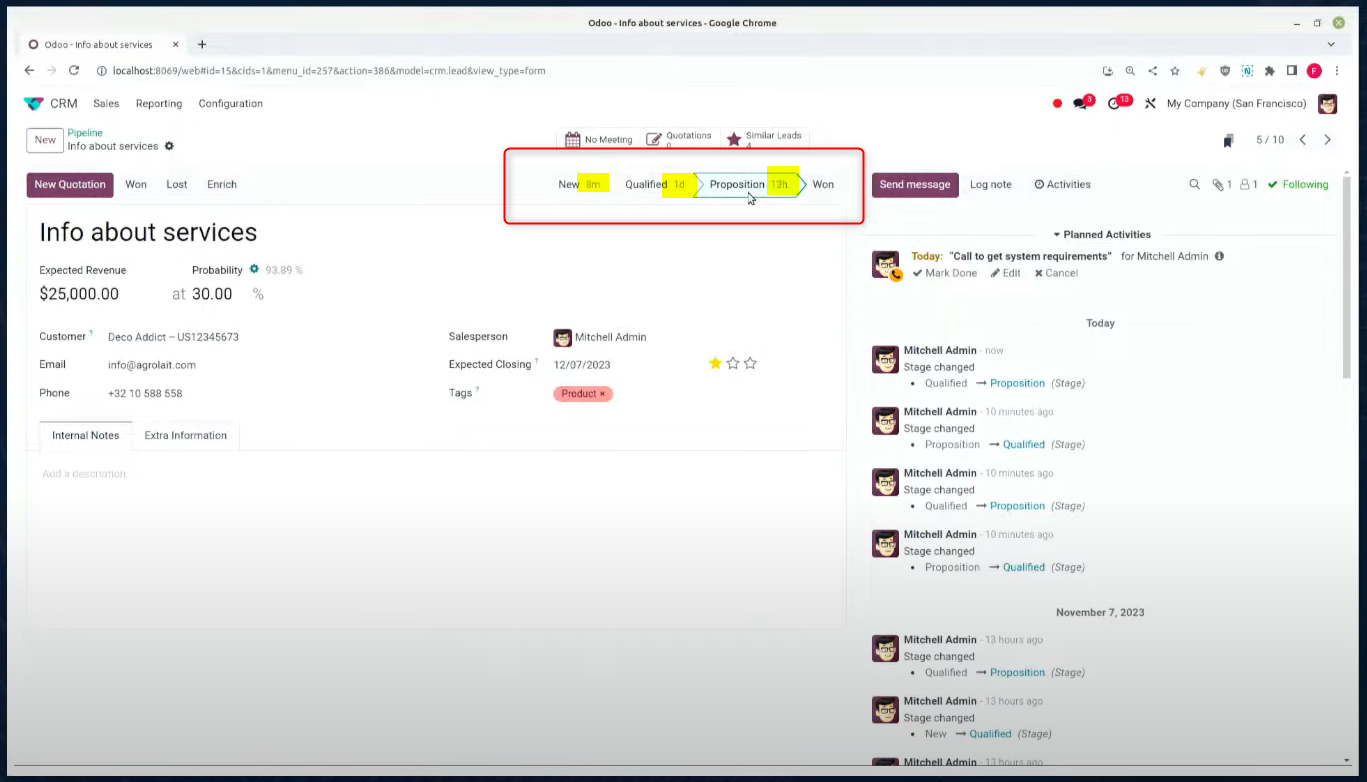
The stage display now shows how long was spent in that stage.
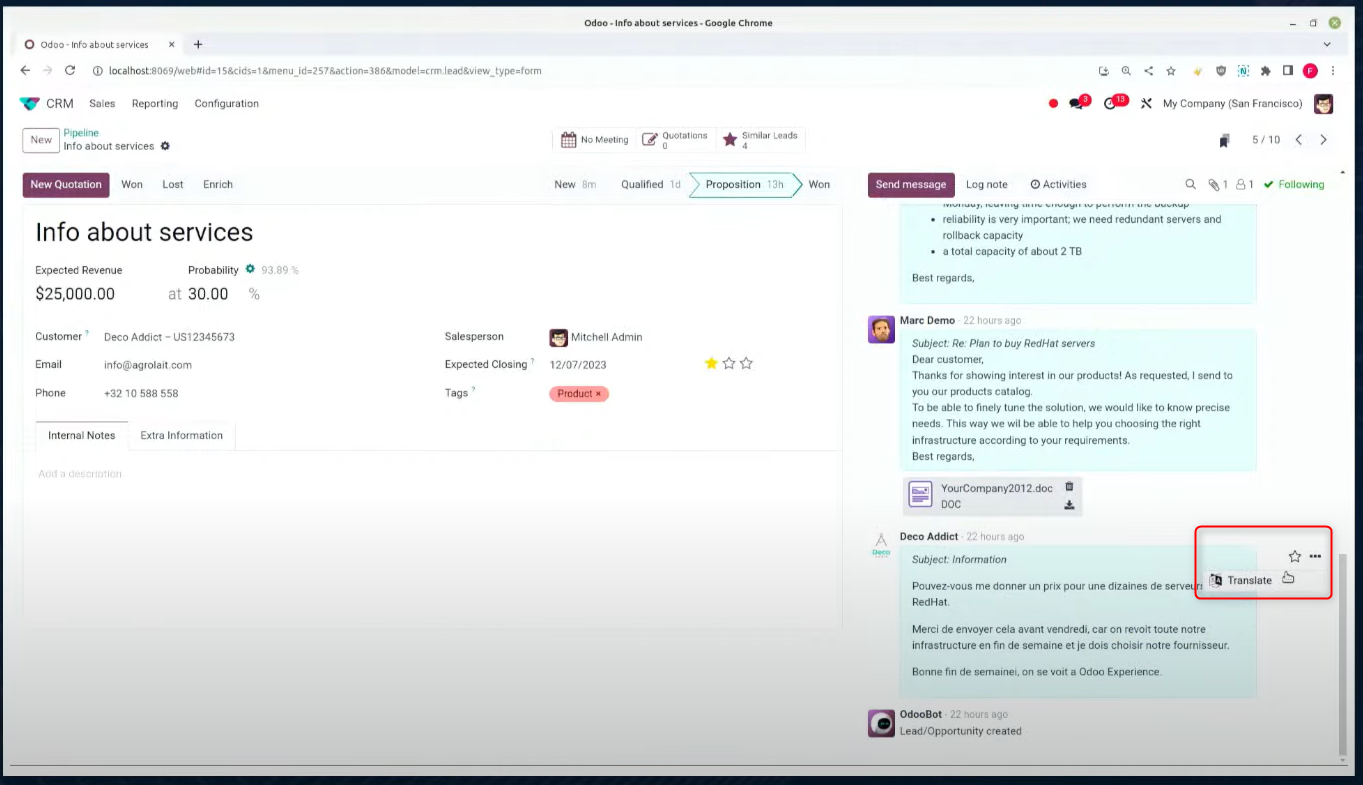
Where you want to translate a foreign language in the chatter or elsewhere, one button does it.
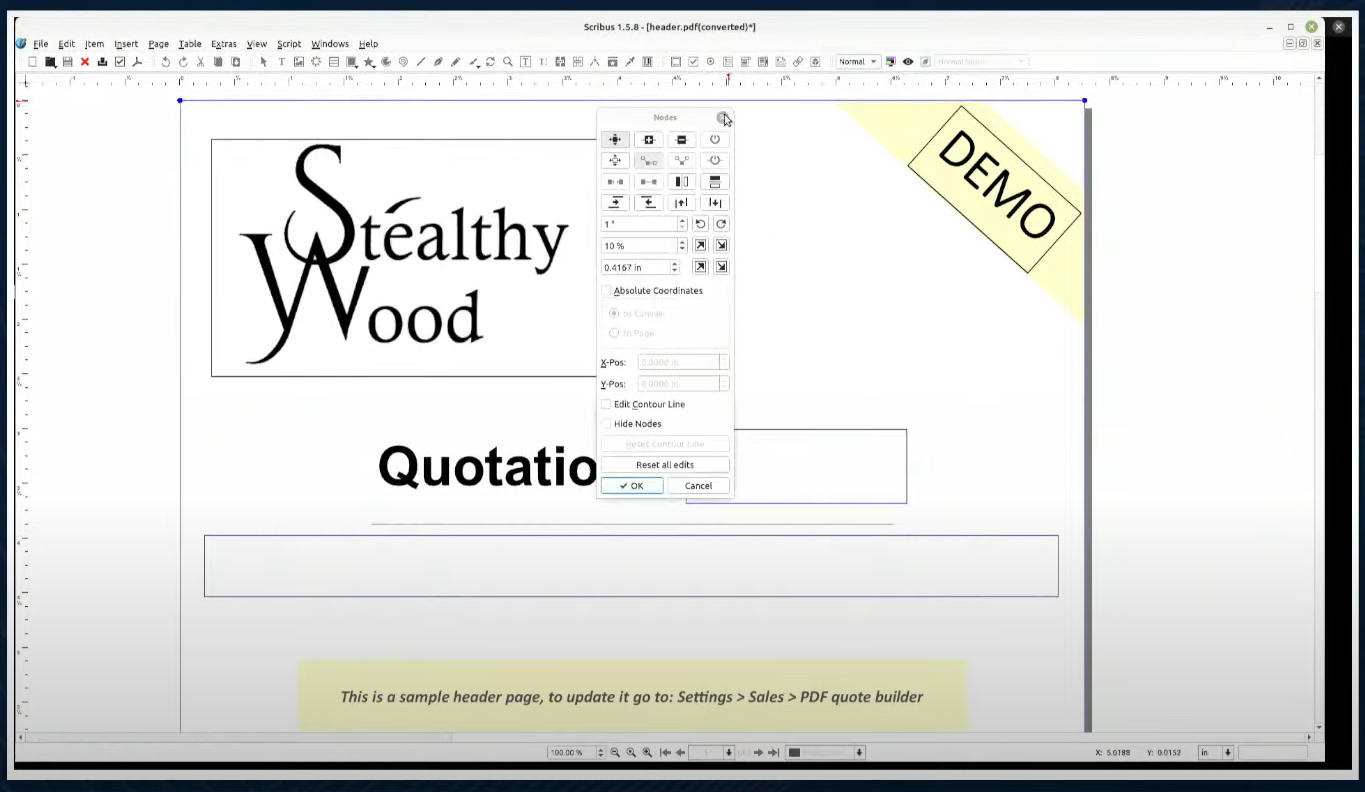
Building a quotation has been improved. Set the PDFs up in advance and a quotation can carry company information, a product catalogue, past work, terms of business and so on. You can expect it to work better than a purely administrative quotation.
Bar & restaurant
Ordering from a screen can now be done in Odoo.
Ordering from a screen — an in-store display or a tablet, as has become common in Japan too — is now possible. It works with payment terminals as well.
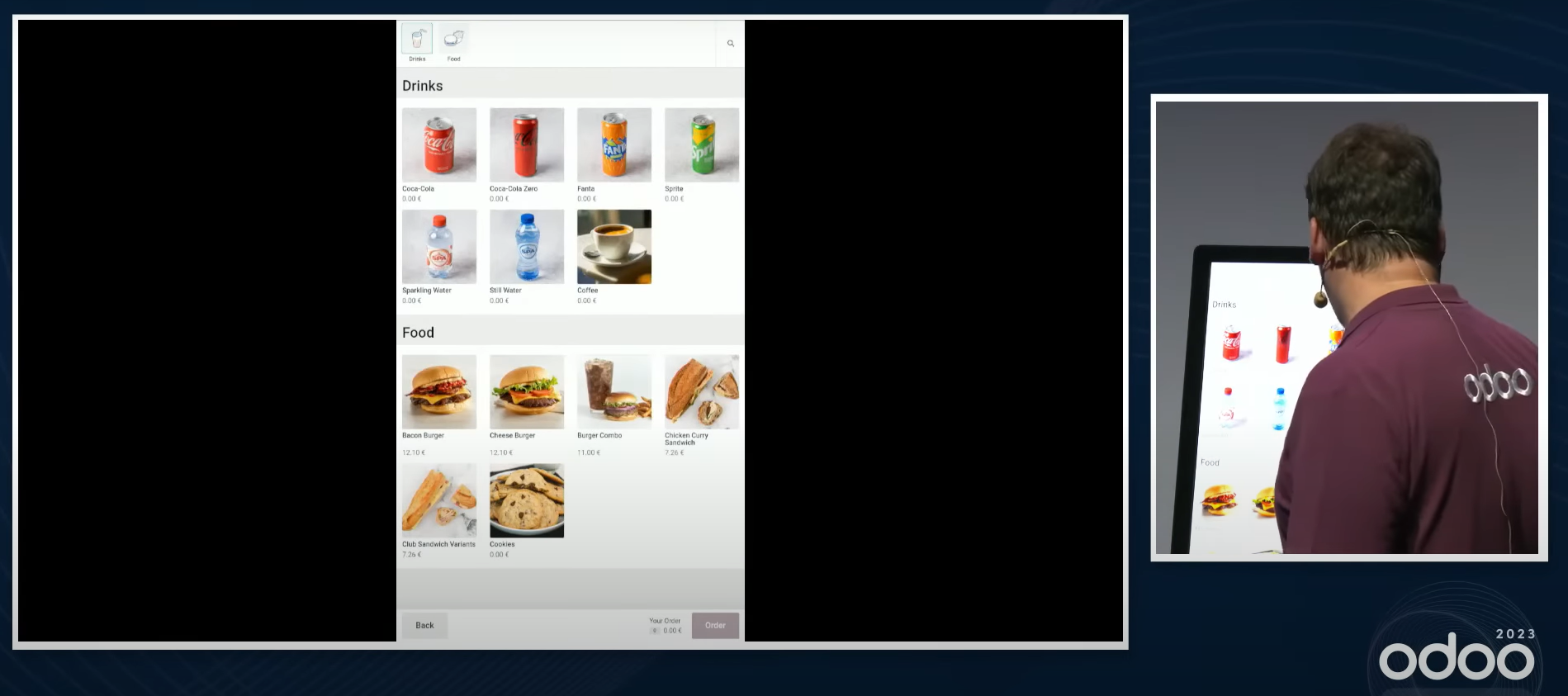
Combo menus are supported.
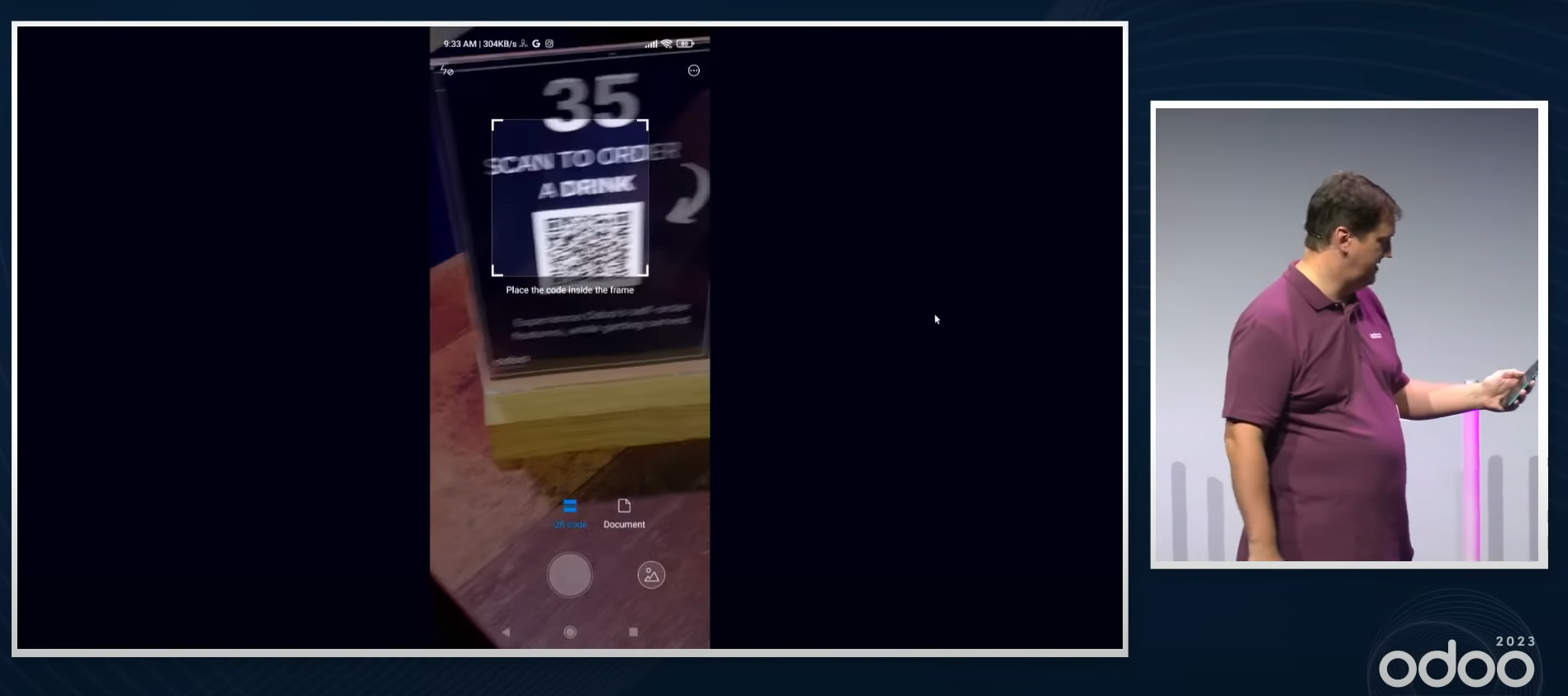
A customer can also scan the QR code on the table and order from their own phone.
In the kitchen the orders that have come in are shown, and once the items are assembled and the order processed, the order number appears on the display the customers watch.
This is not only for bars and restaurants; a shop like IKEA can use it too.
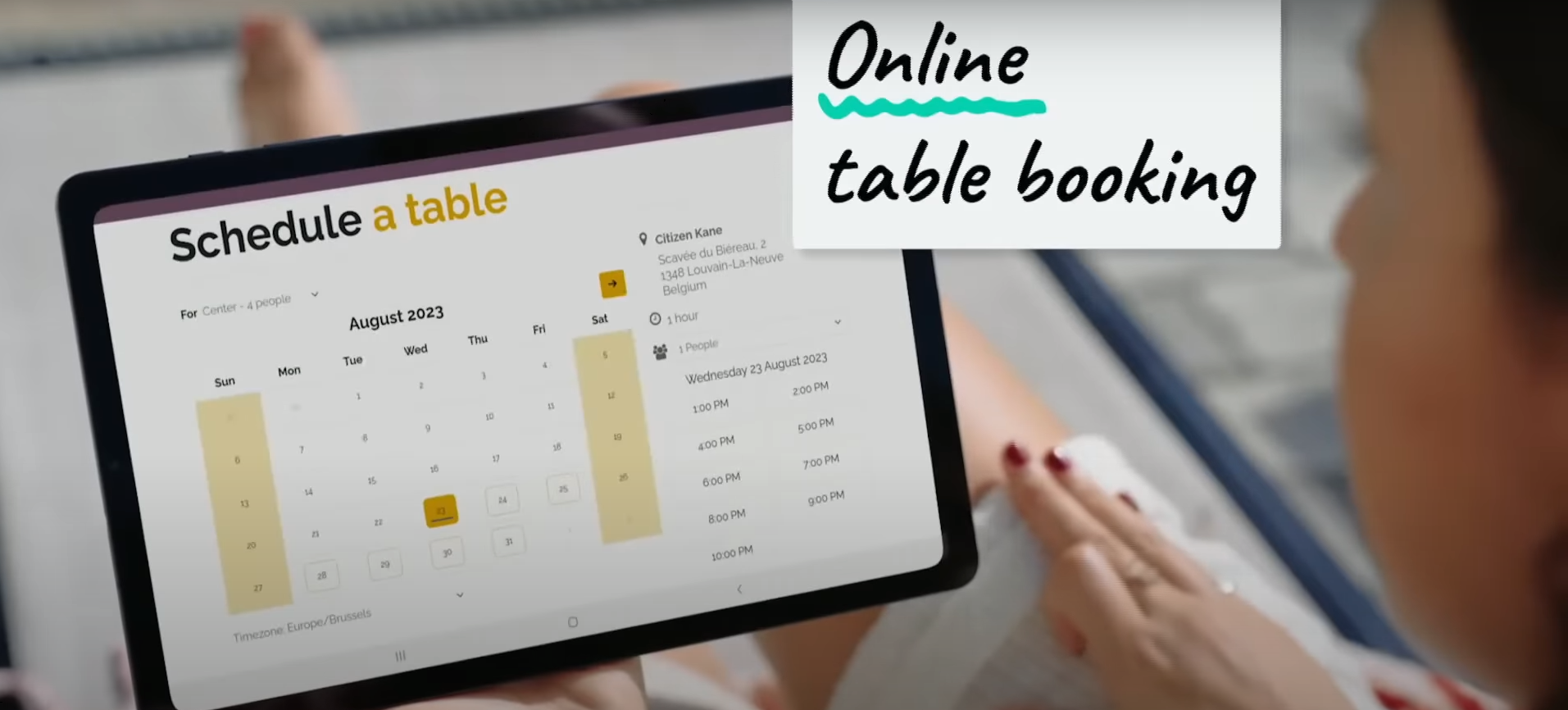
There is online table booking as well.
Manufacturing
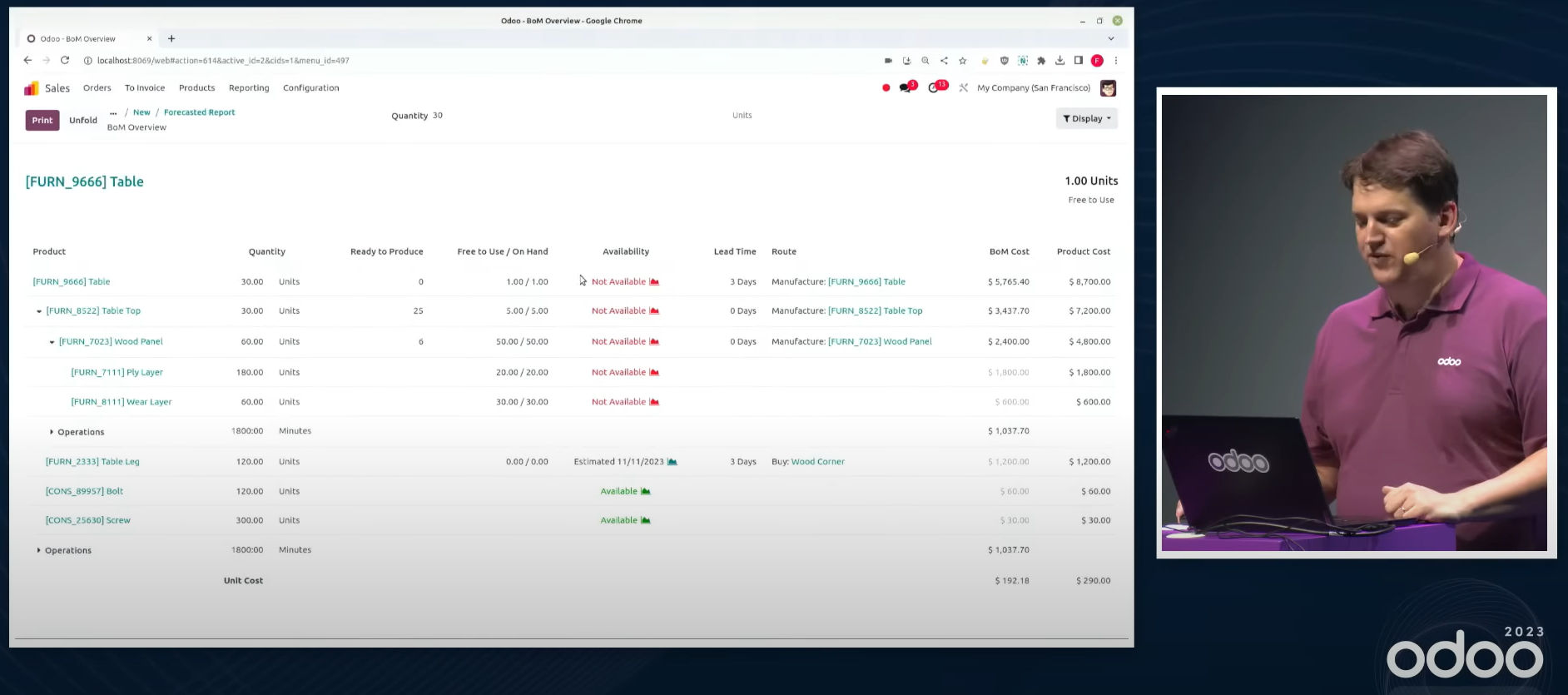
The stock forecast is shown as an order is taken. Follow it through to the manufacturing forecast and the forecast stock of the components appears, so you know when the product can be made and can tell the customer a delivery date.
Shop Floor
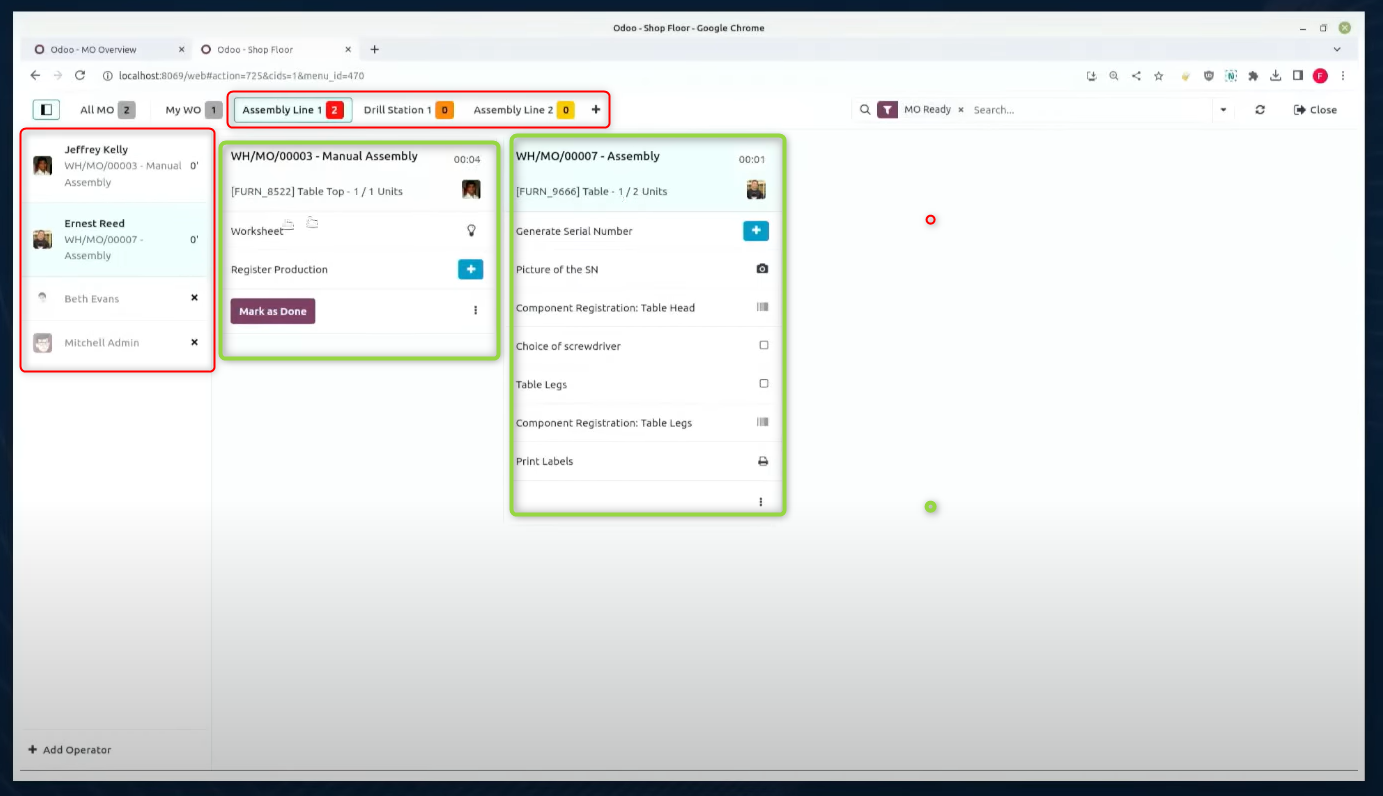
This is an app for managing the steps of the work on the shop floor from a tablet. Choose the operator on the left of the screen and the work centre at the top, and manage the work orders that appear.
Odoo Studio 2
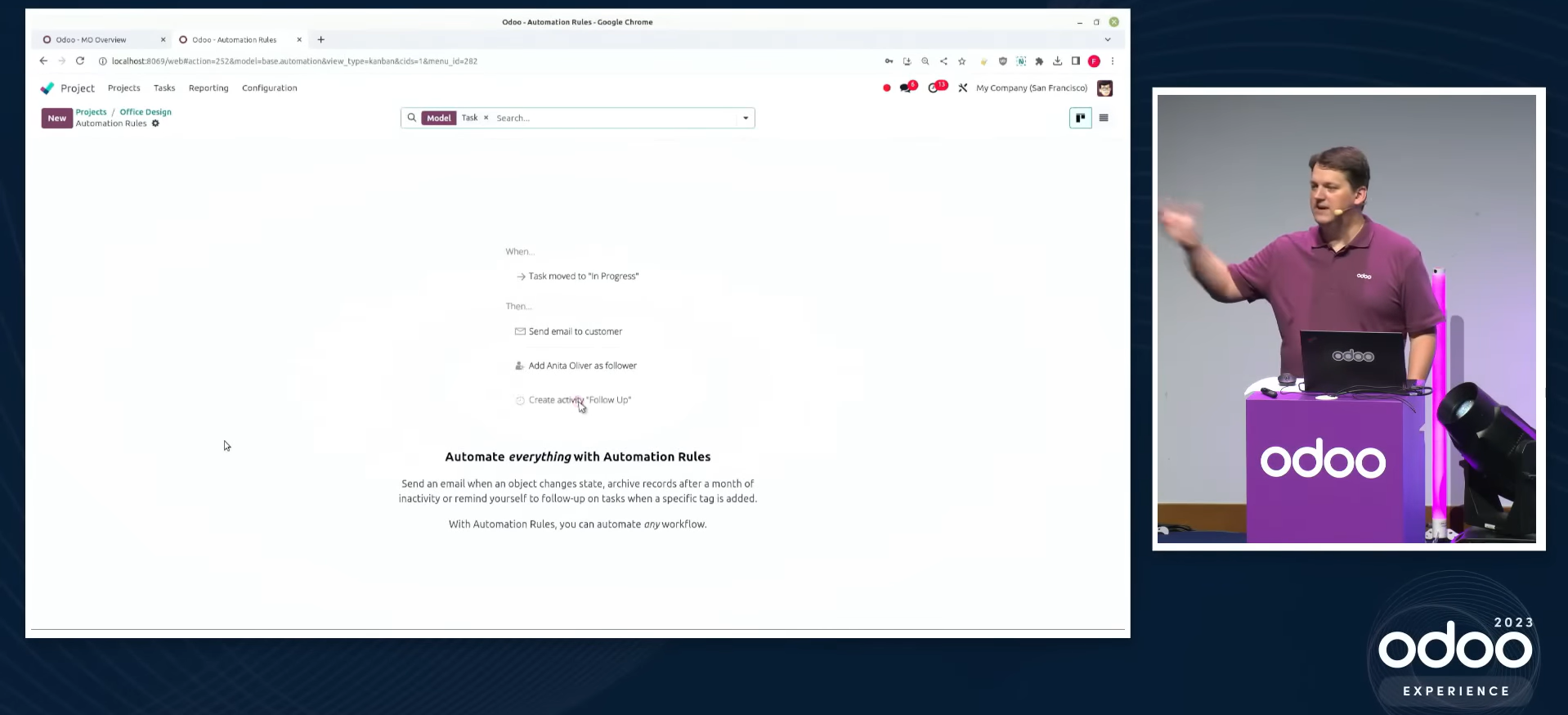
Automation is easy to set up — change a task's stage to done and the task's status changes to done automatically, for instance.
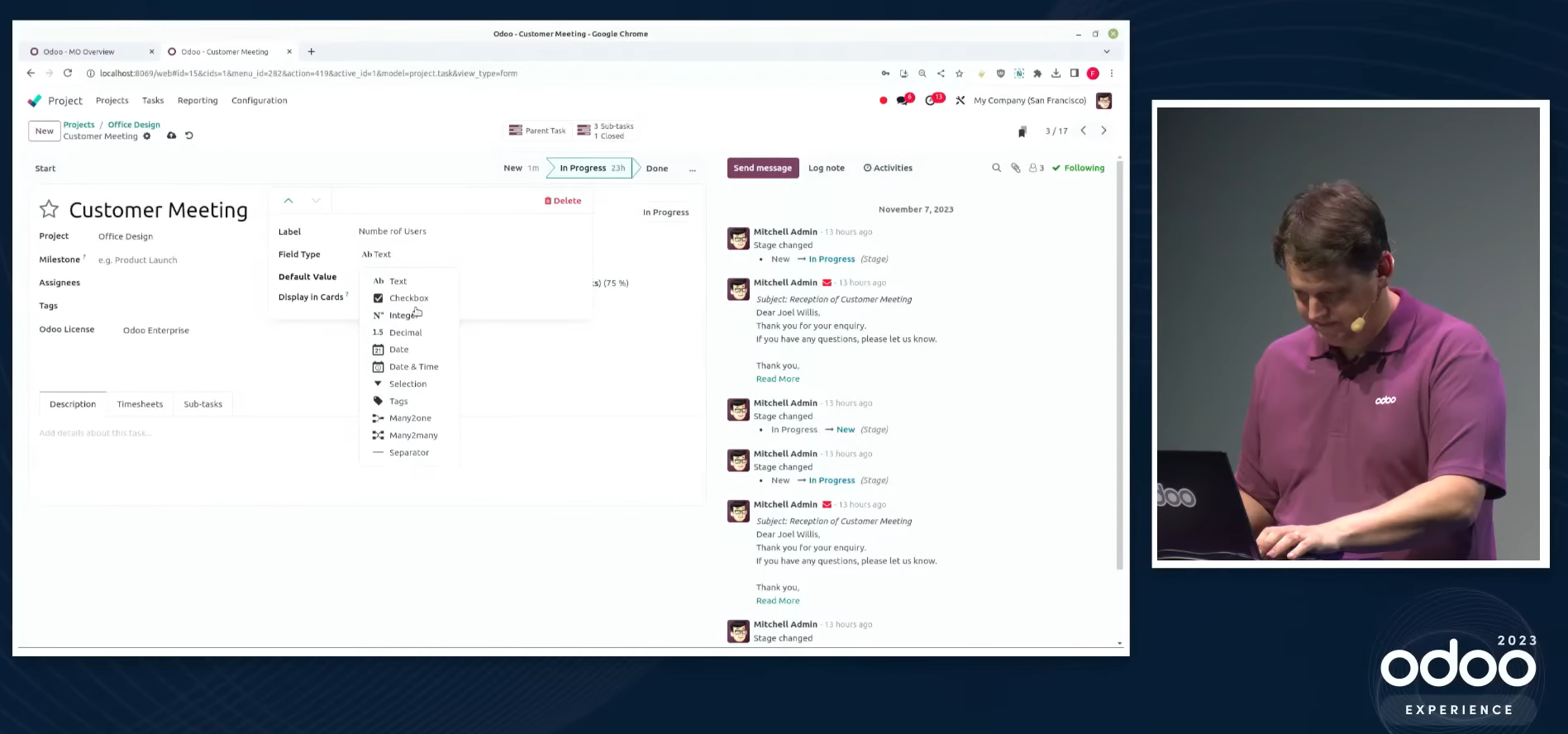
A property field can be added easily in the form view.
A property field you add can be shown in the kanban and list views, and searched or grouped in the search view.
Timesheets
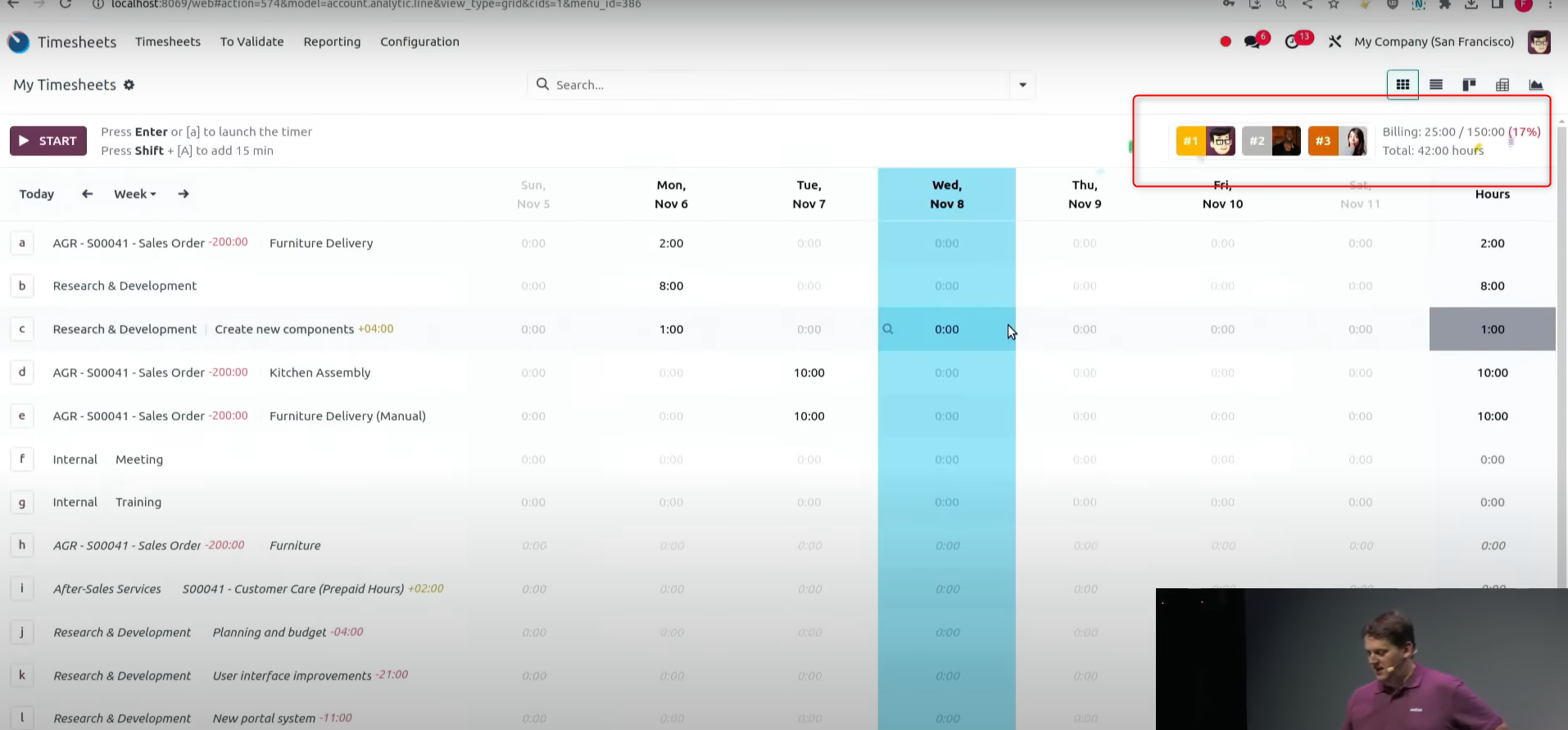
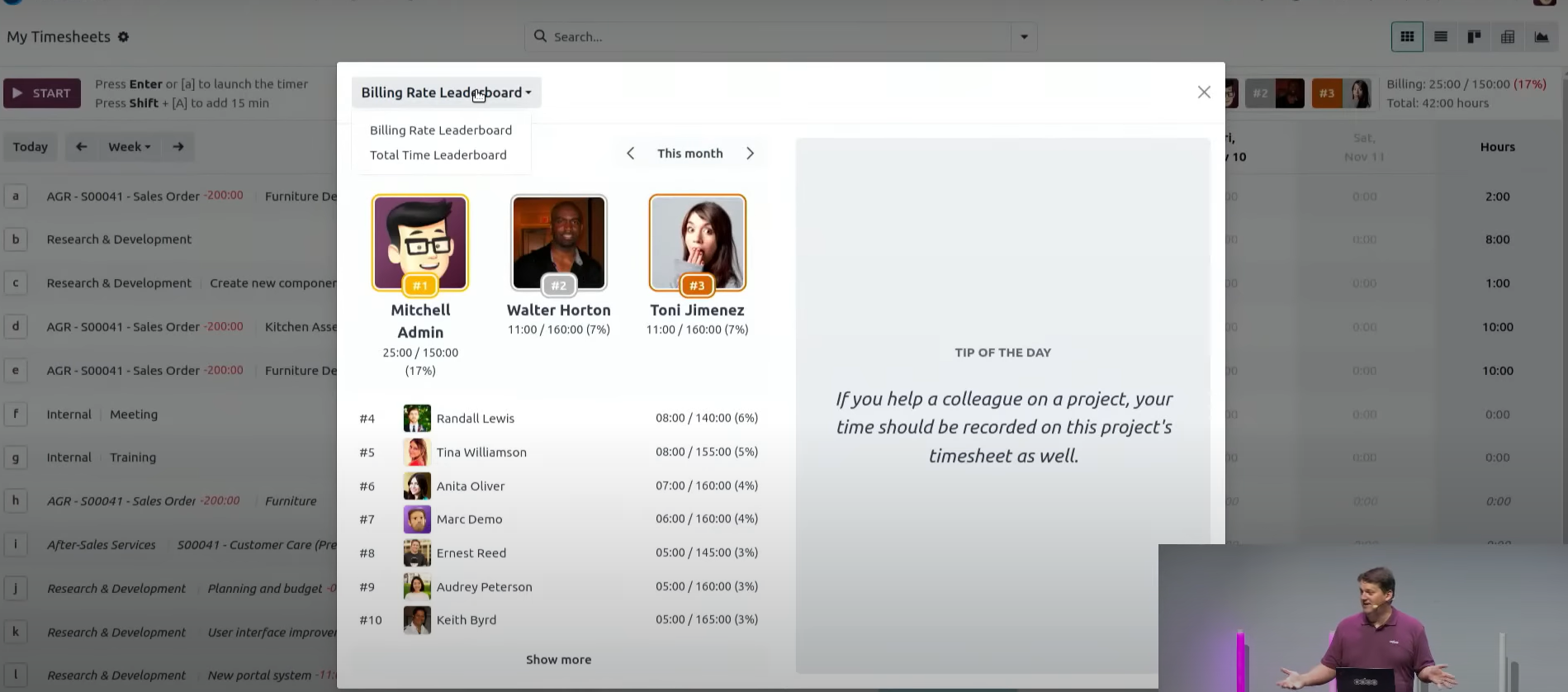
Timesheets can show who is at the top, the progress rate of billable hours, the total hours and so on. There is even a party-popper animation for whoever is leading.
The leaderboard can rank people by billing rate or by total hours.
Knowledge
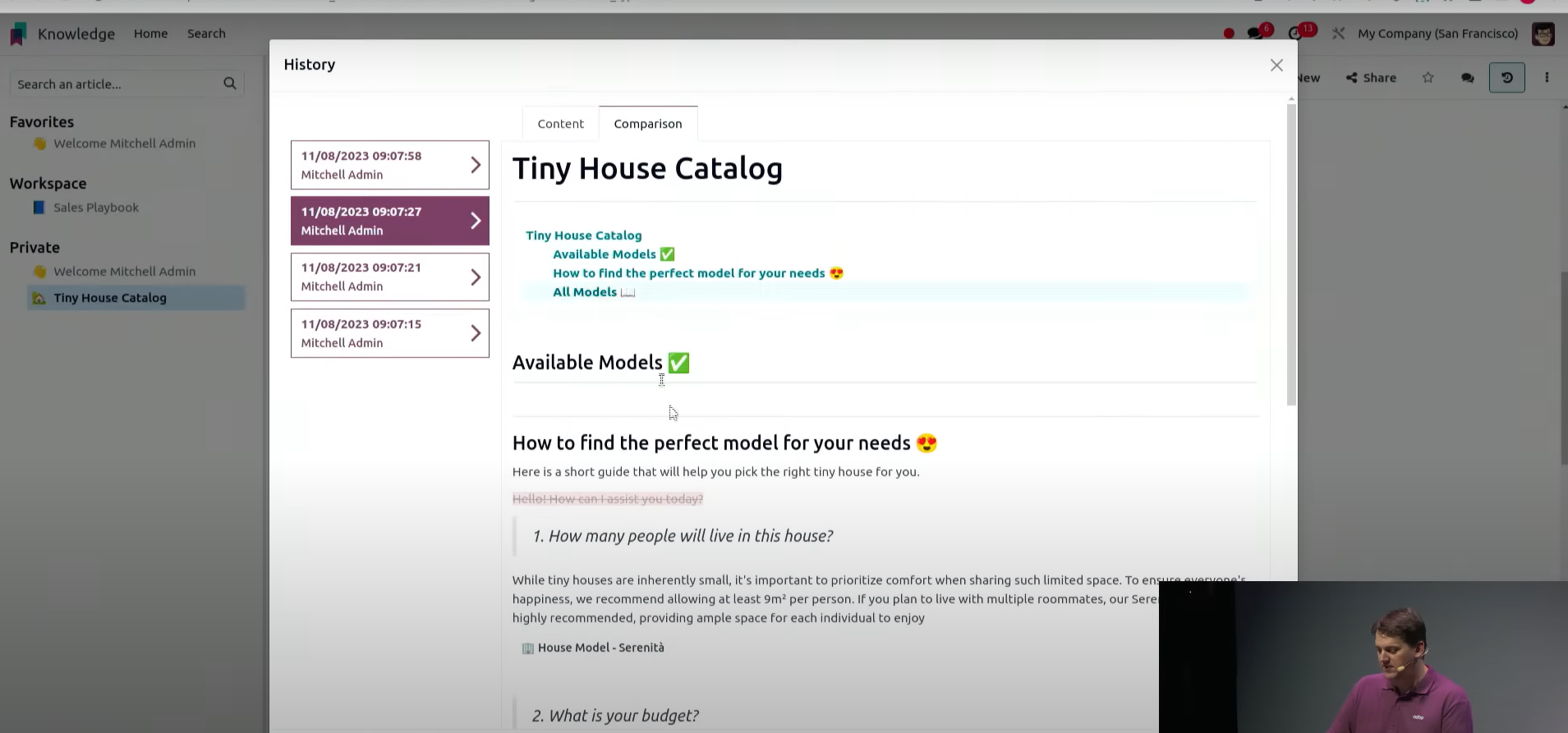
The change history is kept, and the changes can be compared.
Comments can now be added.
Accounting
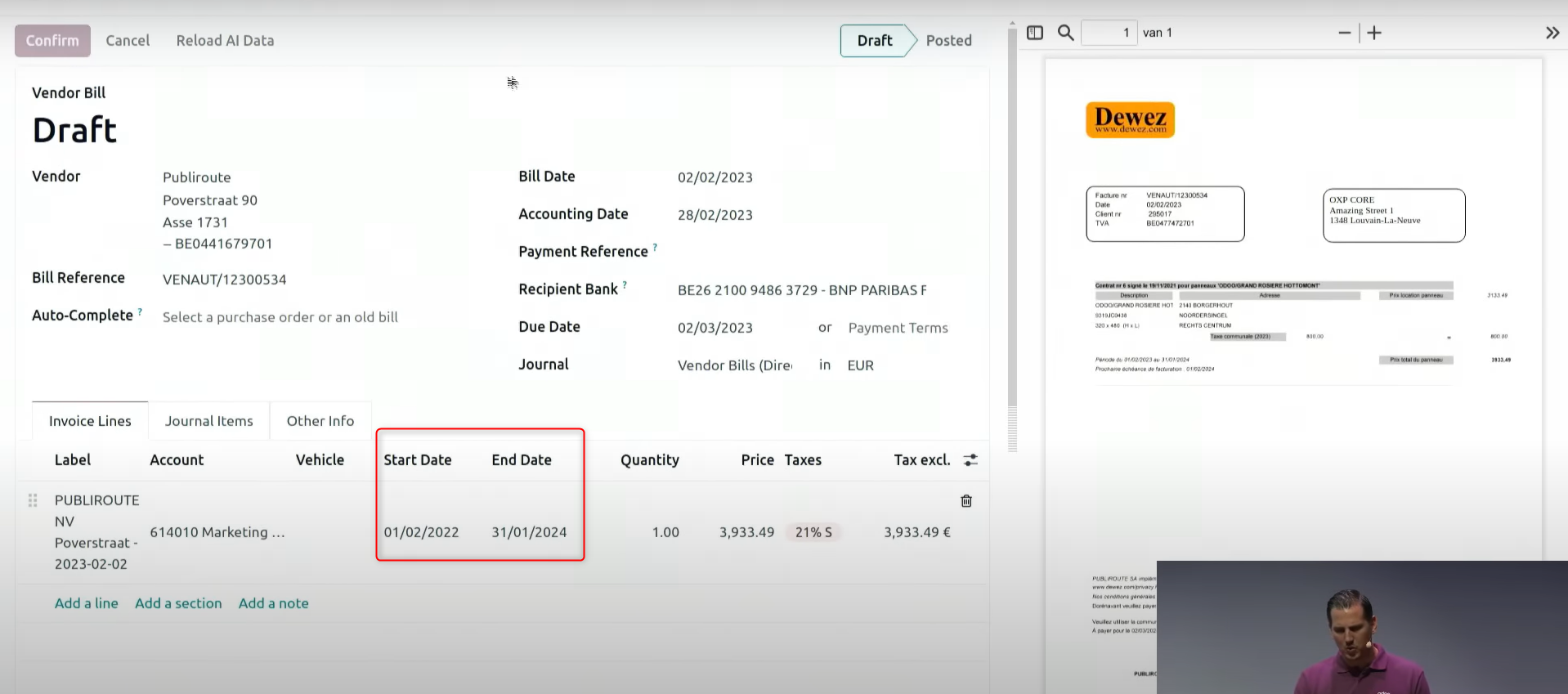
Entering accruals has become easier. With no deferral model set up beforehand, entering a start date and an end date as the invoice is entered is enough to create deferred revenue and prepaid expenses.
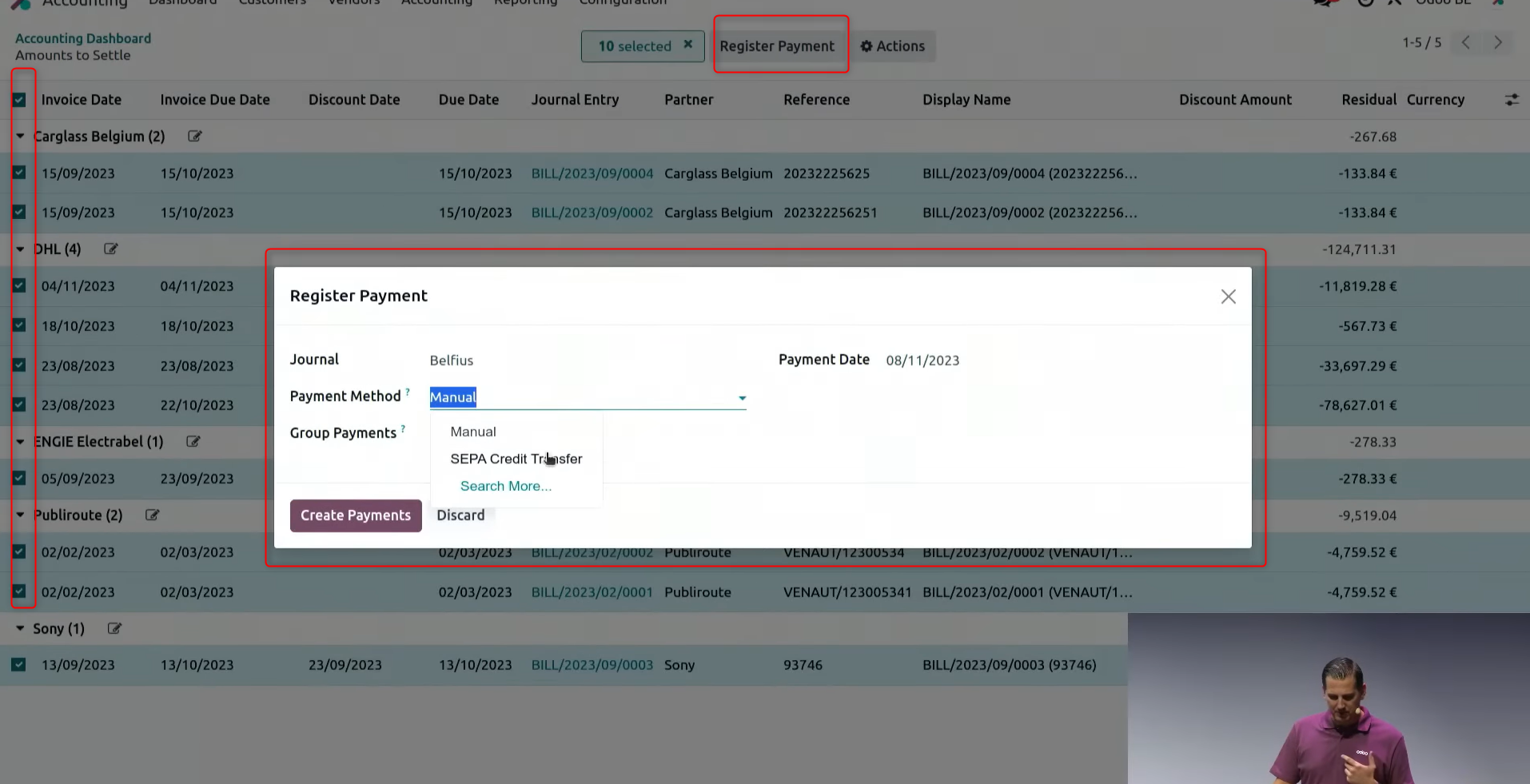
When paying vendor bills, select the bills to be paid together, click register payment, choose the payment method and process it, and they are paid in one go.
Peppol, electronic invoicing, is now supported.
As part of the Japanese localisation, Odoo has added support for Peppol PINT Japan.
Odoo's YouTube video: Peppol インタグレーション と Odoo パートナーシップ アップデート Webinar (Japanese)
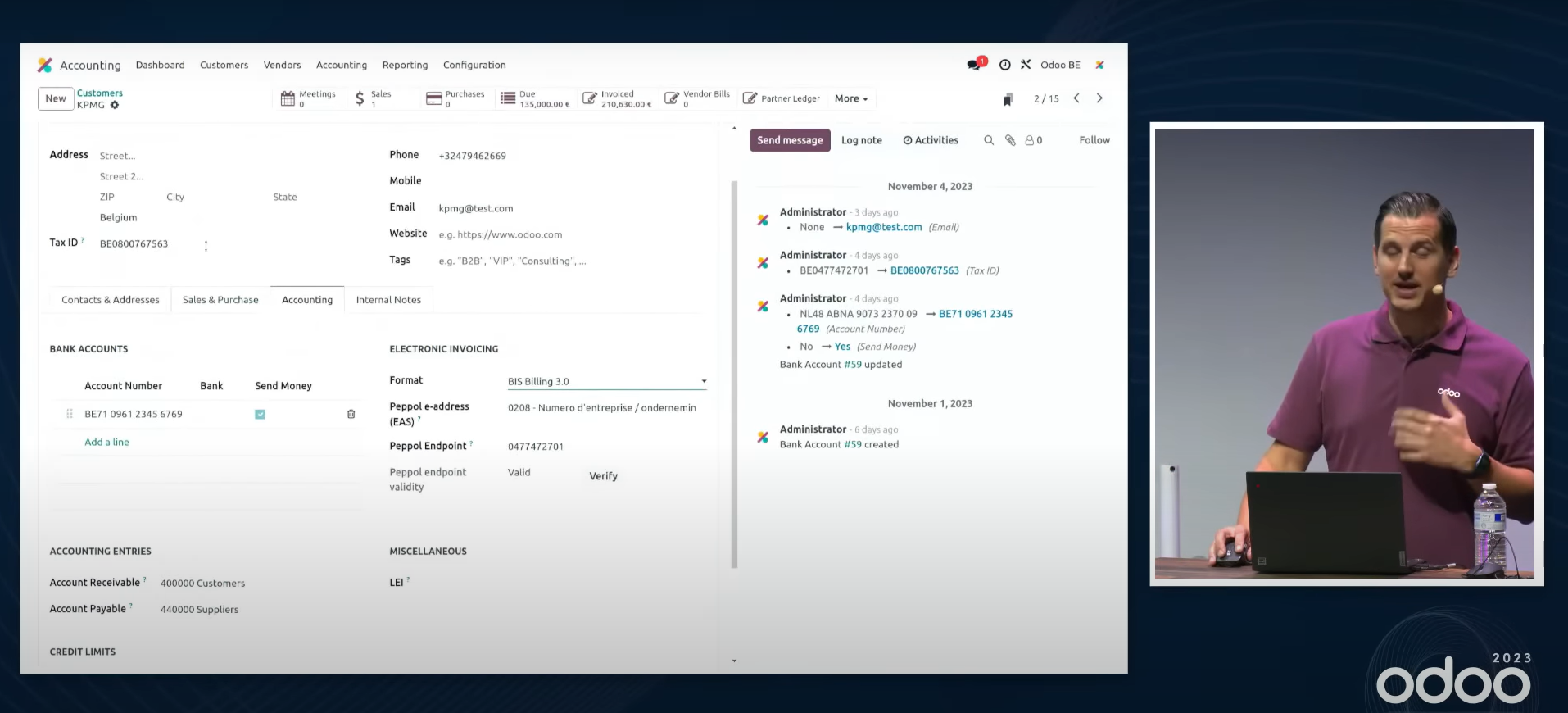
※ What Peppol is… "Peppol" is a global standard covering the document specification, the network and the operating rules for exchanging electronic documents over a network. It is administered by OpenPeppol, an international non-profit organisation. Japan's Digital Agency has been active as a member of OpenPeppol since September 2021.
As Japan's Peppol Authority (PA), the Digital Agency administers JP PINT, the Japanese standard for digital invoices based on the global Peppol standard, among other work. (From the Digital Agency website: https://www.digital.go.jp/policies/electronic_invoice)
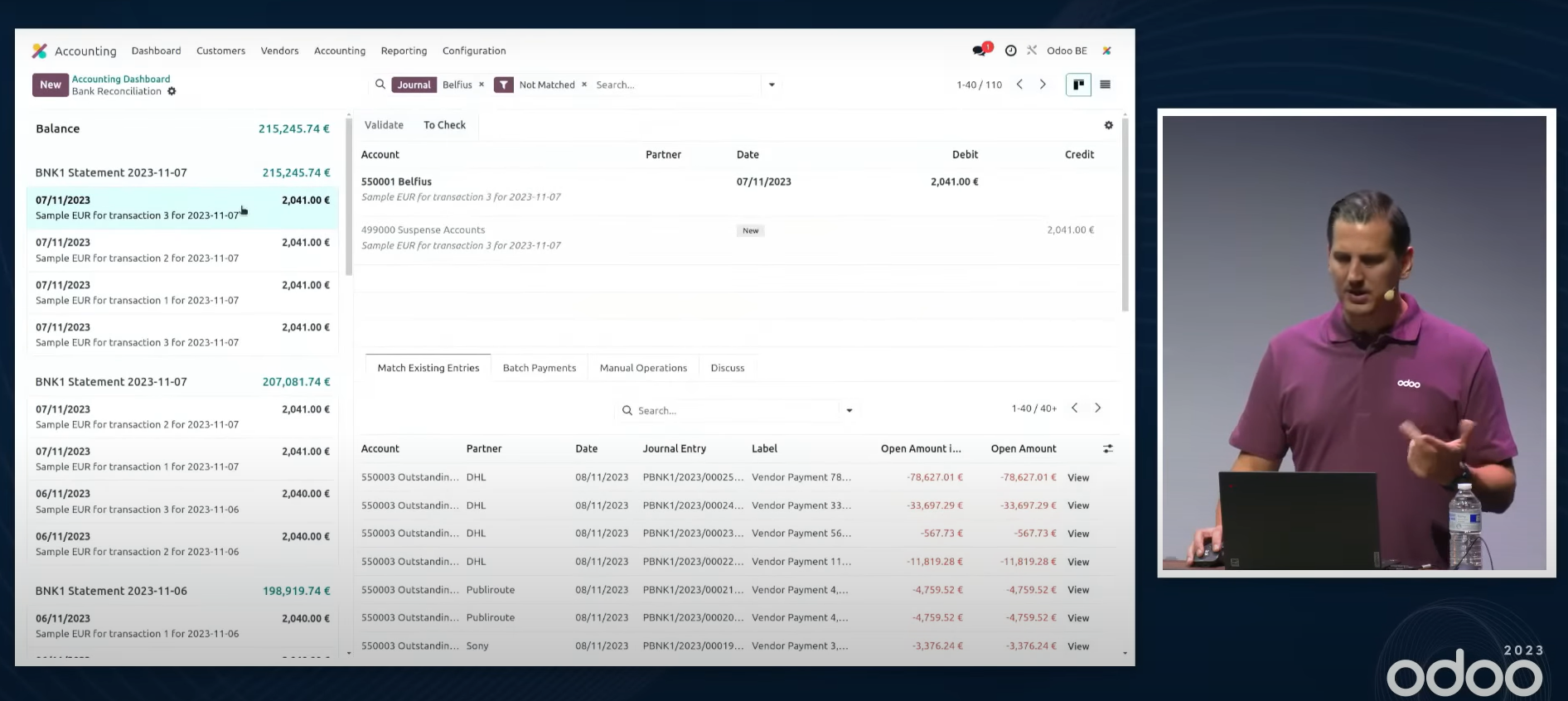
The bank statement, which went away in V16, is back in V17 and easier to work with.
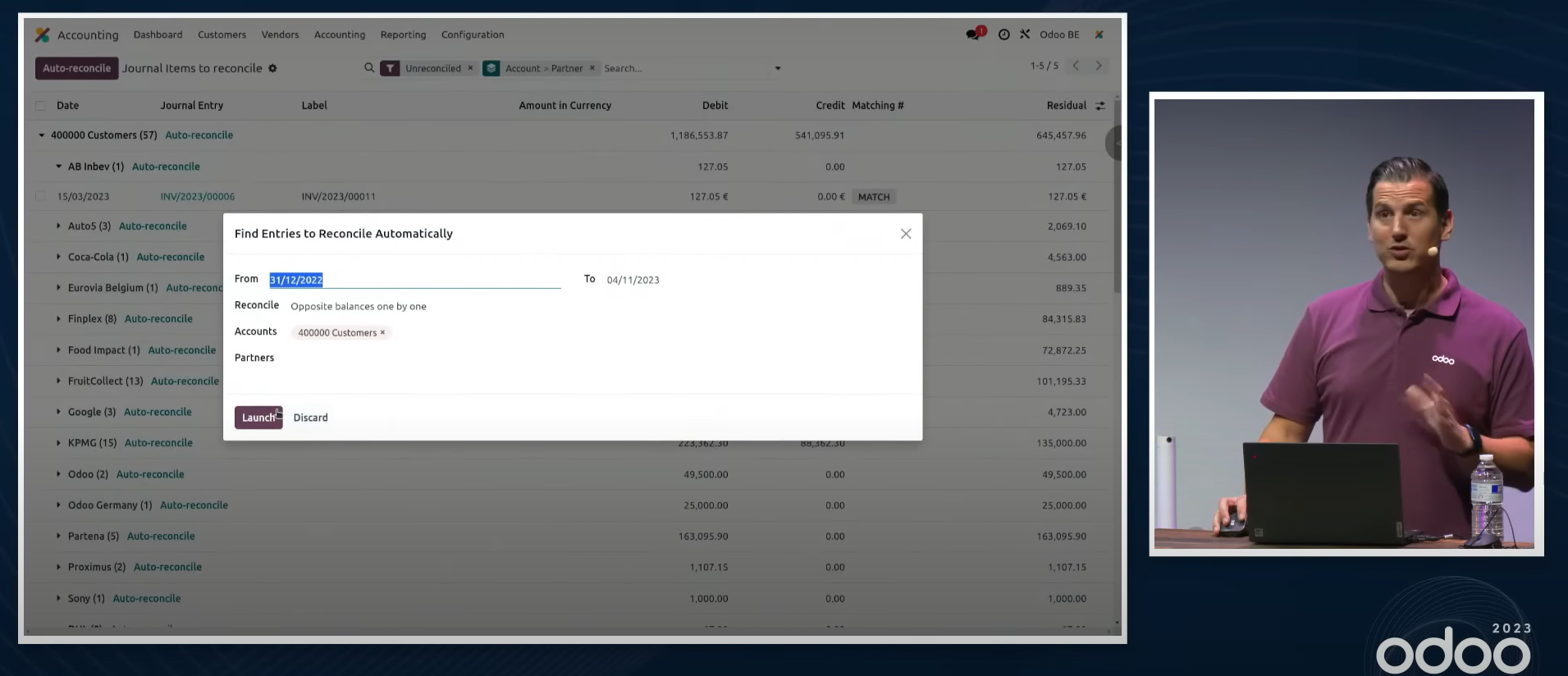
Payables and receivables for a partner who is both a vendor and a customer can now be reconciled automatically.
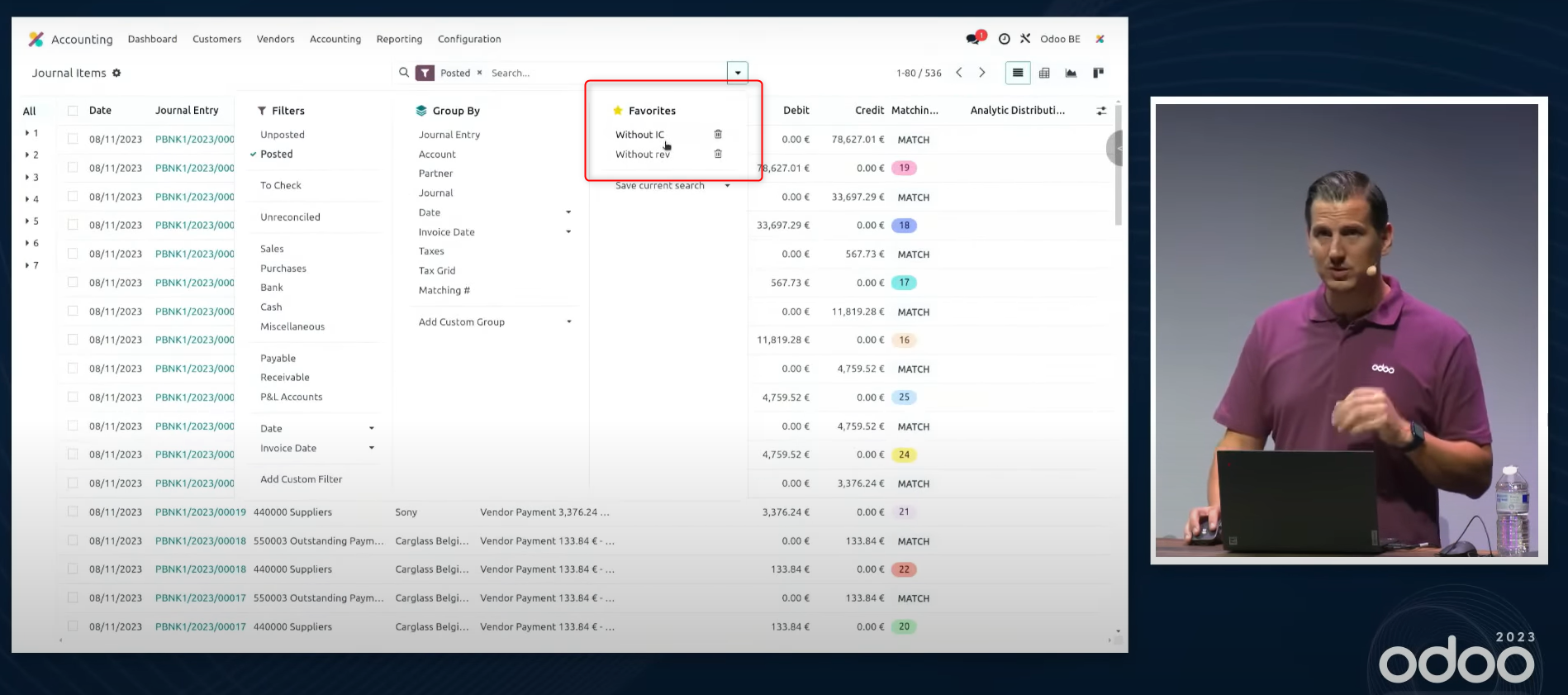
In every accounting report, including or excluding transactions between affiliated companies can be switched easily.
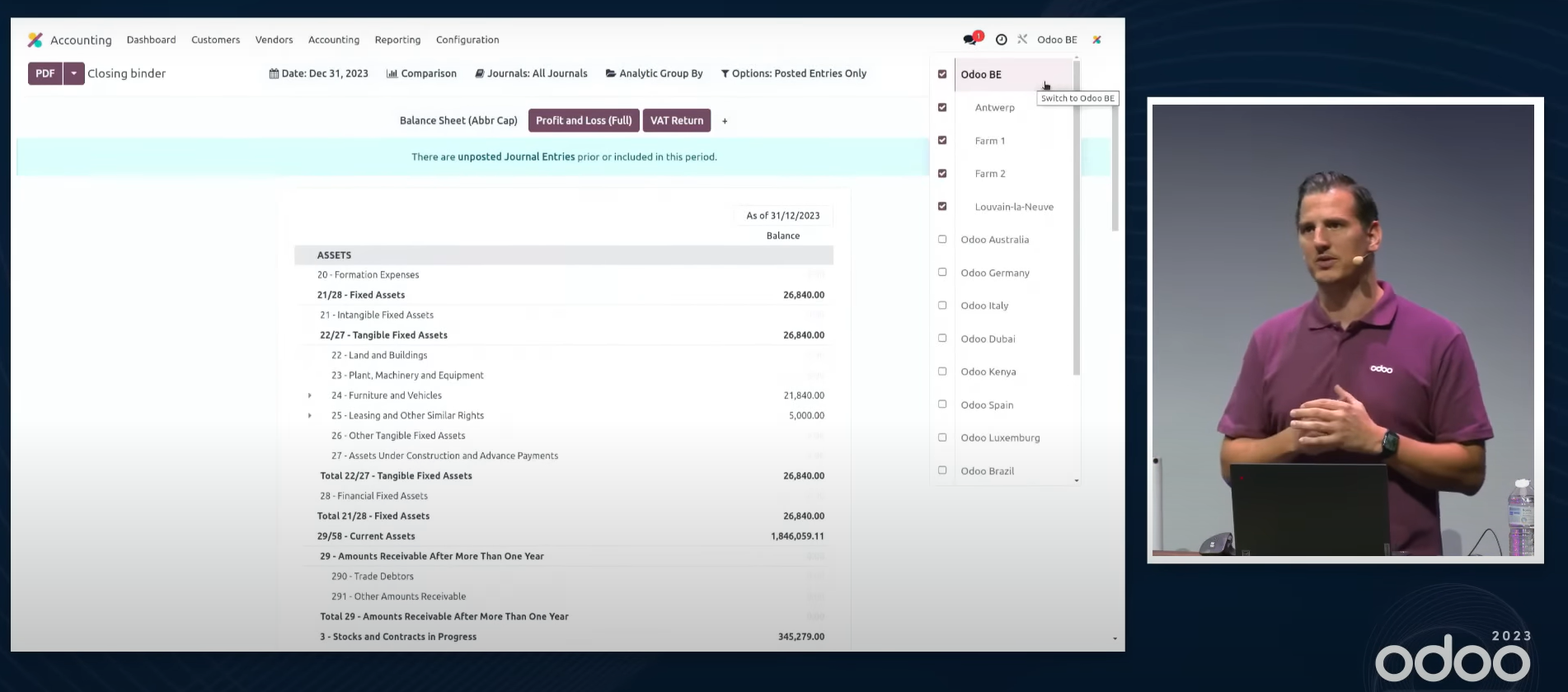
The multi-company features can be used to run branches and divisions.
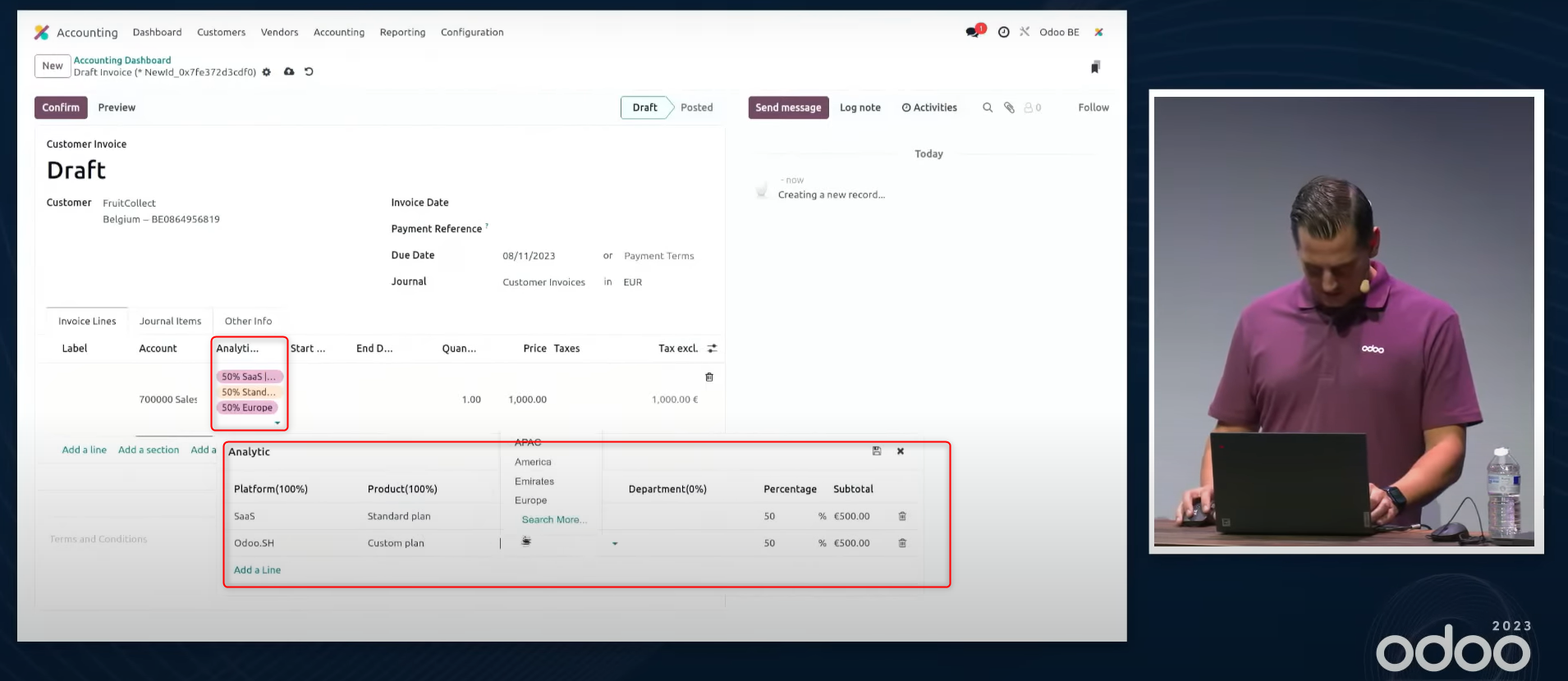
Analytic accounts can be entered against several dimensions.
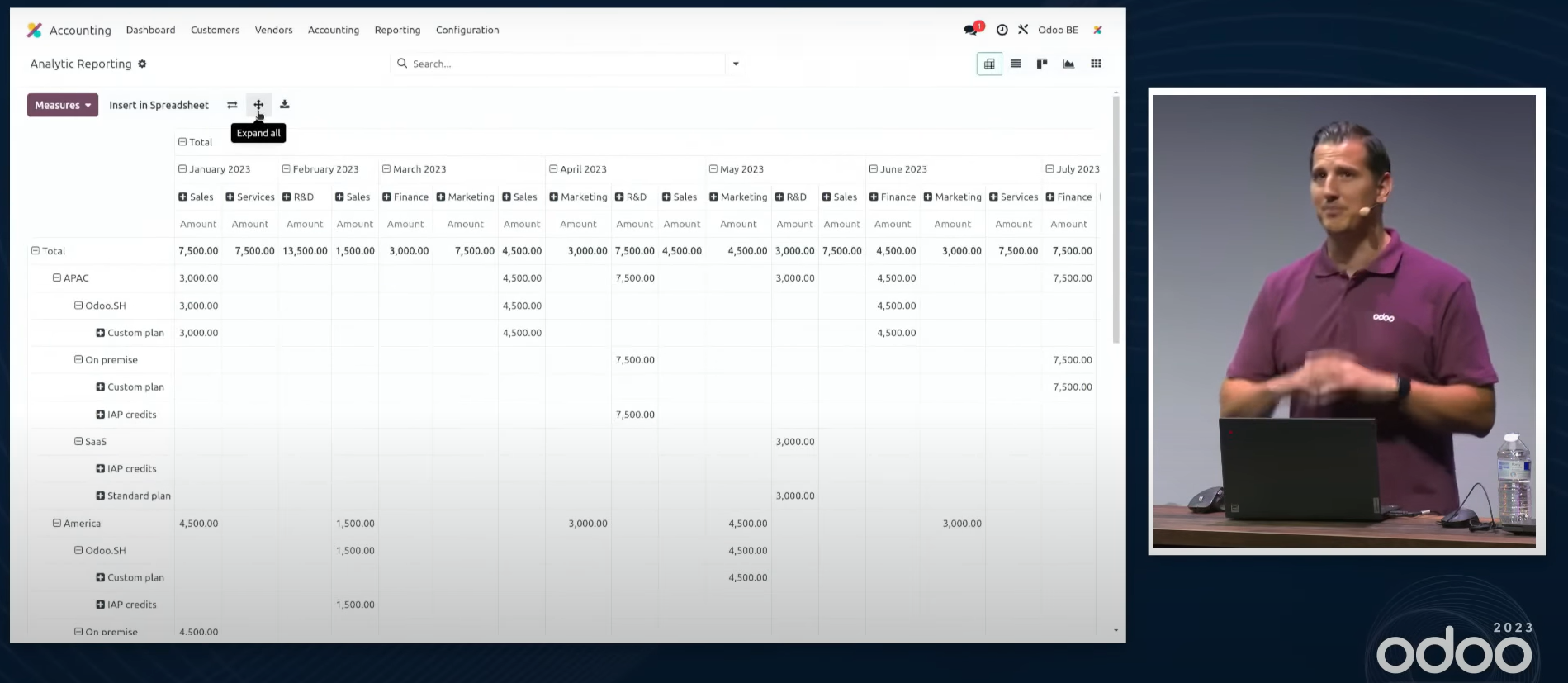
The analytic report can drill down through the dimensions.
HR
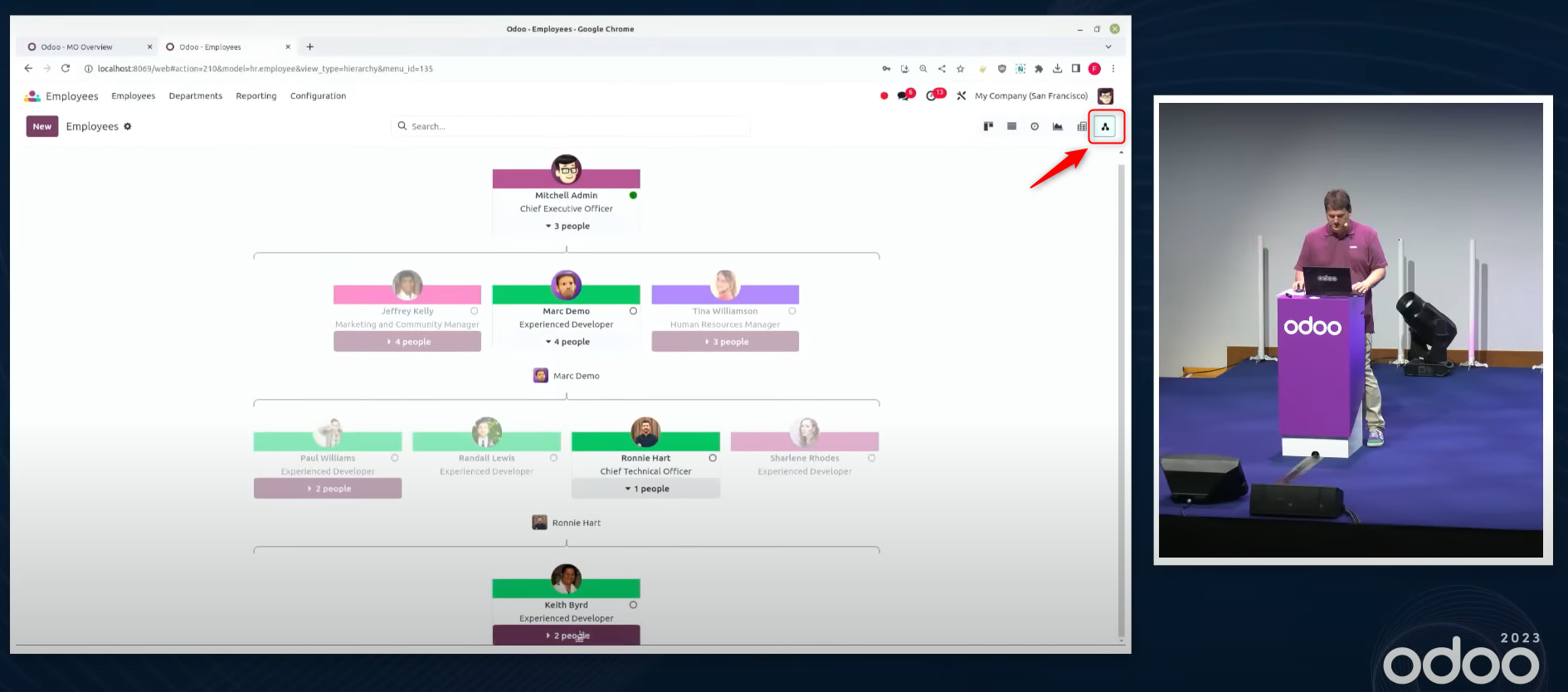
Choose the chart view and the organisation chart is shown as a diagram.
※ The same display is possible for a bill of materials.
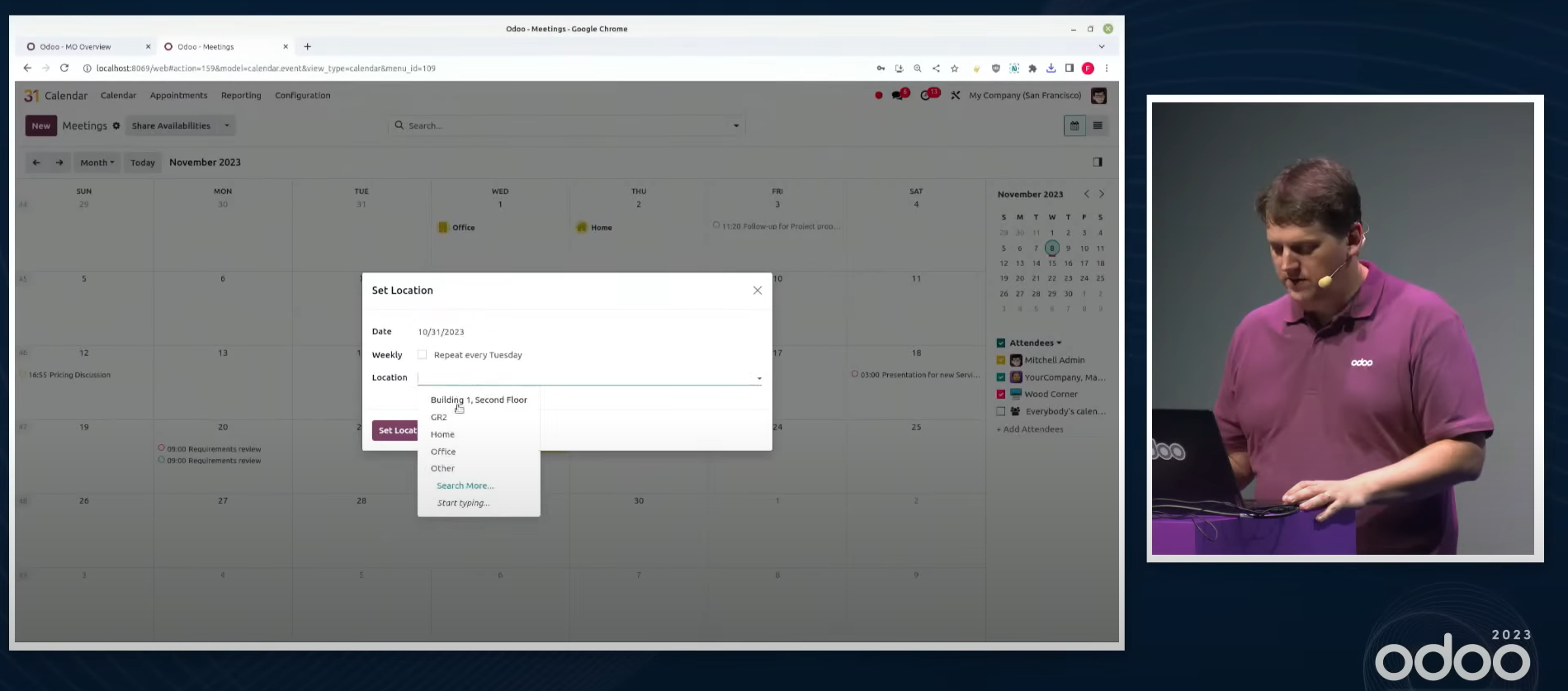
The Calendar app can record where someone is working.
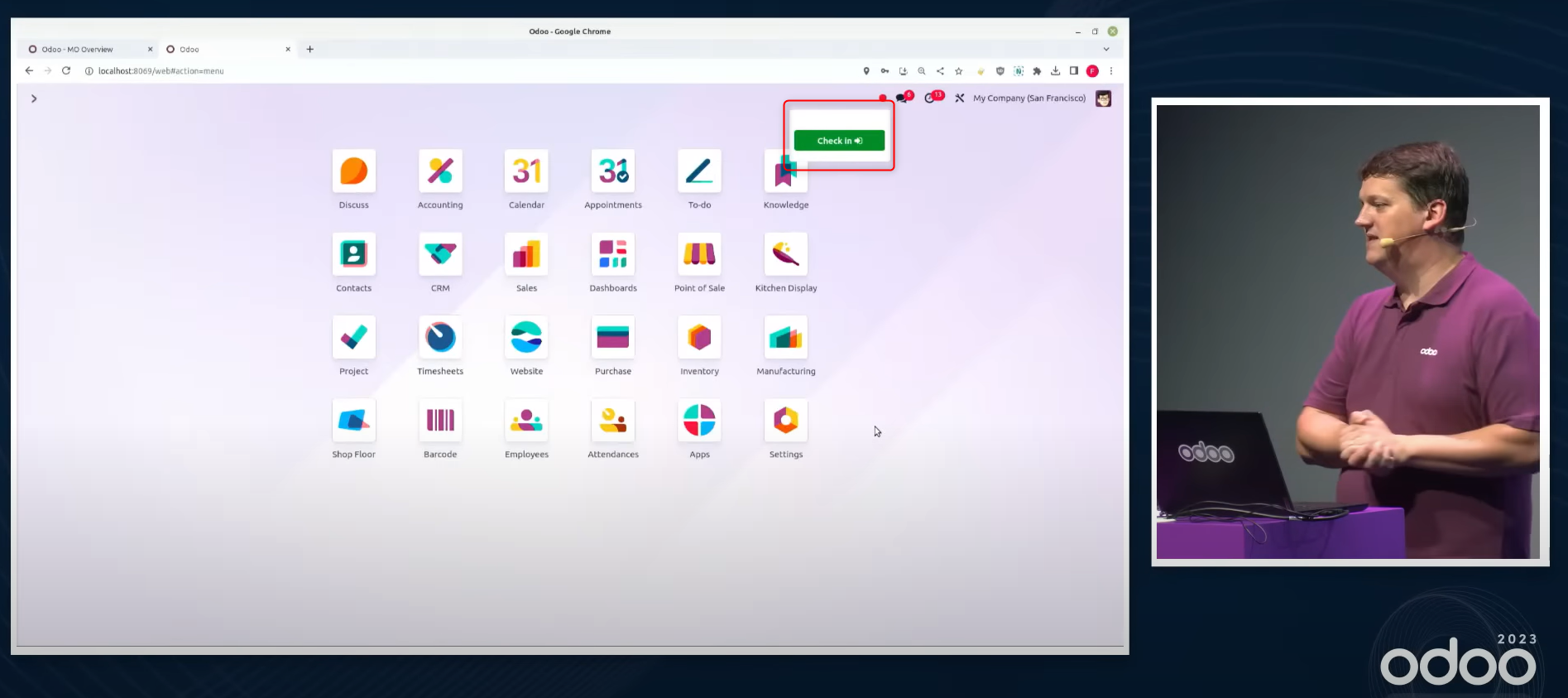
Install the Attendances app and checking in and out is possible from any screen.
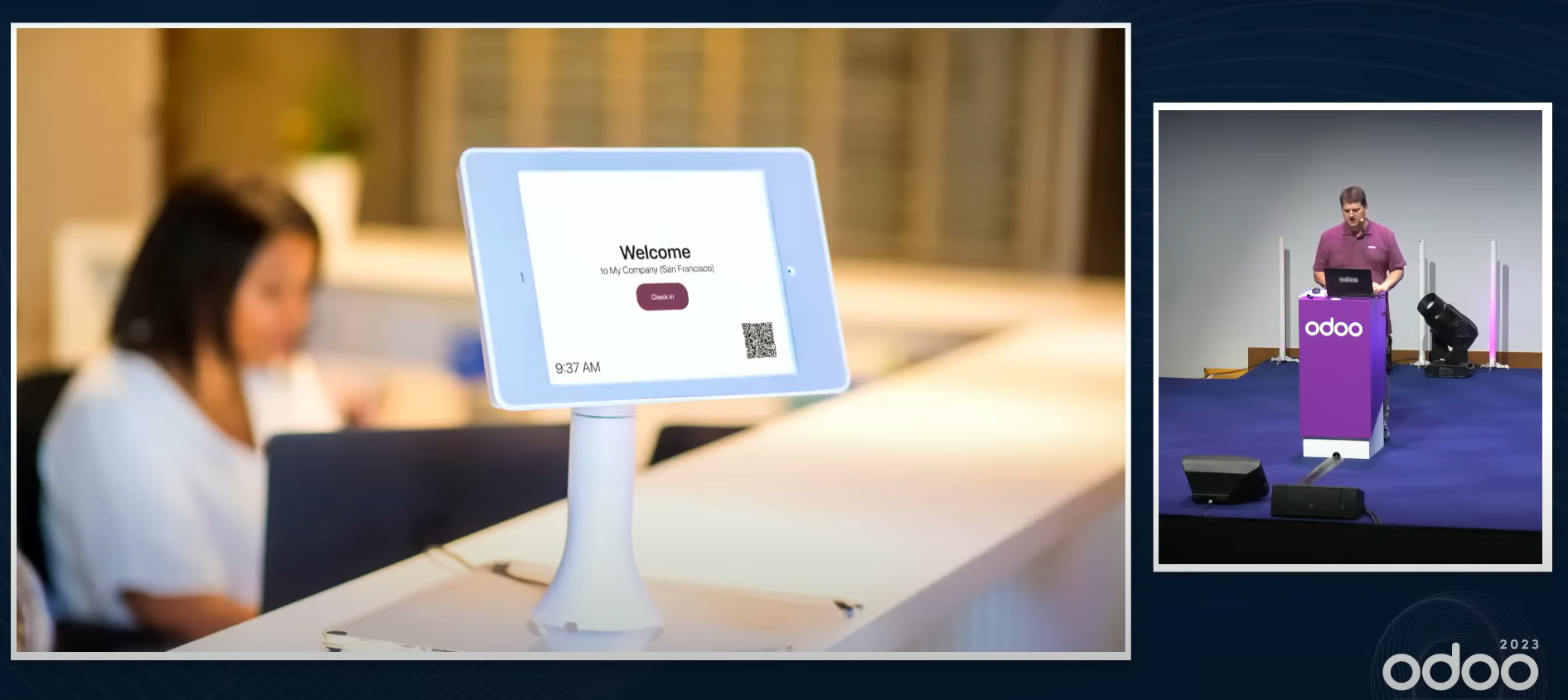
Front Desk
A visitor checks themselves in when they arrive and chooses a drink, and a message reaches the person they have come to see.
Technical
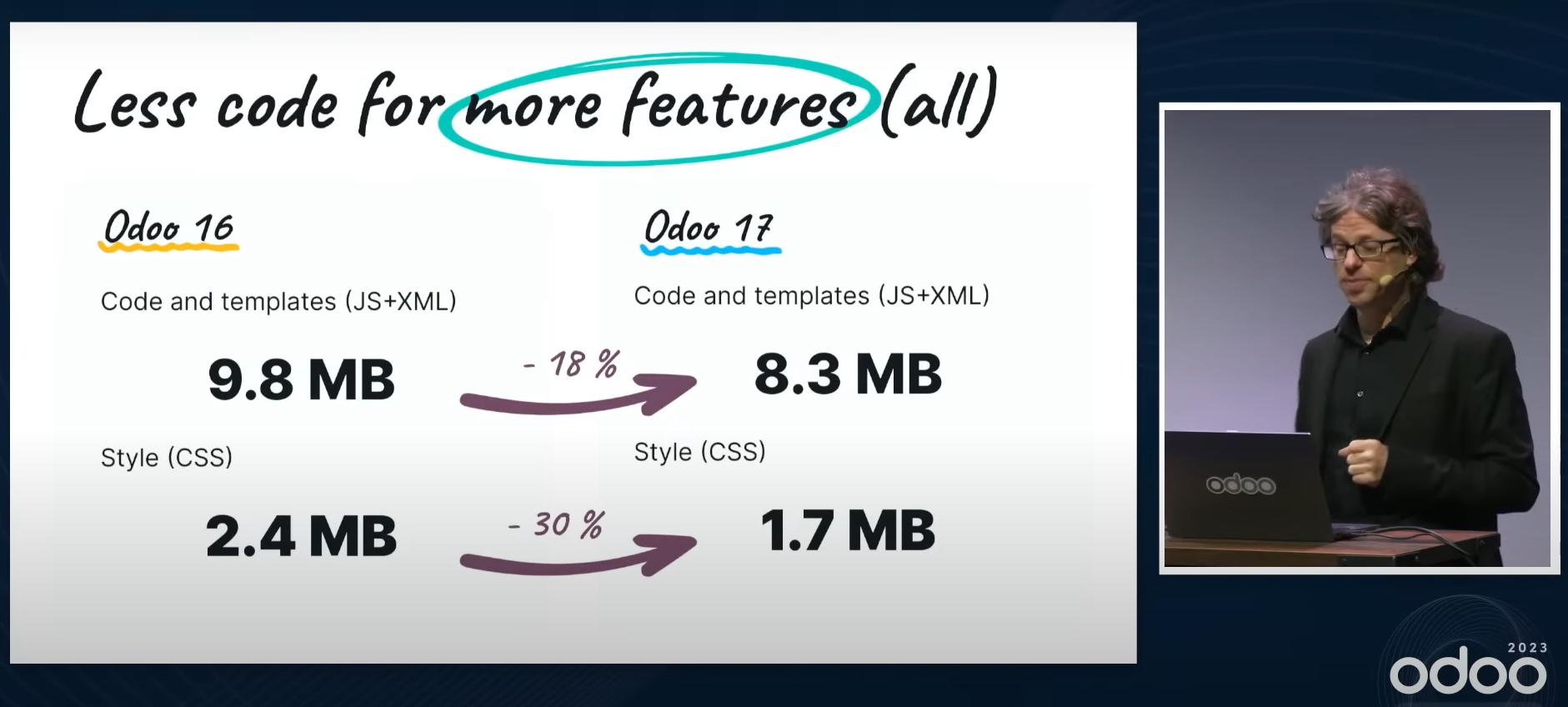
The source code has been cut back substantially and performance is up by about 36%.
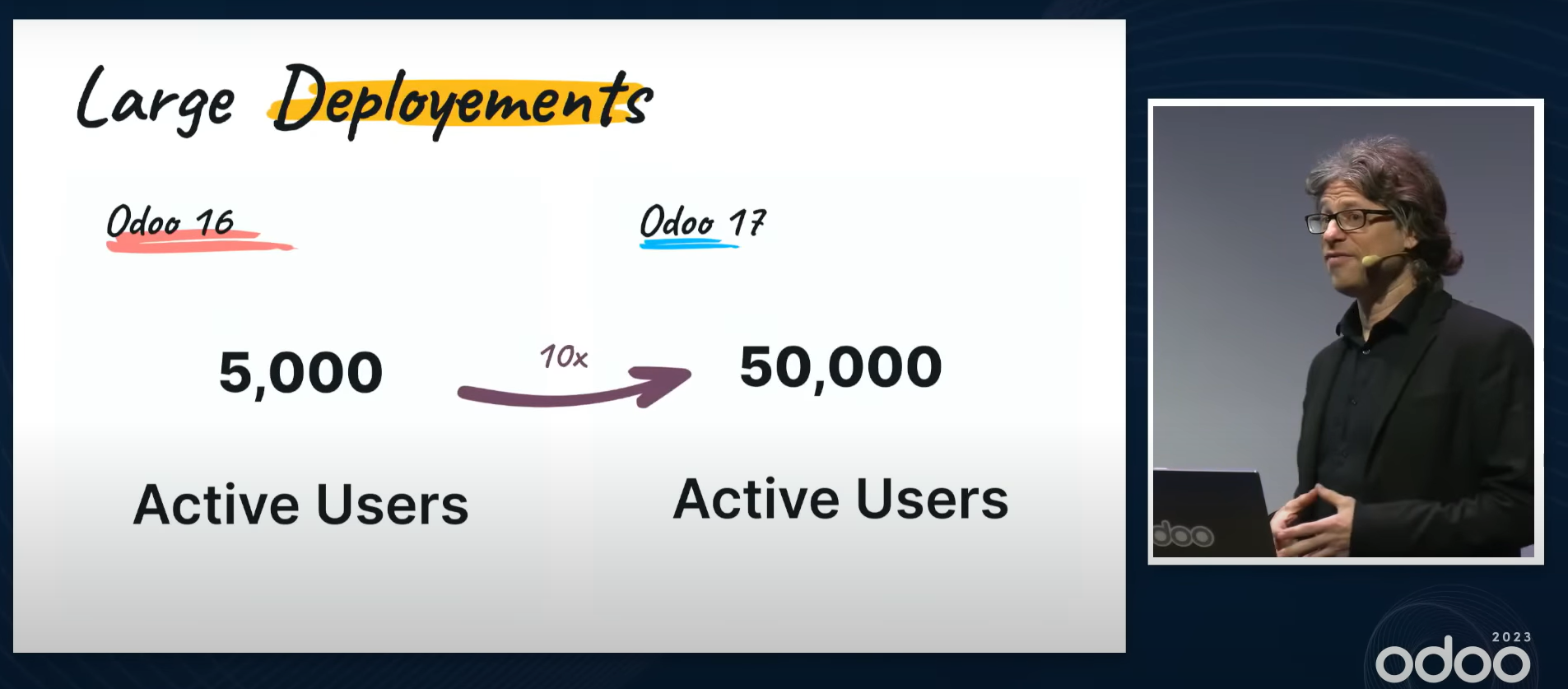
In V16 a single Odoo system could serve 5,000 users; the plan is to scale that up tenfold, to 50,000. The source code is finished, and the plan is to test it next year and then roll it out.
Odoo V17 released - new features and improvements