
Since August 2025, Odoo's translation platform has moved from Transifex to Weblate. Where the Japanese localisation of Odoo stands has also changed since the days when community activity carried the translation, so this post covers both.
Where Odoo's translation stands
As for the current state of Odoo's translation: since 2023 a dedicated Japanese translator at Odoo has been doing the work, Odoo is close to 100% localised into Japanese, and the quality is higher than it used to be. (Odoo adds new features constantly, so there is some lag before a new feature is translated.)
A few years ago the state of the Japanese was probably enough to make some companies drop the idea of adopting Odoo, and that problem is now solved. If you are on an older version of Odoo you may still meet apps that are untranslated, but they are localised in the newer versions, so an upgrade also widens the set of apps you can actually use.
High quality or not, though, there are still occasional places where the Japanese reads unnaturally on an Odoo screen. When we find one, we propose a fix through Weblate, the new translation platform.
How to take part in translating Odoo
To take part in translating Odoo on Weblate you first have to apply for an account by sending your name, your email address and the language you want to translate to translations@odoo.com.
An application used to be accepted almost as a matter of course, but the screening appears to have tightened, so if this is your first time working on an Odoo translation it may help to add a few words about the company you work for and your experience with ERP and with translation.
Anyone outside Odoo is also registered as a Suggester rather than a Translator, so a translation you propose reaches Odoo only after one of Odoo's translators has reviewed and approved it. There were several episodes of 「翻訳テロ」 — translation terrorism — where a community translator broke a tag structure and a screen in Odoo itself stopped rendering, so this seems a fair arrangement.
Using Weblate
The site below is the new Weblate translation platform for Odoo.
①. How Weblate is organised: projects and components
From the menu bar, choose 「プロジェクト」 (Projects) > 「すべてのプロジェクトの閲覧」 (Browse all projects).
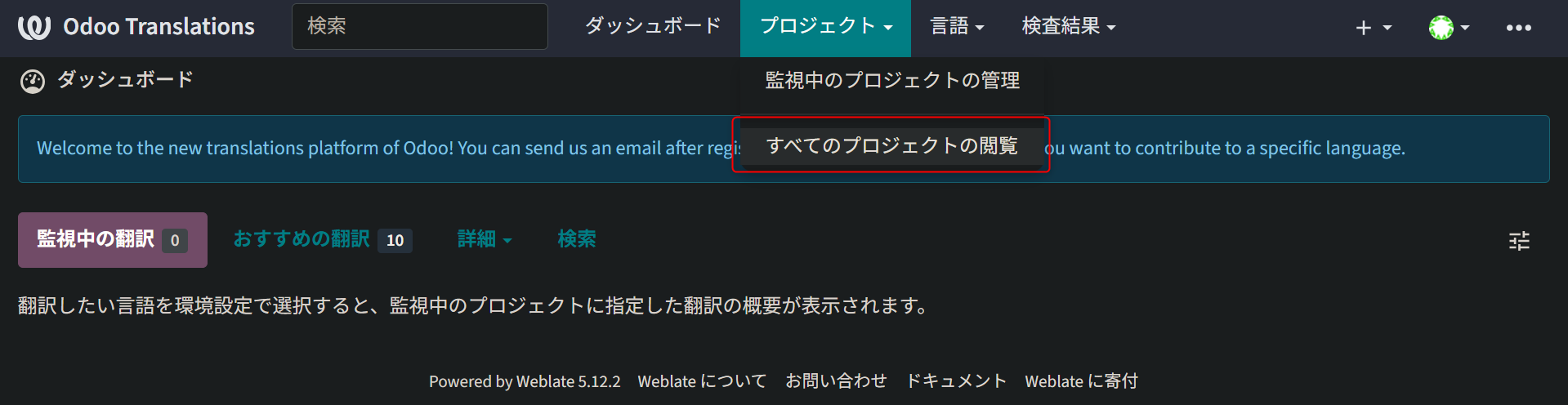
The projects are listed.
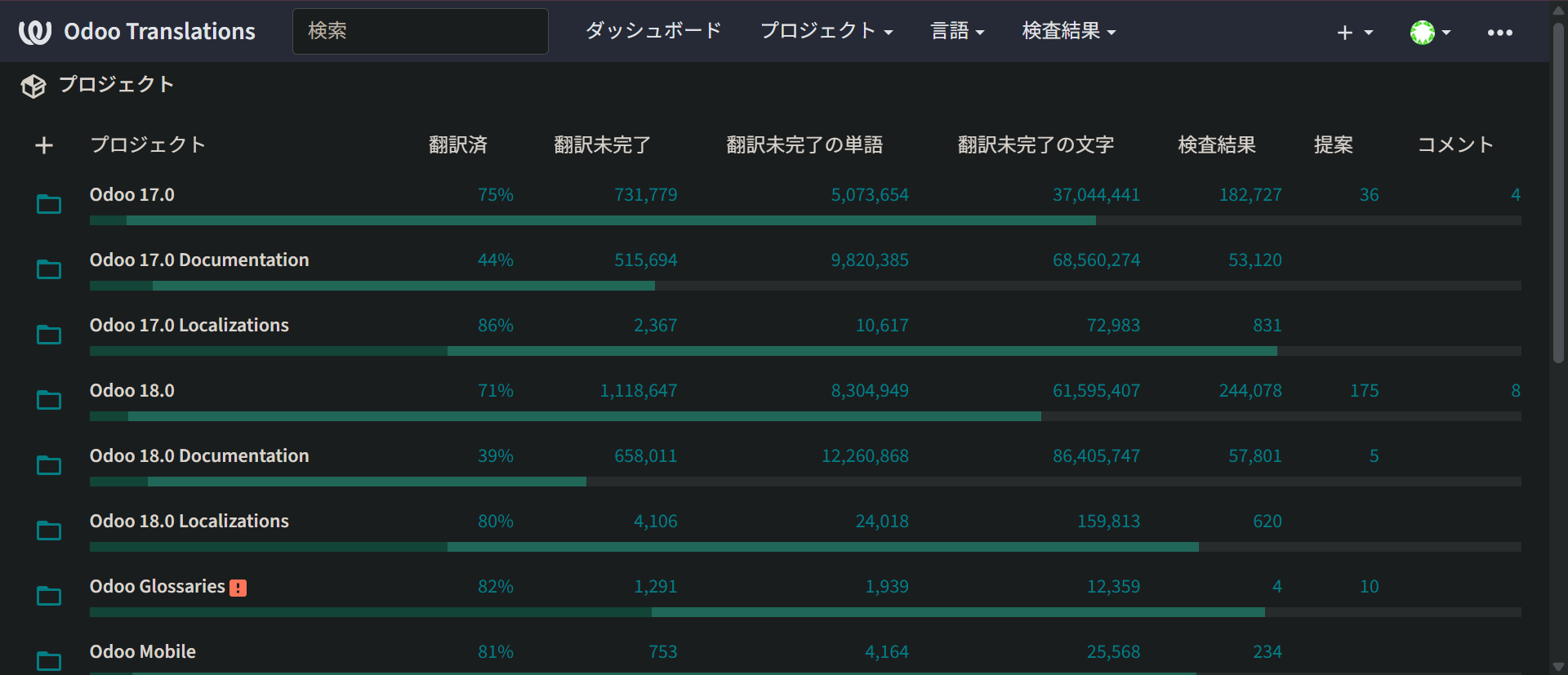
A project whose name reads 「Odoo バージョン」 — Odoo followed by a version number — is one version of Odoo itself.
※ Translate the latest SaaS version too, not only the version you care about. When Odoo moves up a version its translation is taken from the latest SaaS version, so leaving that one unedited leaves the newest Odoo's translation stale.
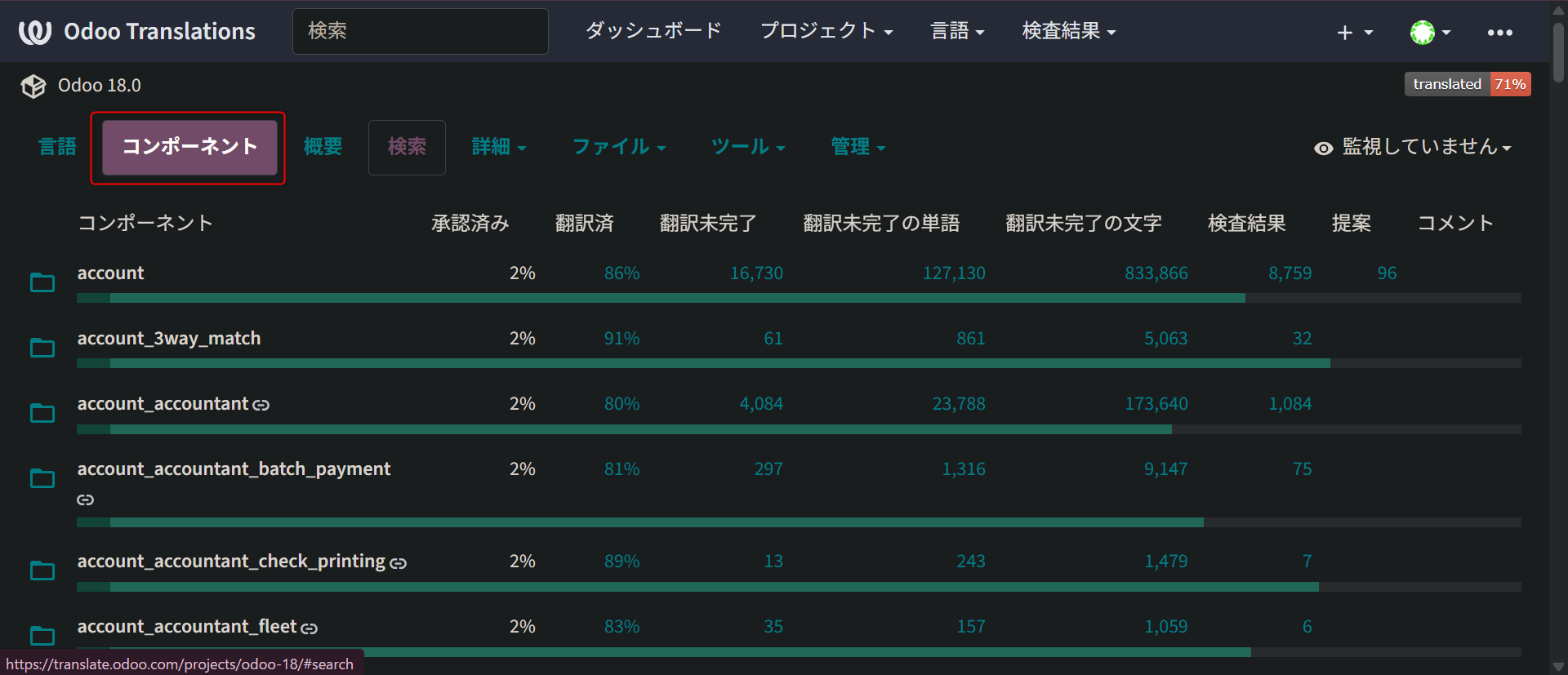
Select an Odoo version project and click the 「コンポーネント」 (Components) tab to list its components. Each component corresponds to one Odoo module.
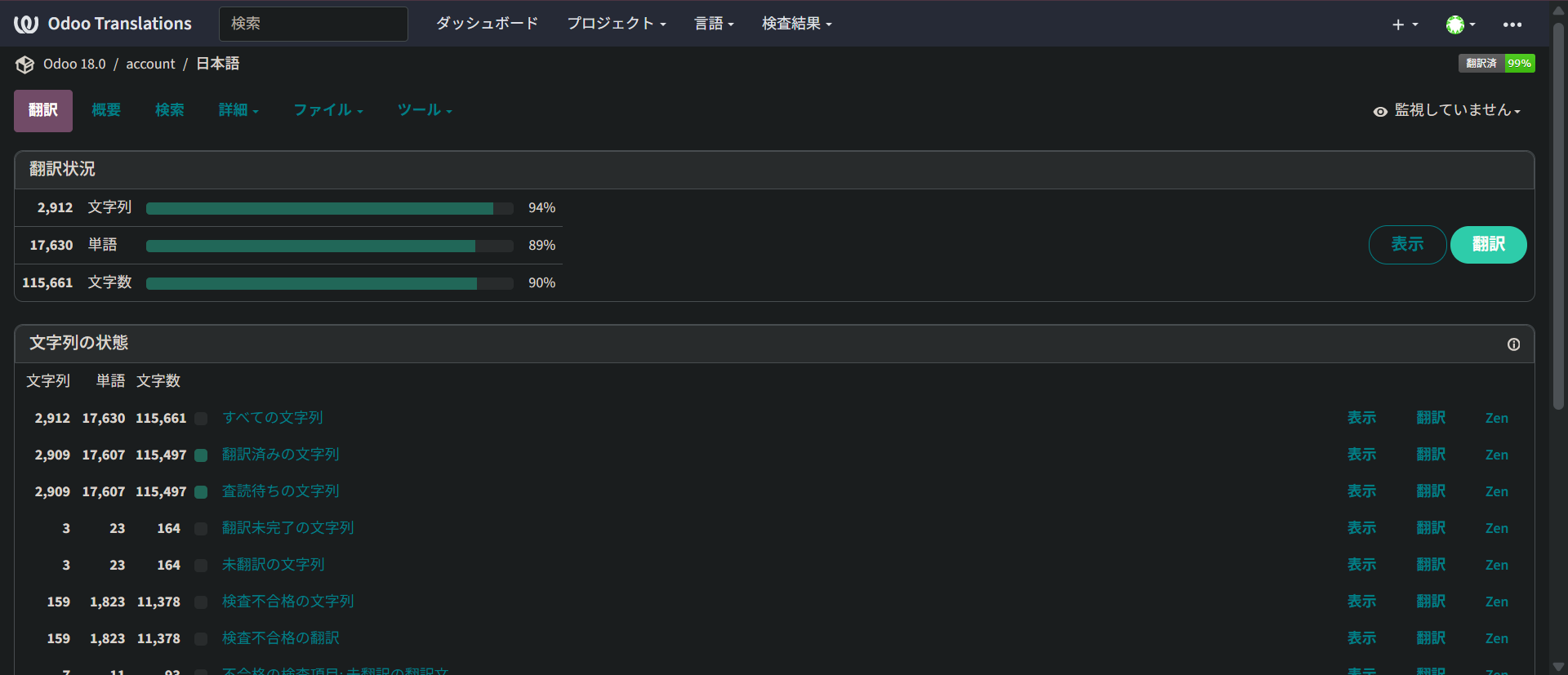
Select a component, then 「日本語」 (Japanese) from the languages, and the module's translation status is shown.
Click the 「翻訳」 (Translate) button and the source string appears alongside a Japanese field.
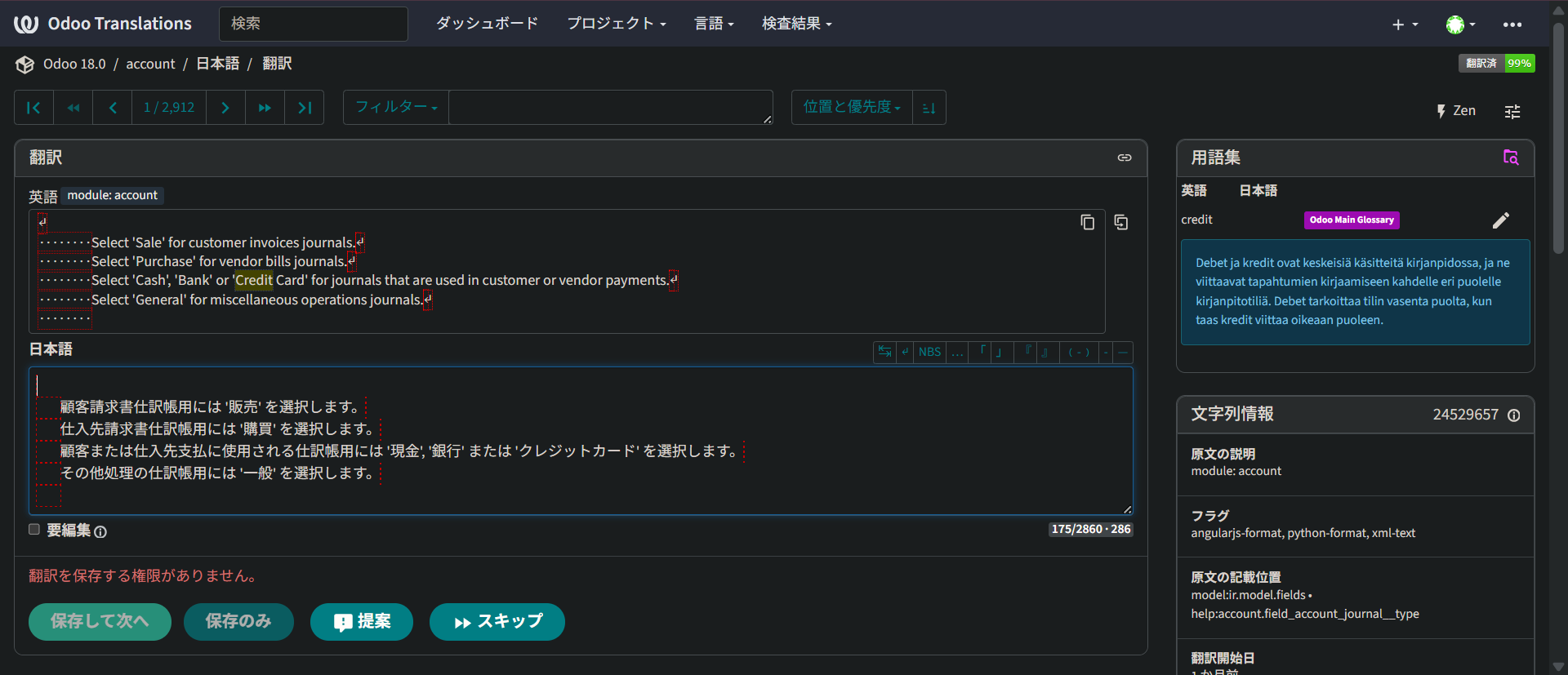
Edit the translation in the Japanese field and click 「提案」 (Suggest) to propose the update.
②. Doing the translation work
The search function is what you work through when you translate.
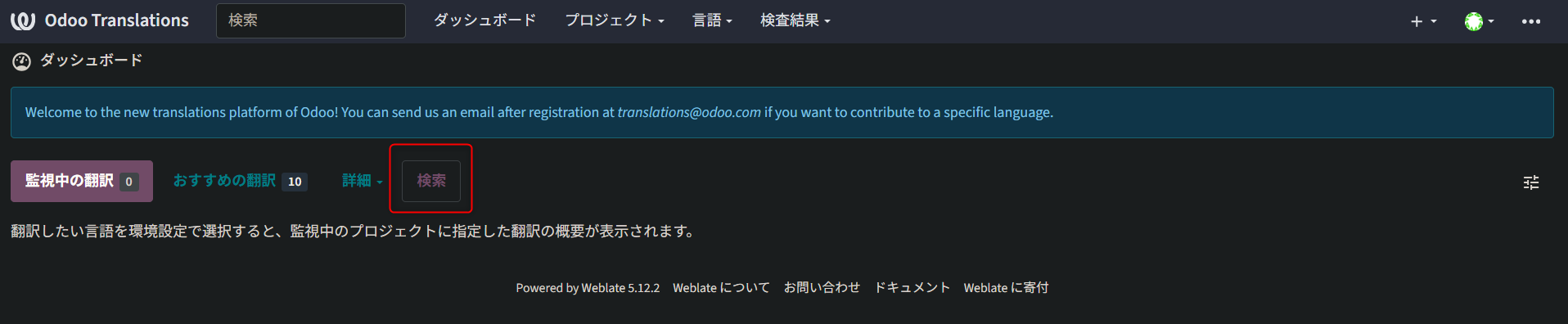
Set the search conditions with the help of 「クエリの例」 (the query examples) and 「詳細な検索式の作成ツール」 (the advanced query builder).
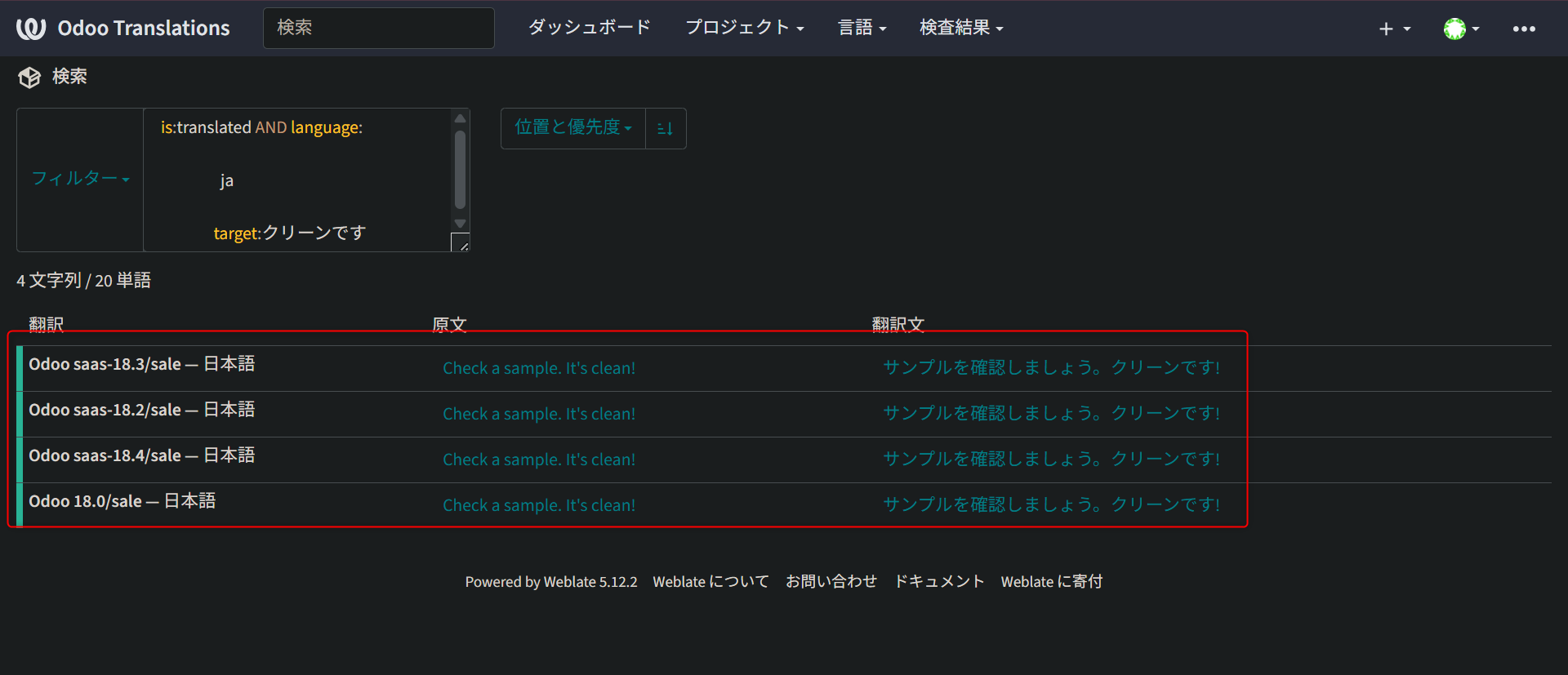
e.g. the search filter for fixing the translation "クリーンです" among the strings already translated into Japanese
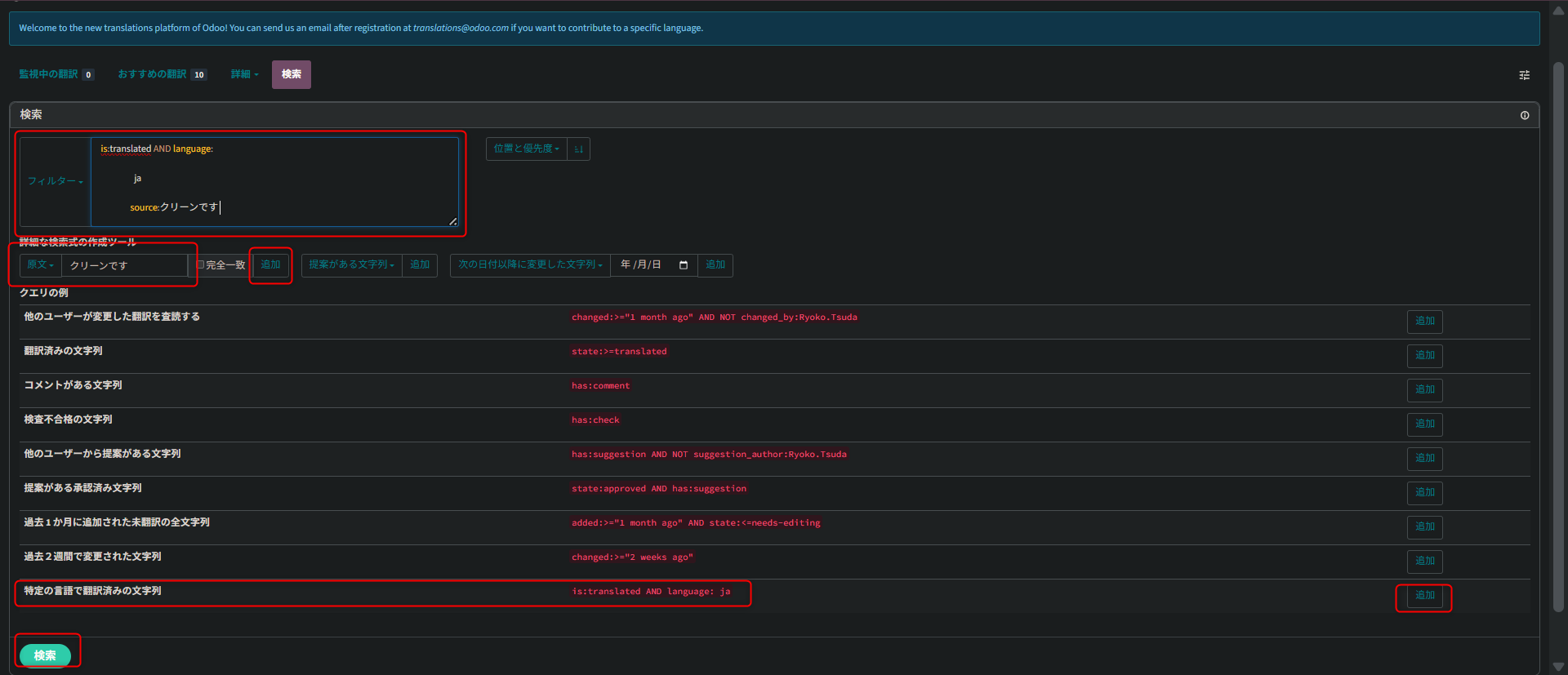
In 「クエリの例」, click 「追加」 (Add) on the "特定の言語で翻訳済みの文字列" row — strings already translated into a given language.
In 「詳細な検索式の作成ツール」, change "原文" (source) to "翻訳文" (translation), type the string you are looking for, and click the 「追加」 button. Drag the bottom right of the 「フィルタ」 box to enlarge it and you can confirm that the query conditions are set. Click the 「検索」 (Search) button at the foot of the page.
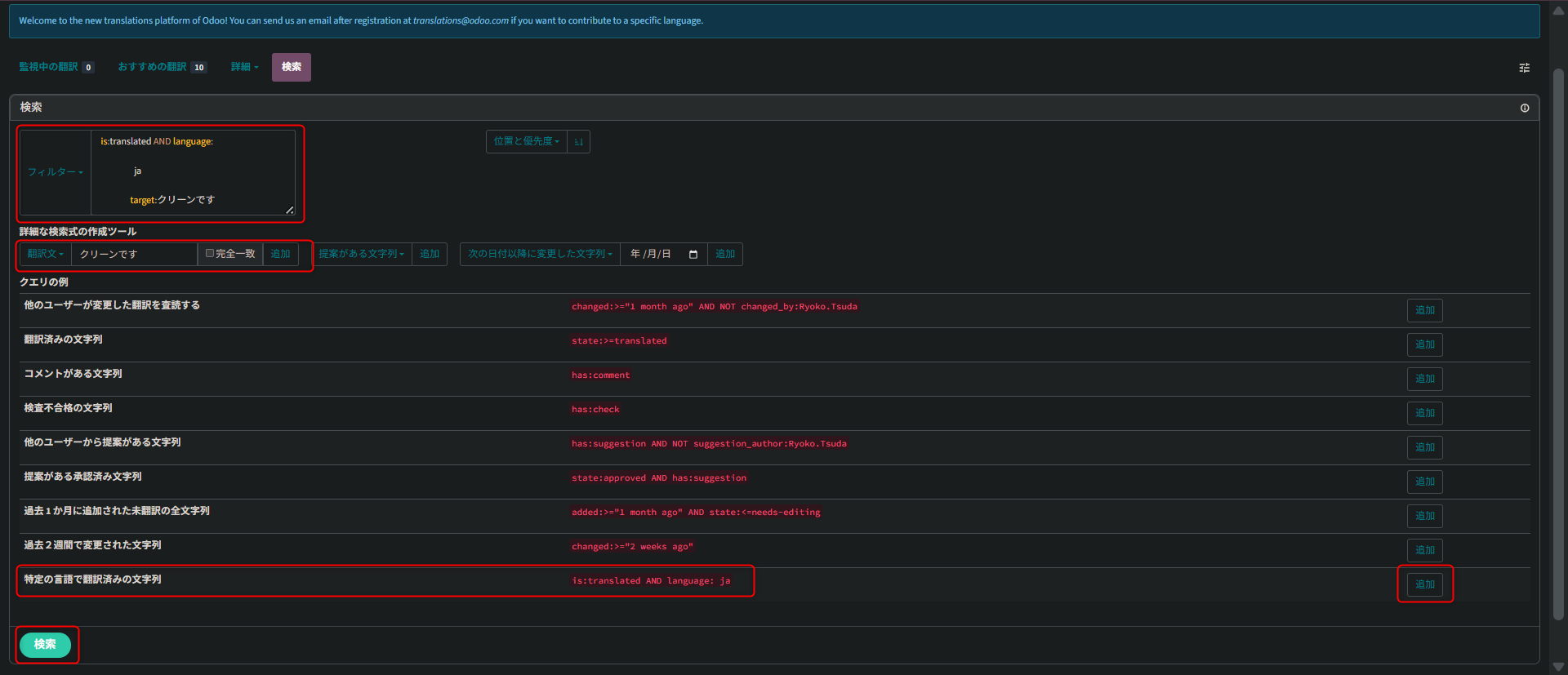
From the results, pick the Odoo version you want to translate and propose your fix.
A community for improving Odoo's translation quality
Odoo runs a Discord community for improving the quality of Odoo's translation. The dedicated translators at Odoo answer questions there, and it is also where we propose a change when an Odoo term would be better matched to what the feature actually does, so the work of improving Odoo's translation quality is done together, in conversation.
The community is invitation-only: it is open to people actually active on Weblate, and to people who can hold a constructive exchange.
Why not start by taking part in the translation work on Weblate yourself?
For how translation on Weblate works, please see the material below for the procedure.
Odoo's translation platform has moved from Transifex to Weblate