
Odoo Experience 2024 was held in Brussels, Belgium from 2 to 4 October 2024, and Odoo version 18.0 was unveiled there. Below, following the presentation as it went, are the various new features and improvements from the keynote speech given by Odoo's CEO Fabien Pinckaers on day one.
Related links:
The case of a bookshop in India
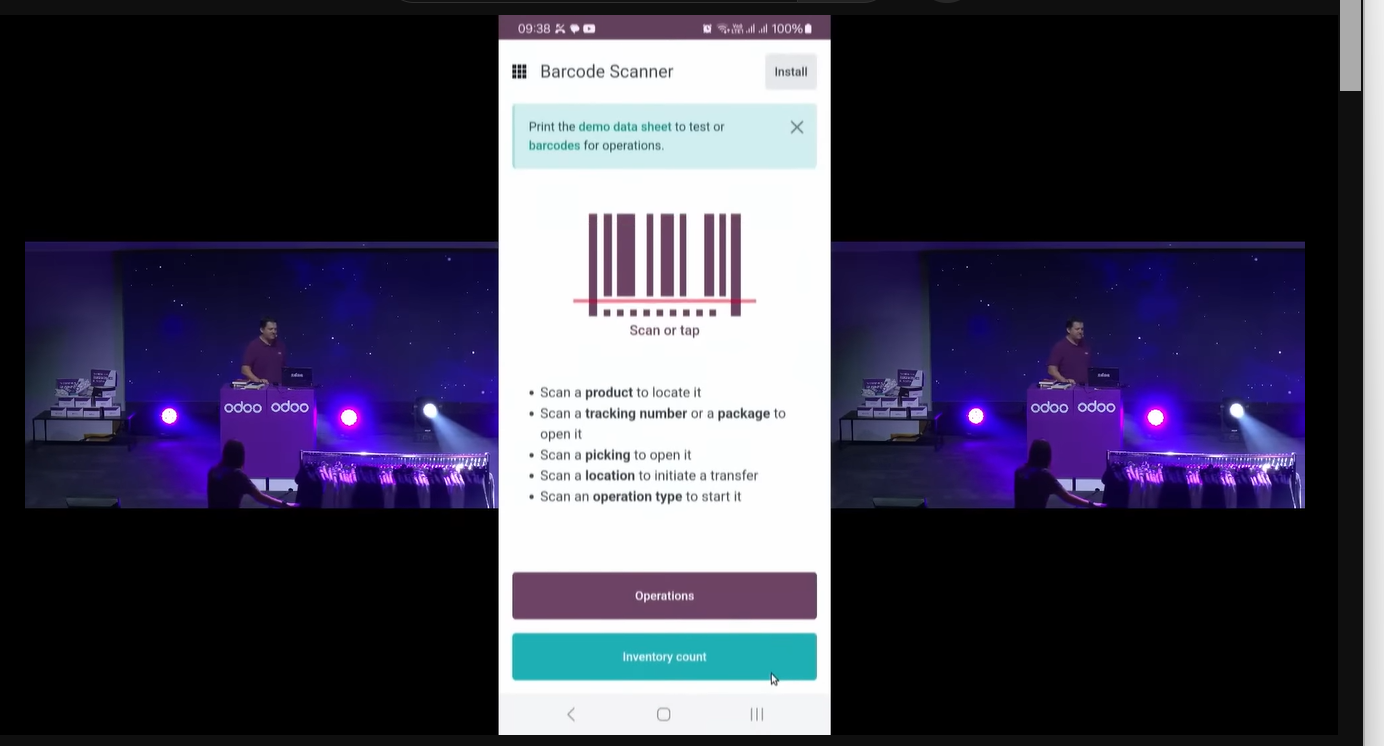
A bookshop in India had been managing everything by hand; with nothing but a smartphone it brought Odoo in and put inventory, eCommerce and PoS on a system.

From V18 a barcode can be scanned with a smartphone camera, so the barcode features can be used with no barcode scanner device to hand.
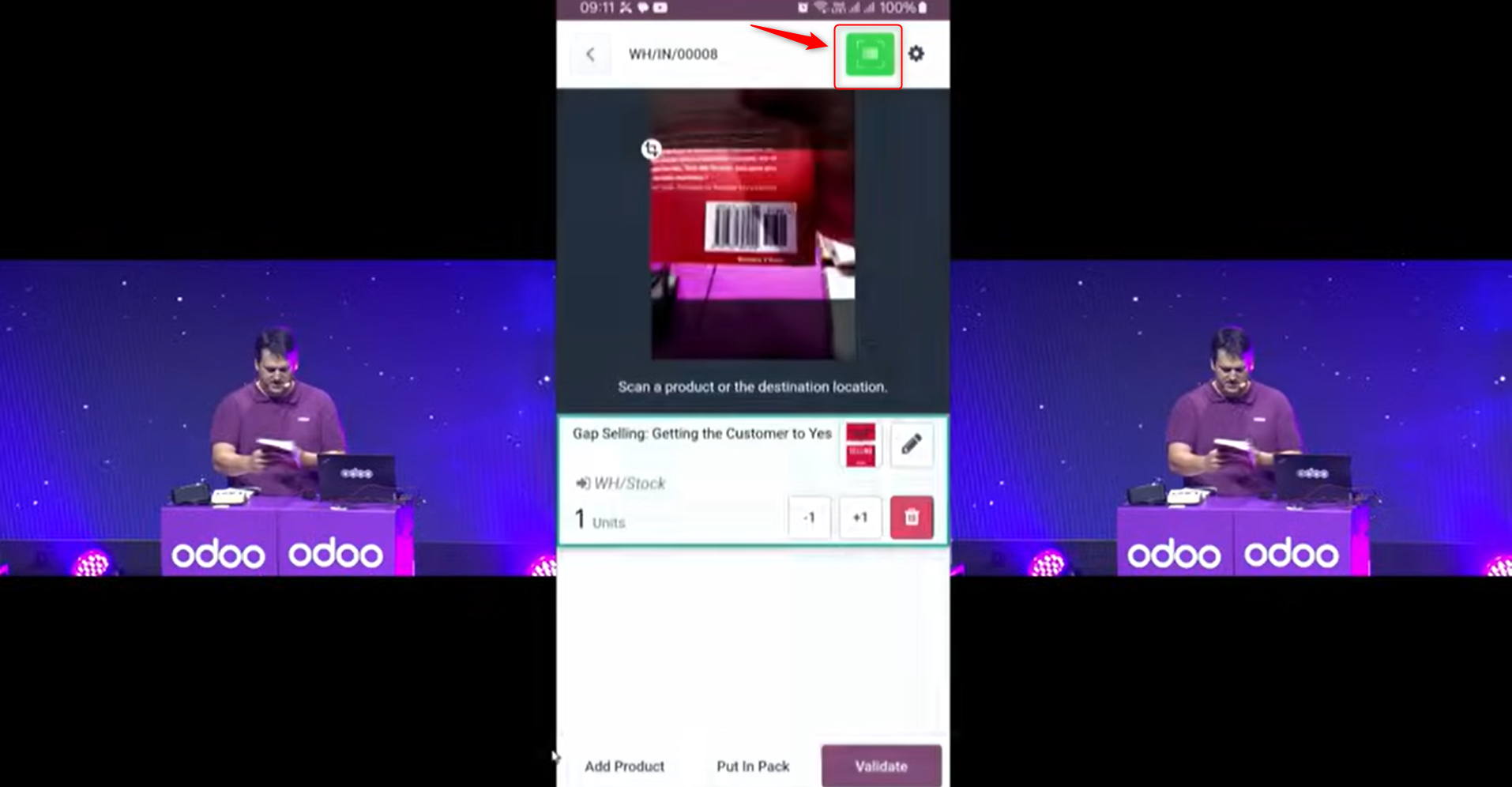
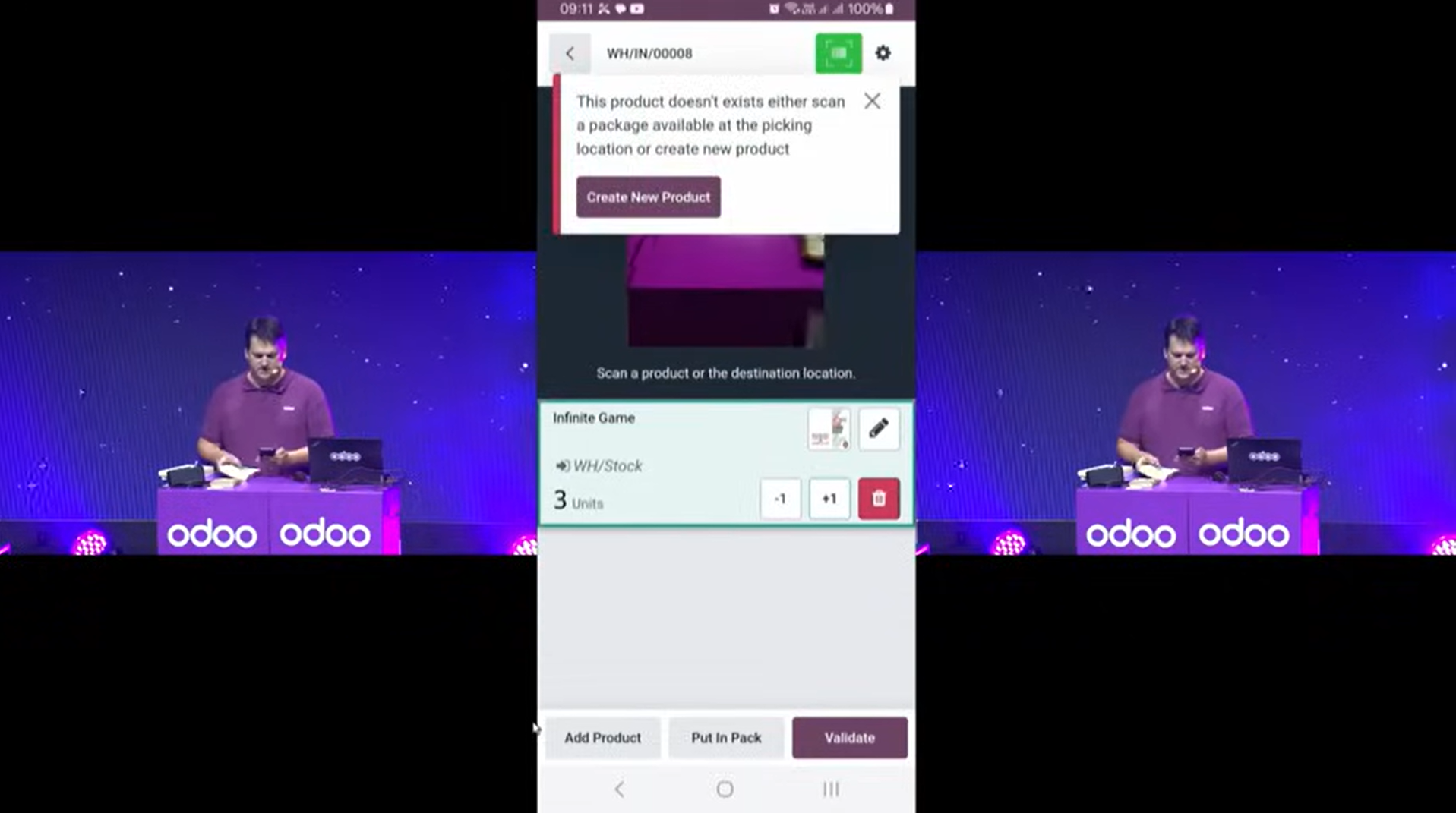
Where the scanned barcode is not registered against a product, the information can be fetched from a barcode database and a new product created.
Sales
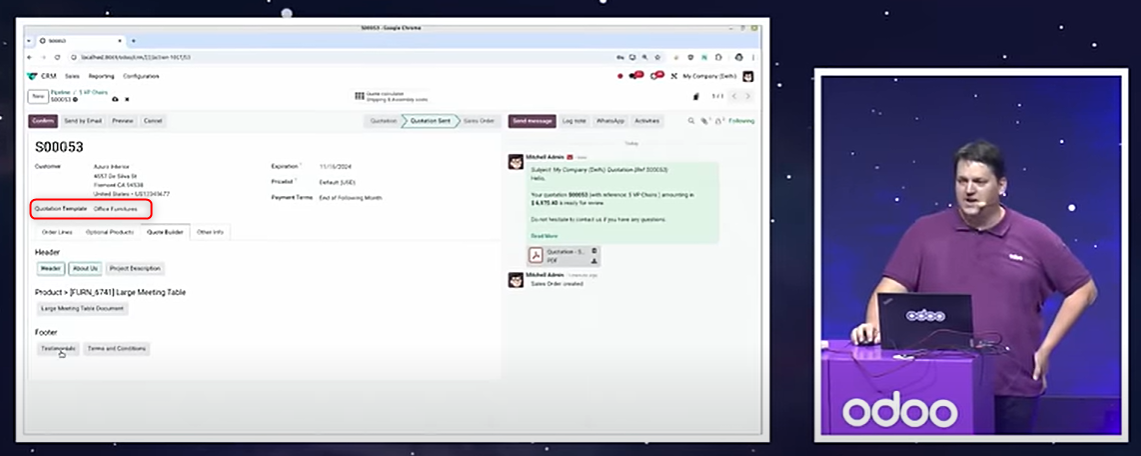
The quotation builder
Prepare quotation templates, and add to the header or footer of a quotation — as suits the customer — a company introduction, customer testimonials, terms of business or detailed product descriptions.
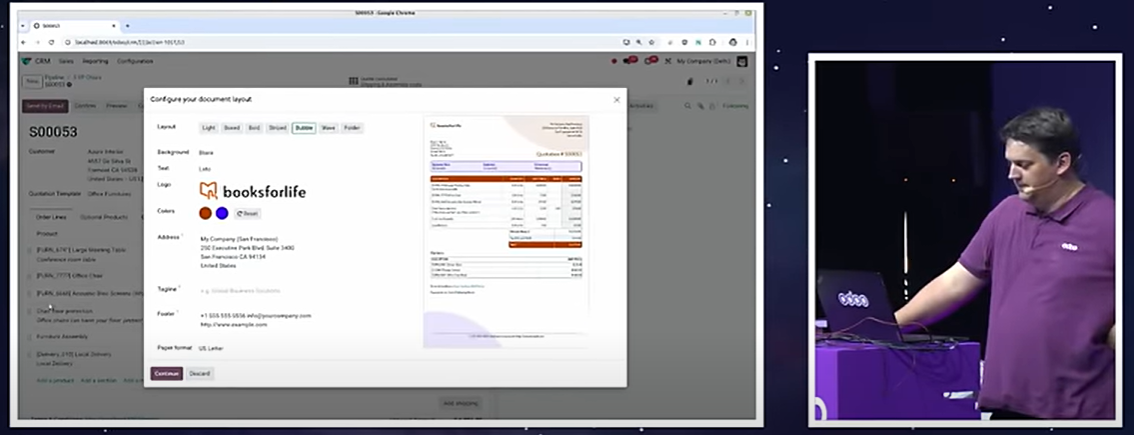
The layout of a quotation can be chosen.
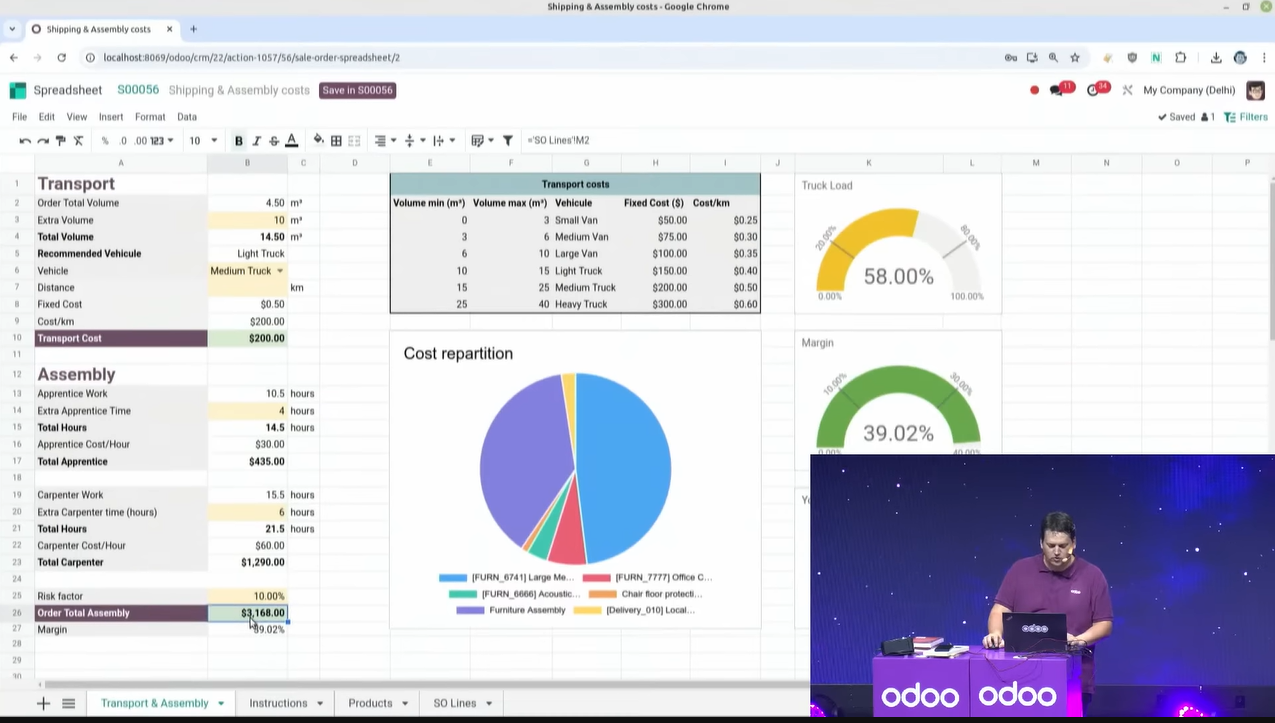
Calculating costs in a quotation
A quotation often covers more than the price of the goods: delivery, assembly and other costs. The rules for working those out are fine-grained and the calculation can get complex, but set the formula on a template beforehand and entering conditions such as distance, weight or volume is all it takes — the amount is calculated automatically and the delivery or other cost line on the sales order is updated.
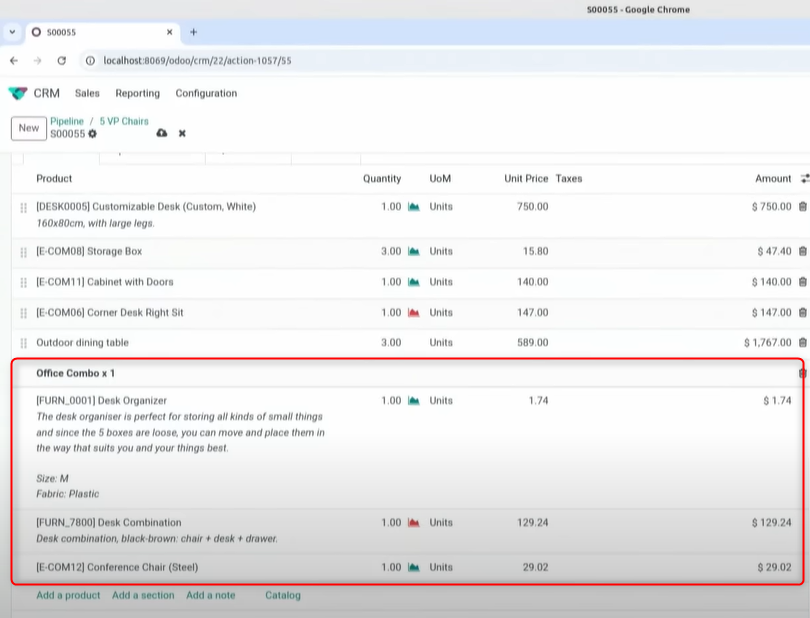
Combos
The combo feature introduced to the PoS app in V17, selling a set of items together, can now be used in the back end and in eCommerce as well.
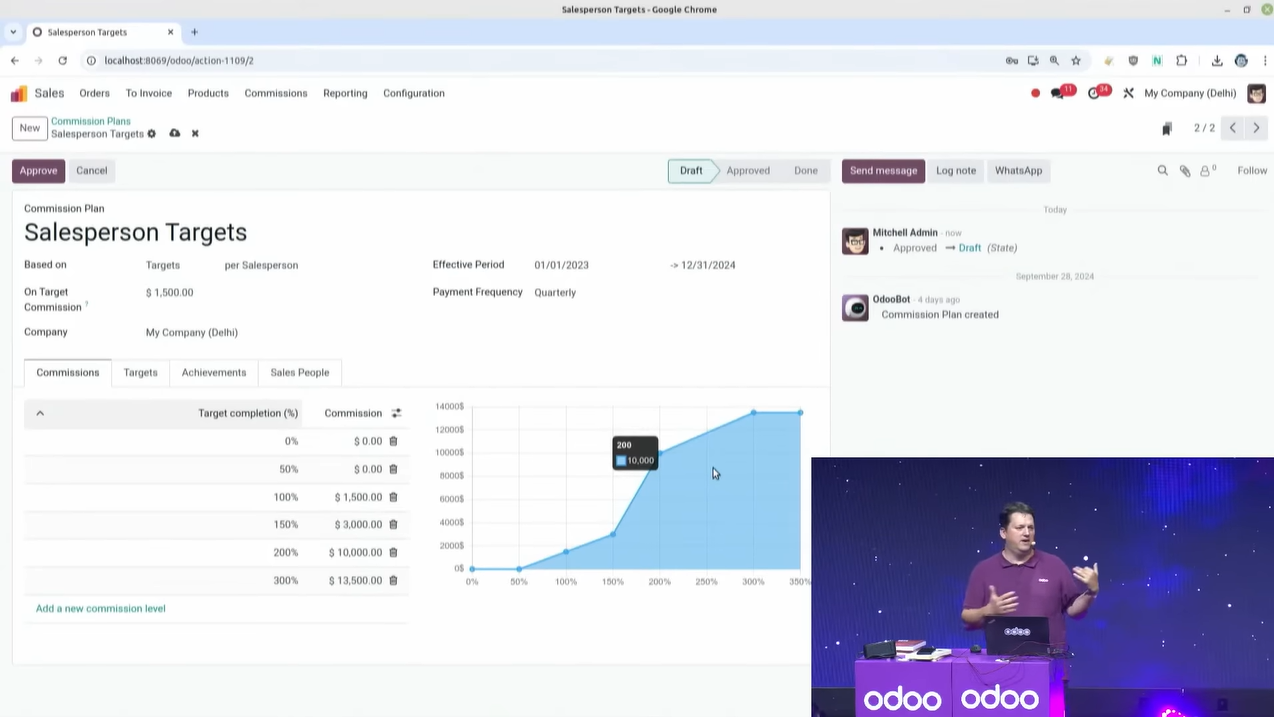
Incentives
From V18 a Commissions app is available. Several commission plans can be defined for salespeople and for sales teams.
Inventory
Barcode
RFID can now be used to scan much faster.
This is easier to grasp on video, so watch a physical inventory count with RFID from here. It shows a count of 100 products finishing in two seconds.
Handling an exception
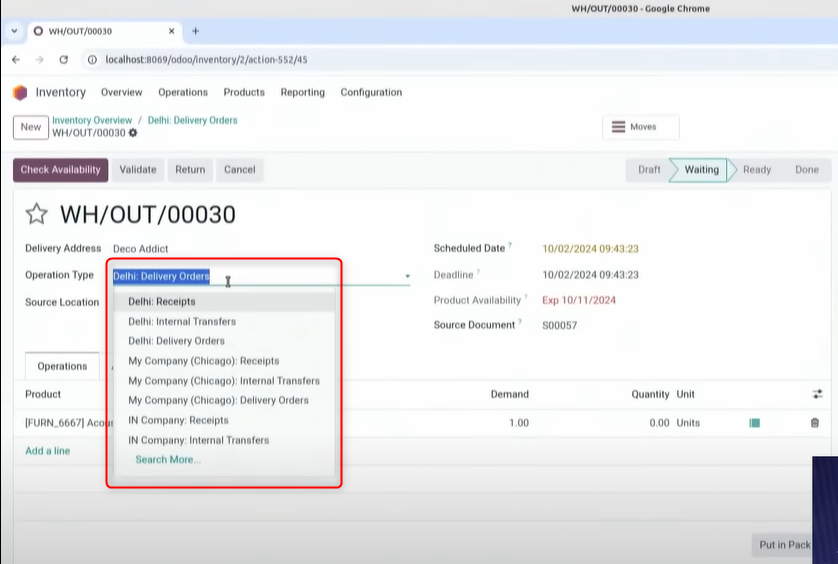
The operation type can now be changed part-way through a flow. You can change which warehouse an order ships from, switch to cross-docking — moving purchased goods straight onto another truck without unpacking or inspecting them — or add a quality check in the middle.
Transport management
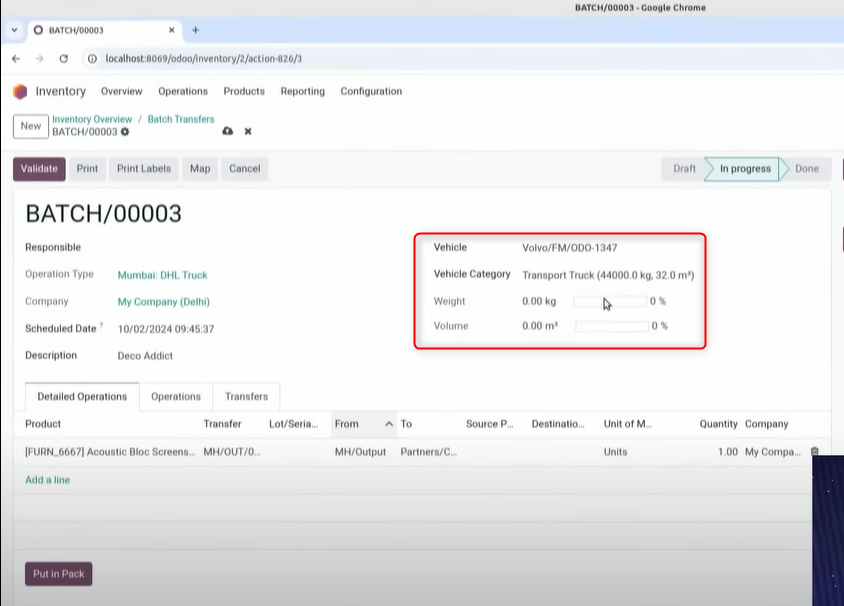
Organise delivery routes and manage shipments, using your own trucks or a third-party carrier.
Set the load weight and volume for each vehicle in the Fleet app, group delivery orders into a transport batch order, and assign it to a vehicle. You can assign by hand, or set automatic rules and have it assigned for you.
Project management
Signatures
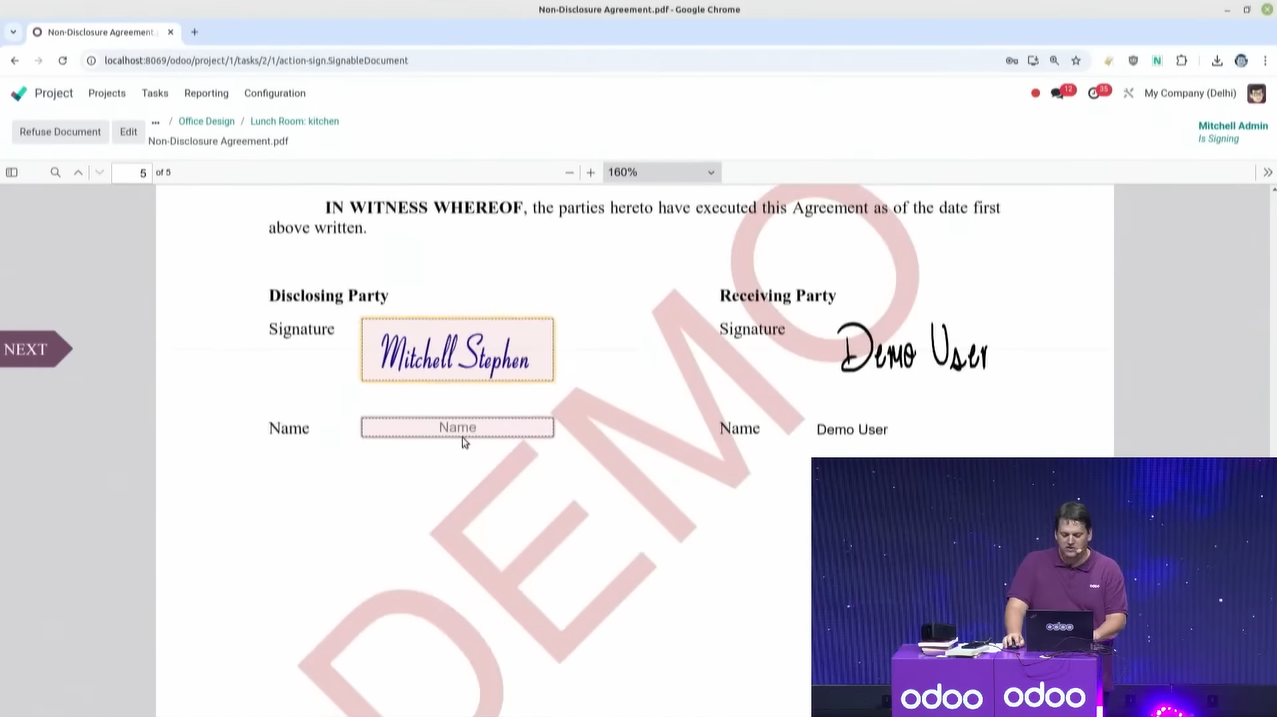
From V18 a signature can be requested from anywhere in Odoo, the Project app included.
Change history
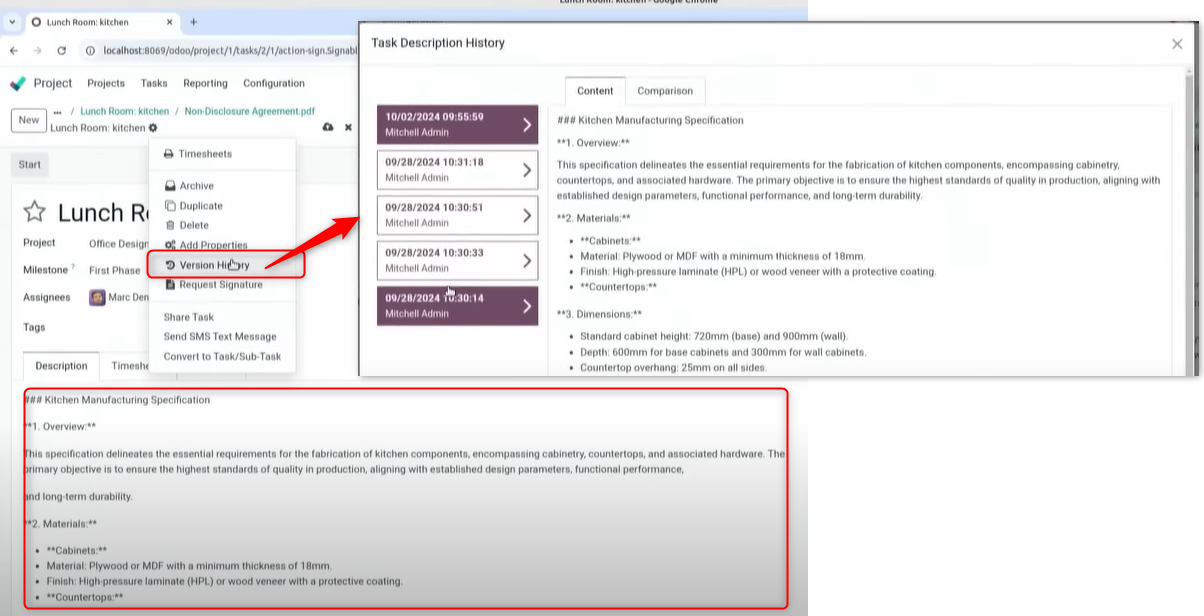
The change history of every HTML field in Odoo — a project's description, for instance — can now be inspected.
Pinning app icons
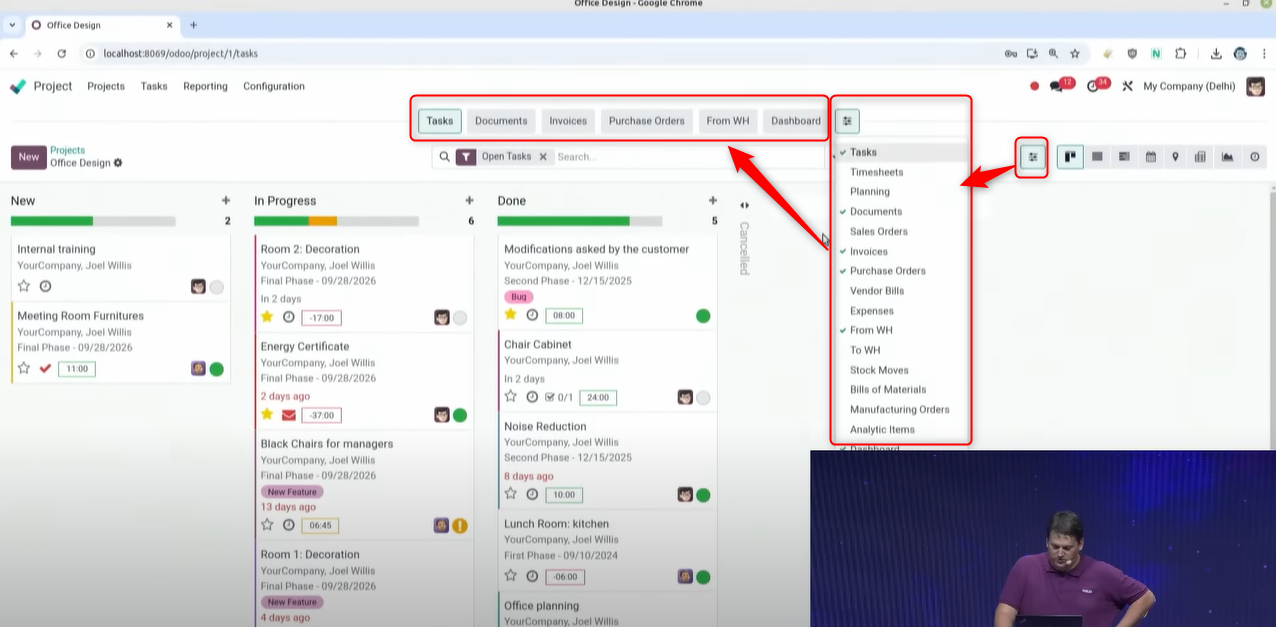
Select the apps that relate to a project and pin them to the toolbar at the top of the screen. One click takes you from the project screen to any of them.
Which apps are shown can be set and saved per project.
Assigning tasks automatically
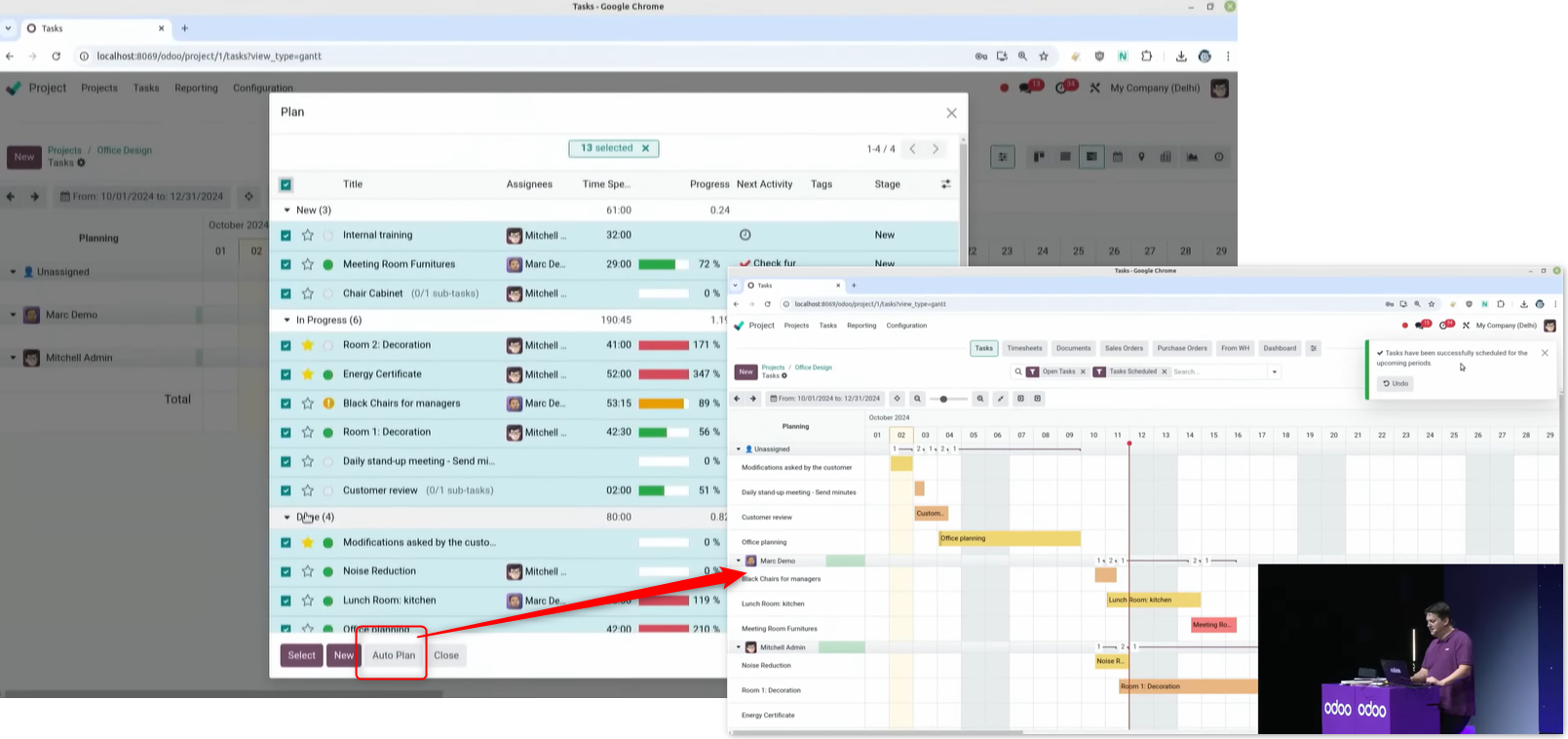
Select the unassigned tasks and run auto-planning, and the tasks are assigned automatically.
Accounting
OCR
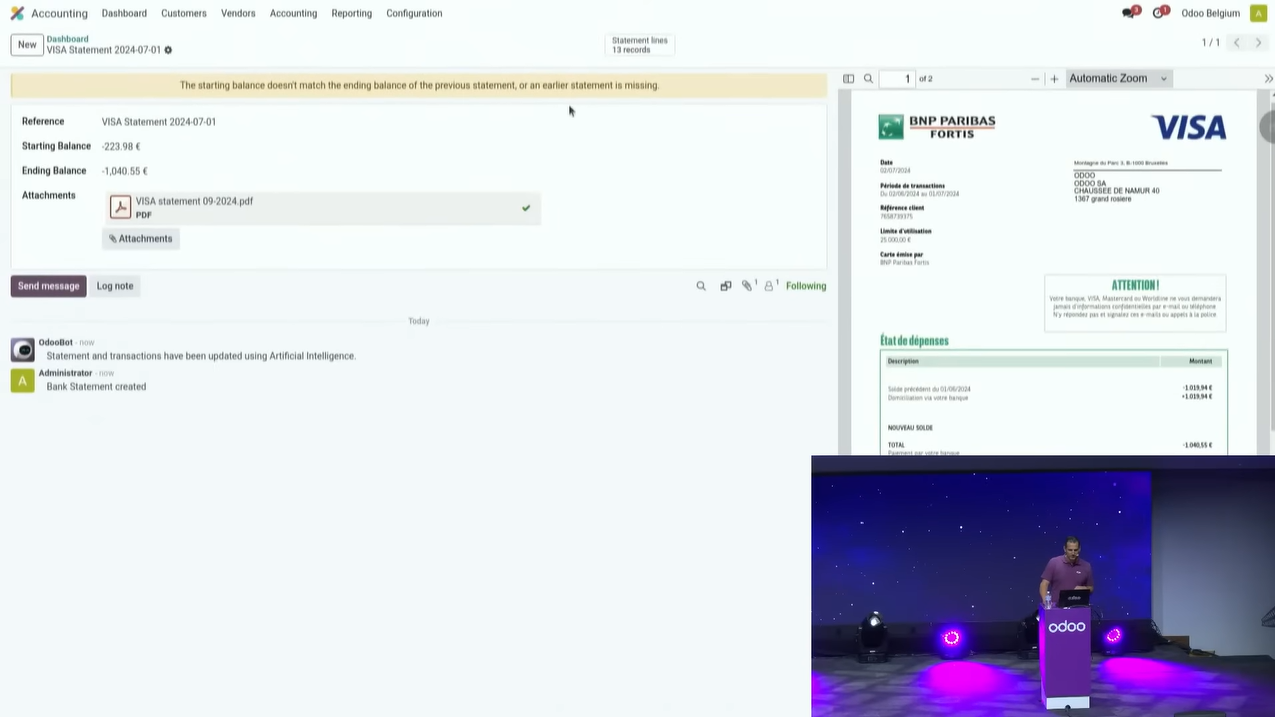
OCR has moved on. As well as vendor bills, it can now read documents such as a VISA statement PDF and post the journal entries.
Matching vendor bills against purchases and receipts
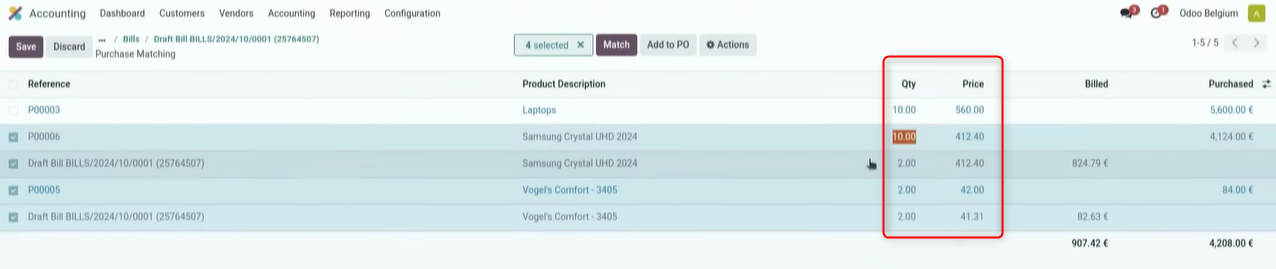
On the new screen for matching a vendor bill to a purchase order, quantities and unit prices can be updated directly, and those changes carry back to the purchase order.
Loan management
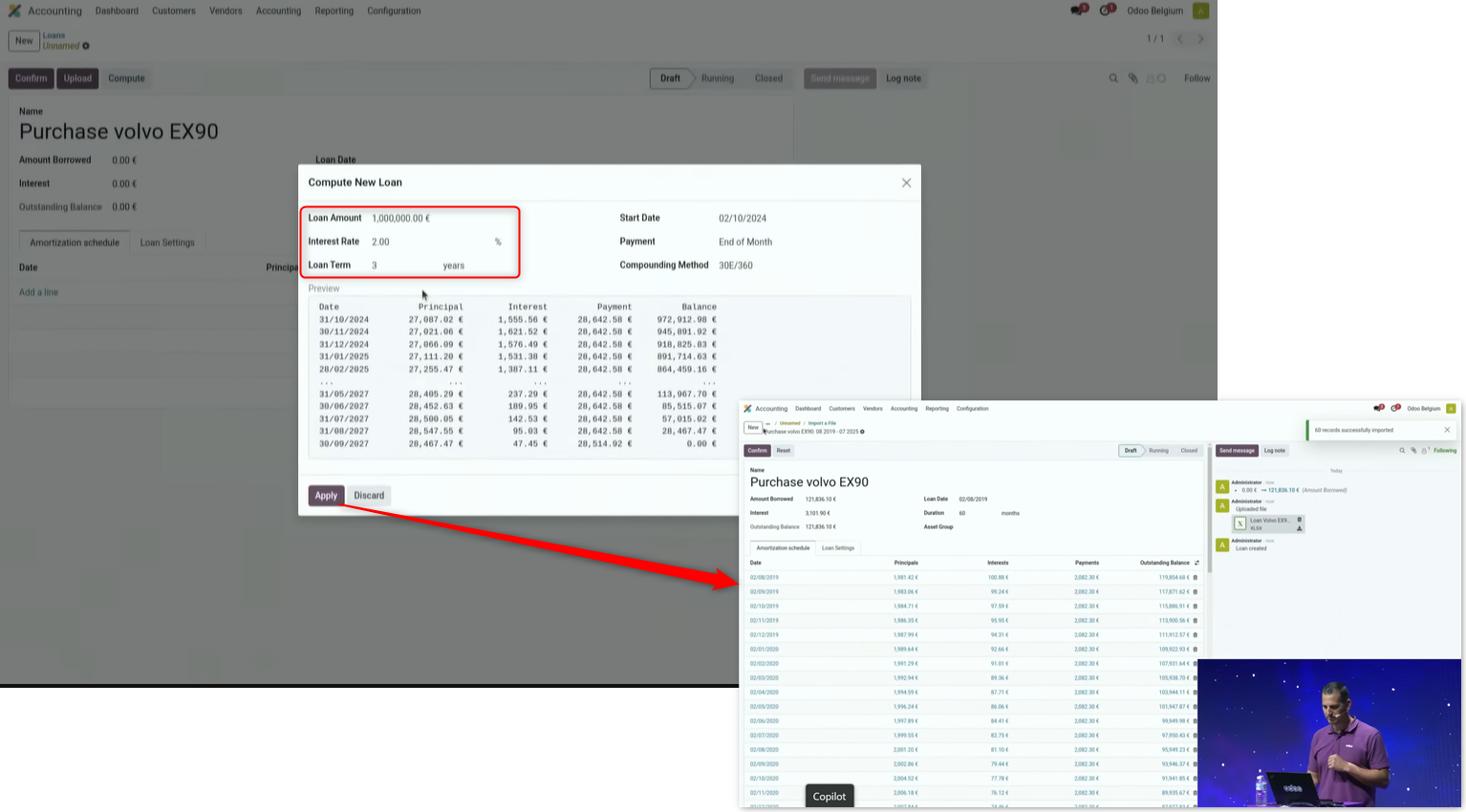
Enter the repayment period and the interest rate and the repayments are calculated automatically, or import from a csv file and have the journal entries posted automatically. The transfer between short-term and long-term liabilities is posted automatically as well.
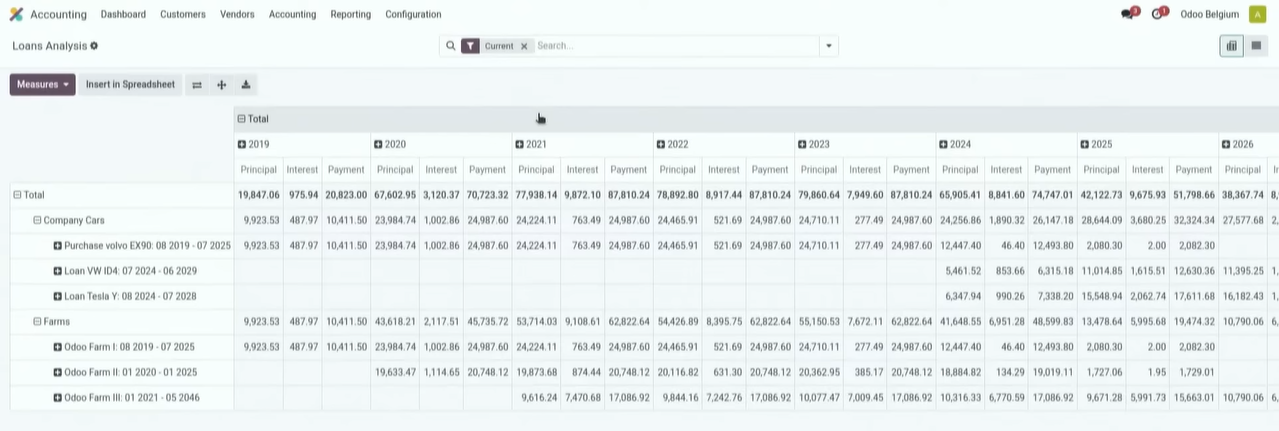
Set an asset group on a loan and loans can be analysed by asset group.
Consolidated accounting
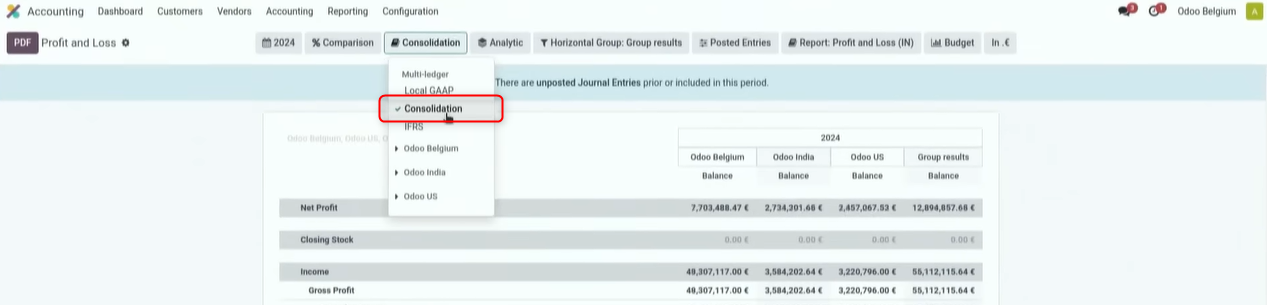
Consolidated accounting has been refactored and folded into the Accounting app.
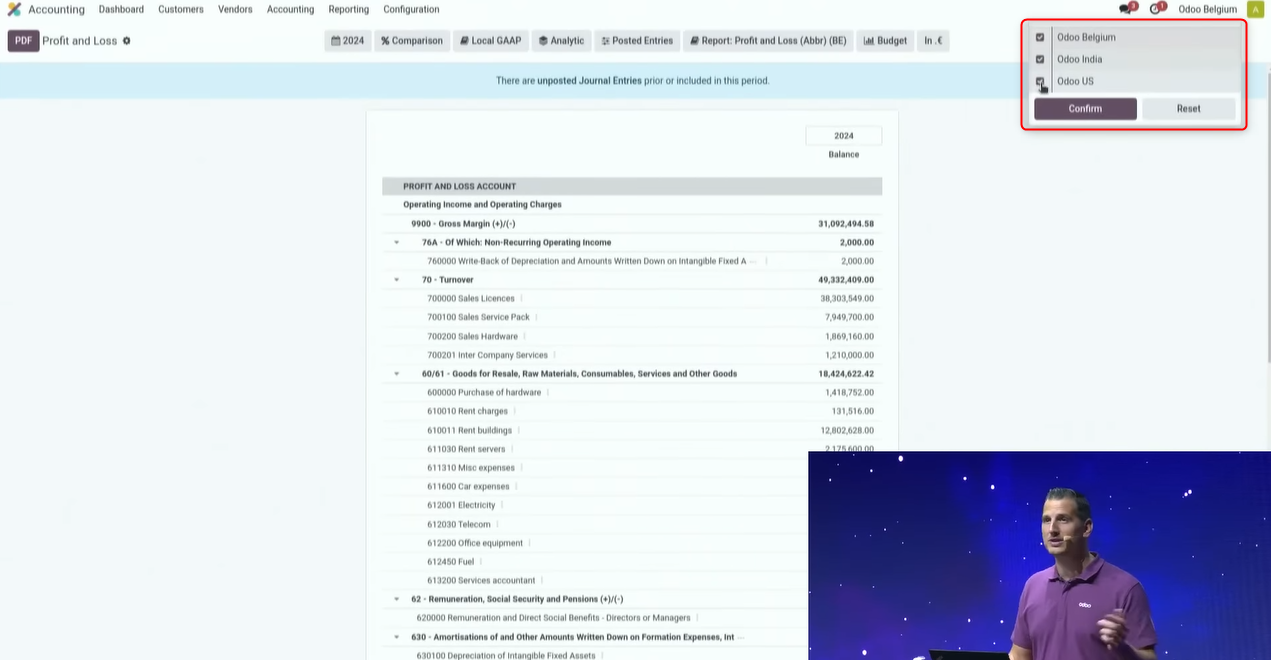
Simply choose the company to show, and you can display Belgian GAAP in euros or Indian GAAP in rupees, and pick between a single company and a consolidation unit.
Choosing a horizontal group lets you compare companies.
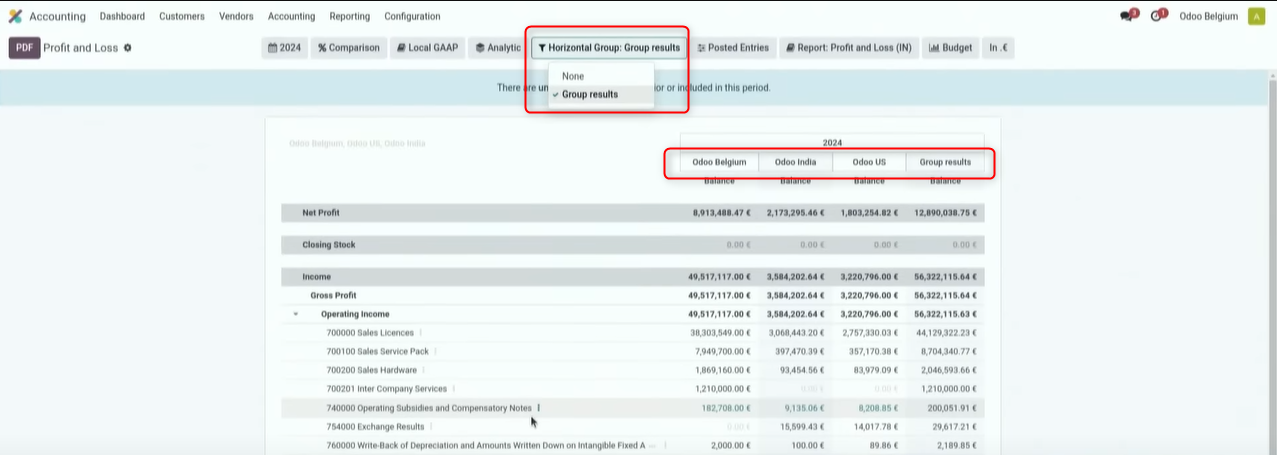
Choosing consolidation excludes intercompany transactions. Beyond that, picking a period has become easier, comparison periods can be chosen, and reports display more flexibly.
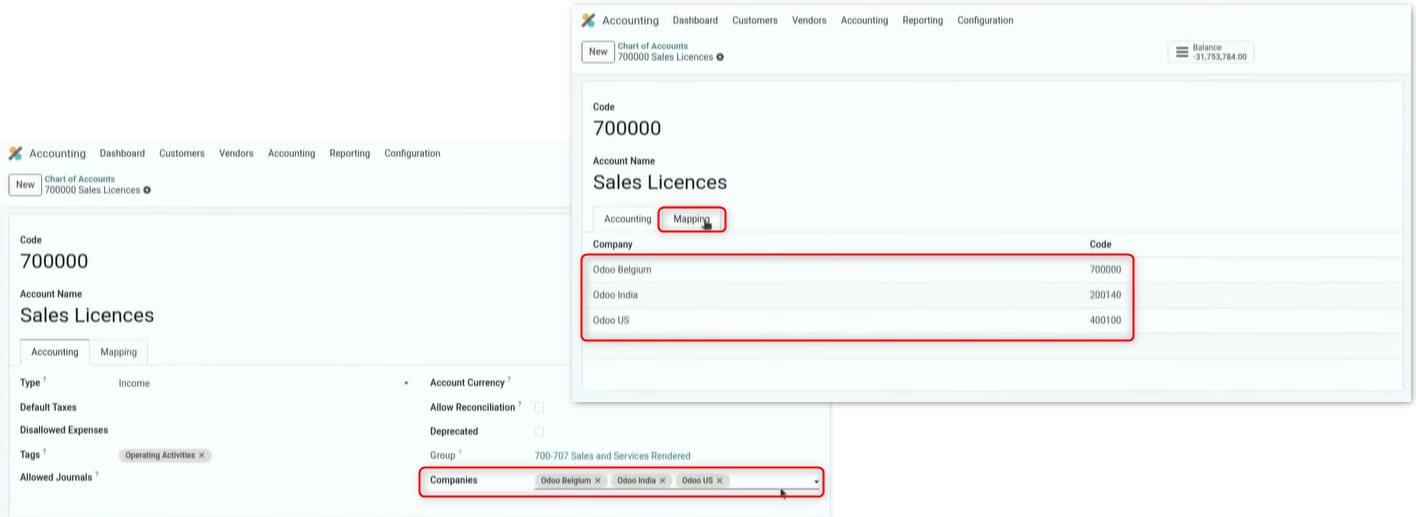
The chart of accounts setup has been unified, and consolidation is now possible by mapping each company's accounts onto the unified accounts.
Budgets
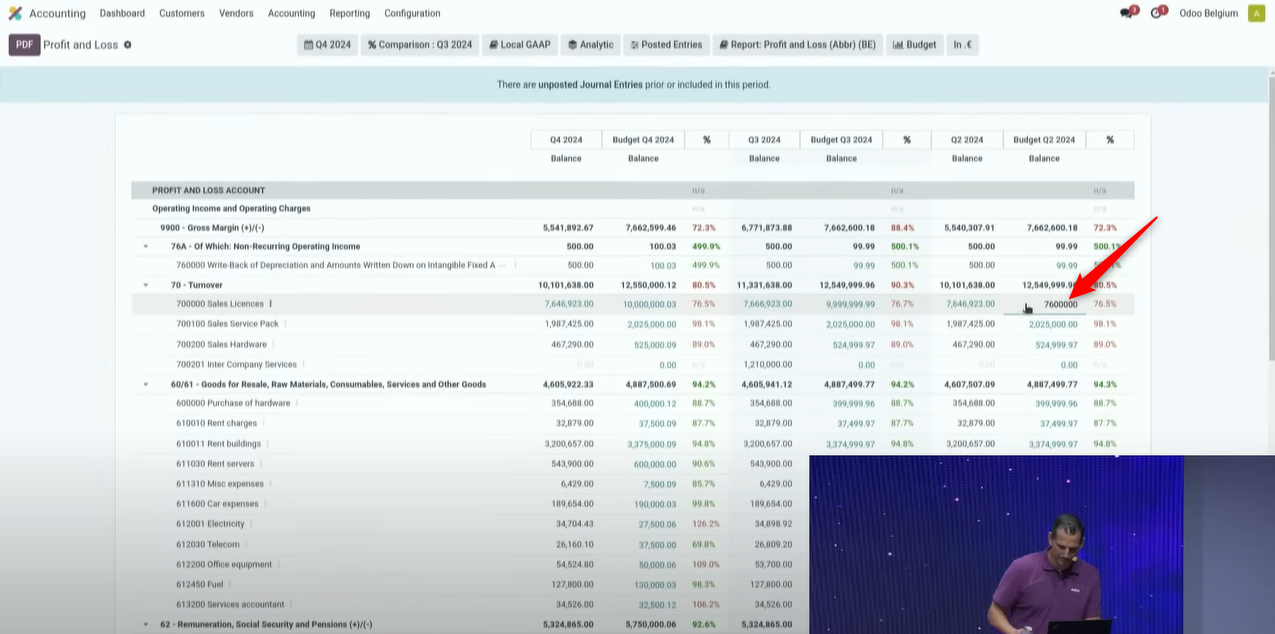
Budgets can now be used in every accounting report.

Budget figures can be changed on the report.
A budget can now be recorded against a combination of several analytic plans.
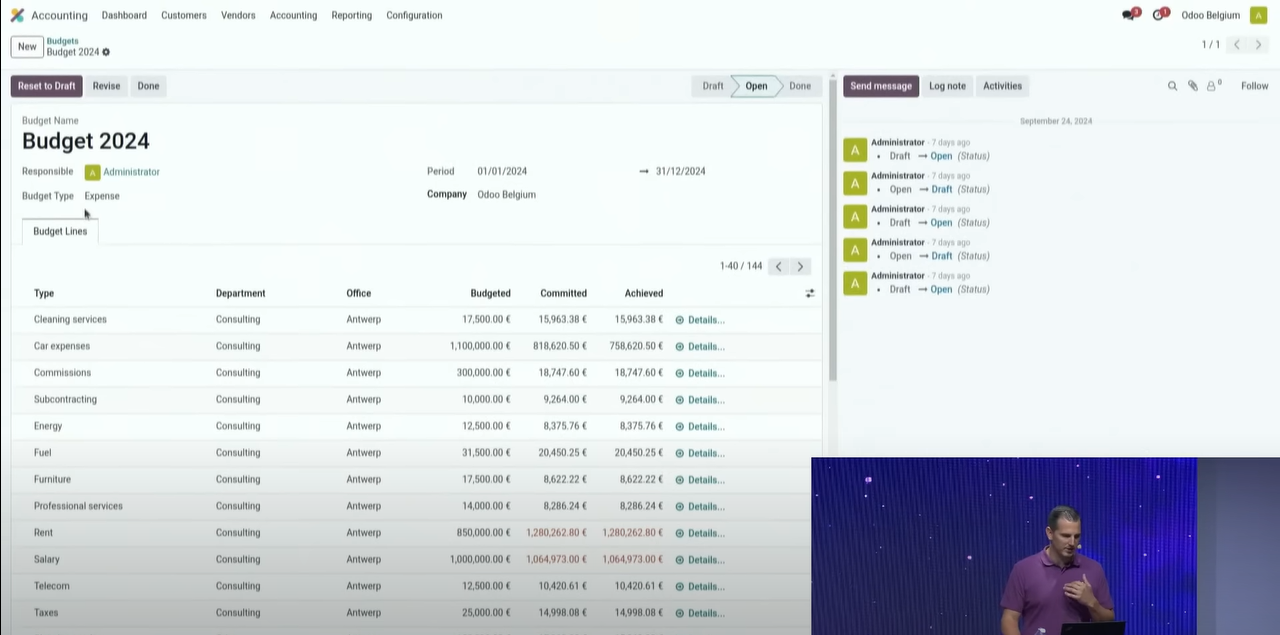
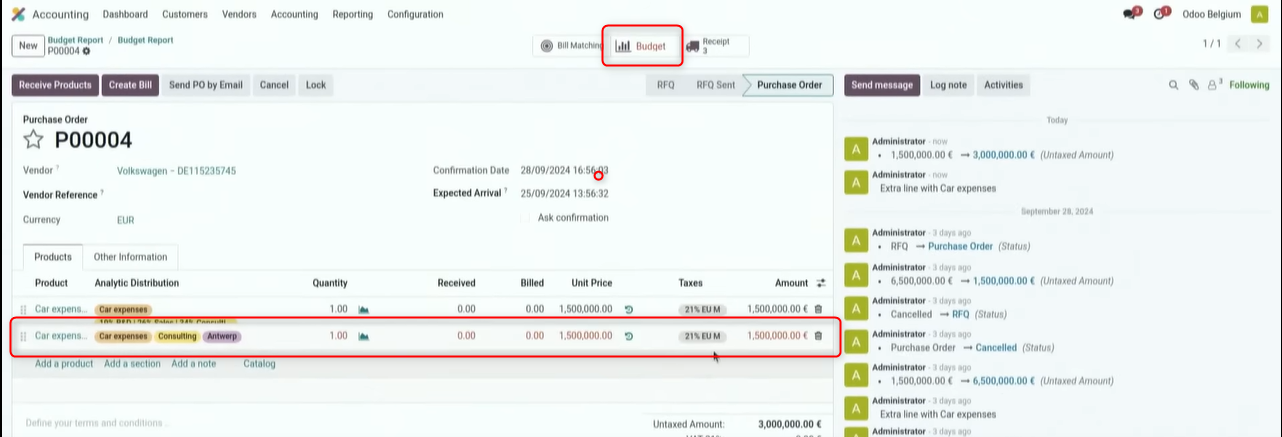
The budget can now be checked as a purchase order is entered. It turns red where the budget is exceeded. Press the budget icon at the top and you can check the figures in the budget report.
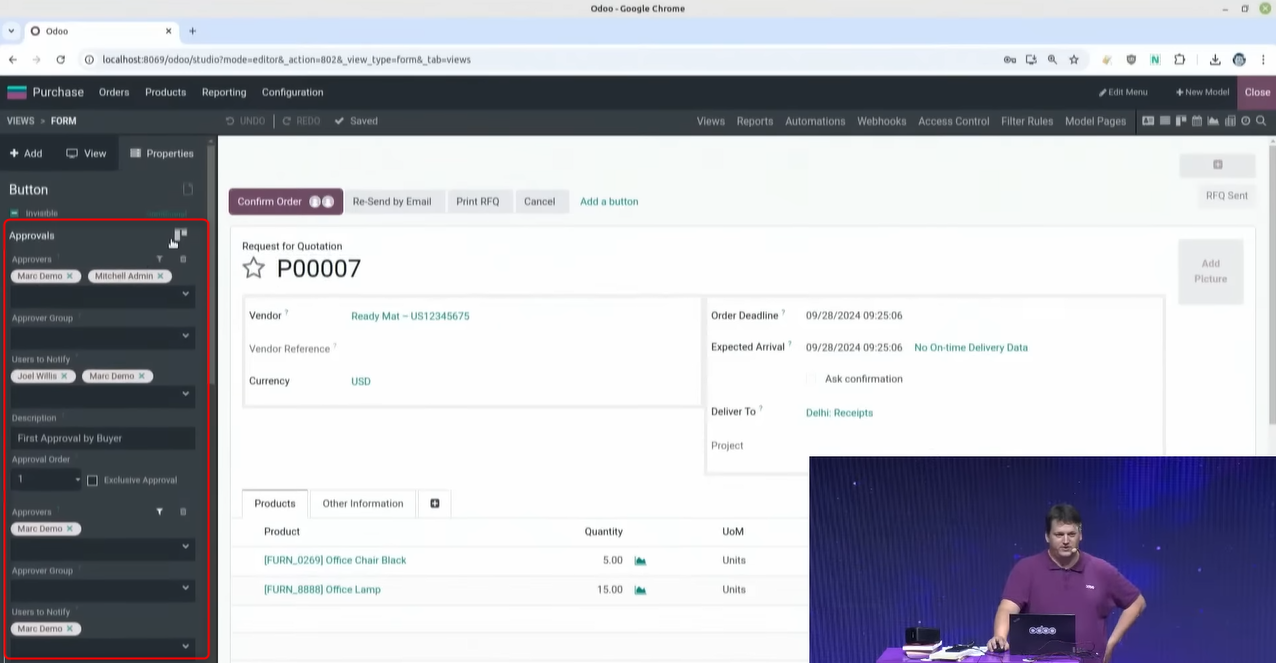
Approval workflows
Setting an approval flow on a purchase order in Odoo Studio
Setting an approval in Odoo Studio has been possible for some time, but from V18 several approvals can be set.
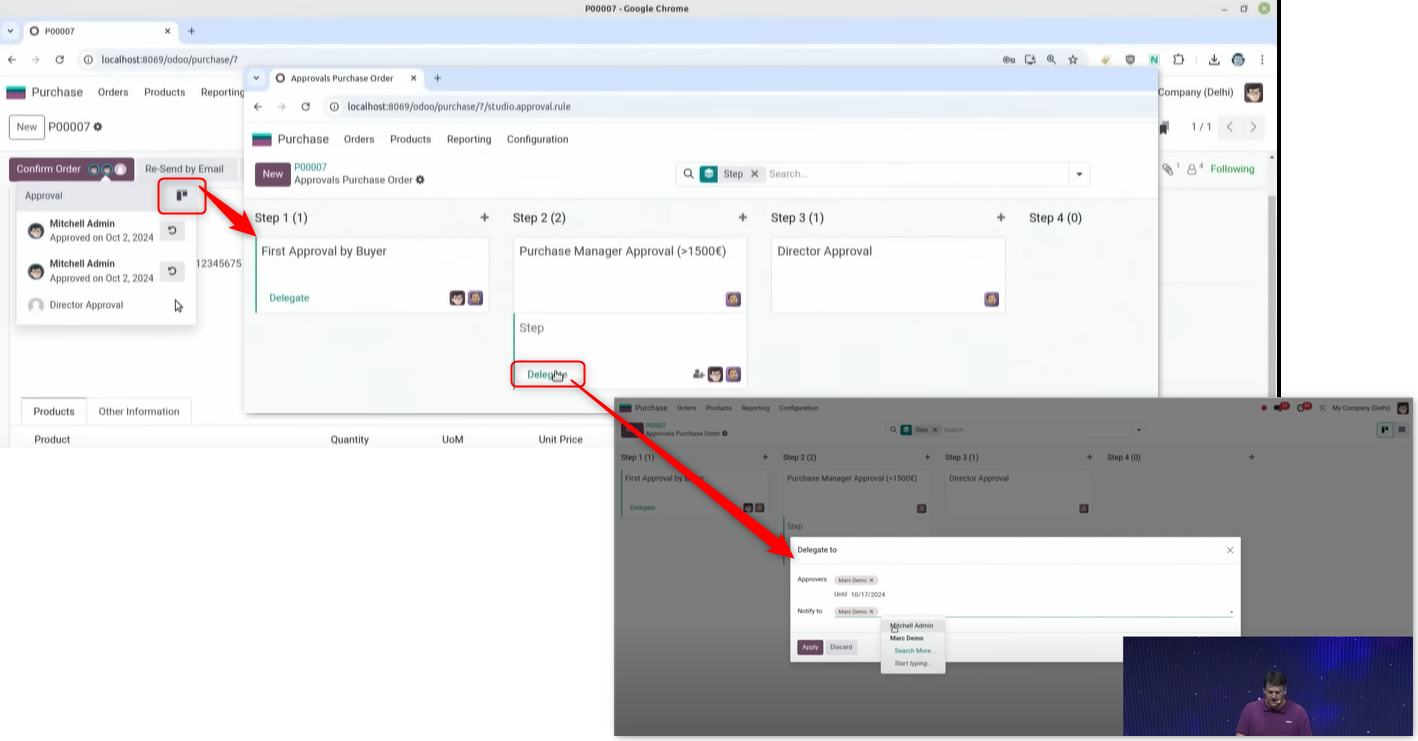
Press the workflow button and the approval steps are shown. An approval can also be delegated by naming a stand-in, for a holiday, say.
Workflows are not limited to purchase orders; they can be set on every action.
Dashboards
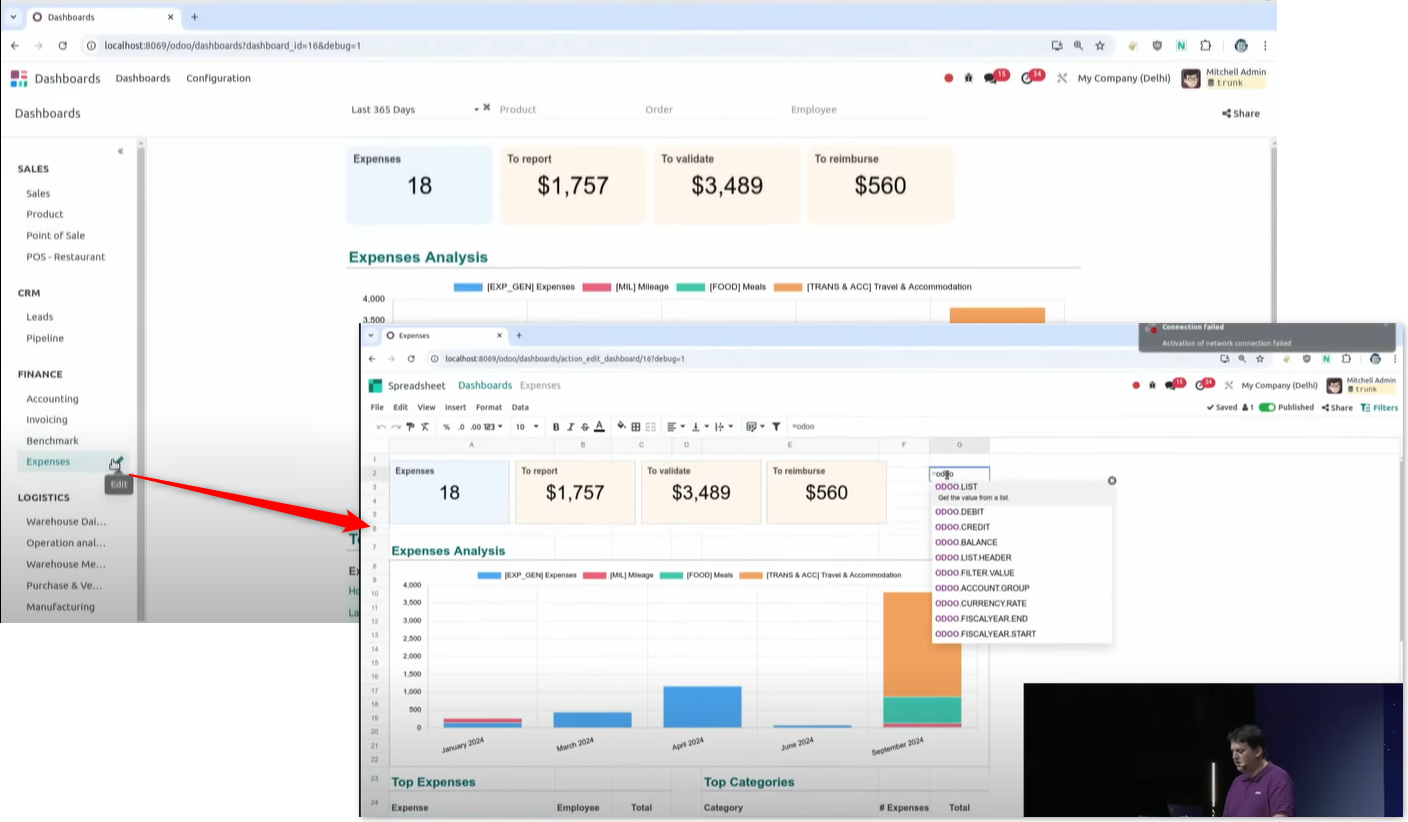
Click edit dashboard in debug mode and the dashboard can be edited in a spreadsheet.
Technical features
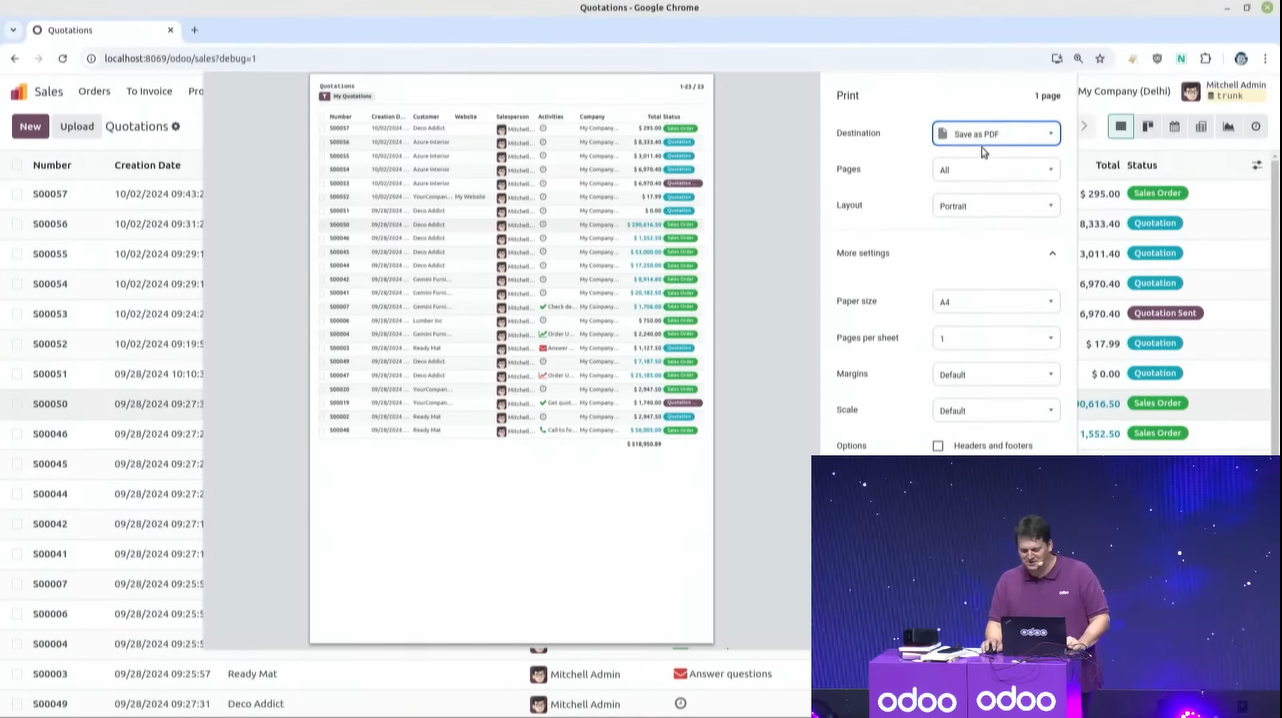
Printing a screen
Press Ctrl + P in the web browser and it prints in a tidy format. The menus and icons on screen that you do not need are left out.
You can print from every screen — form view, kanban view, calendar and the rest.
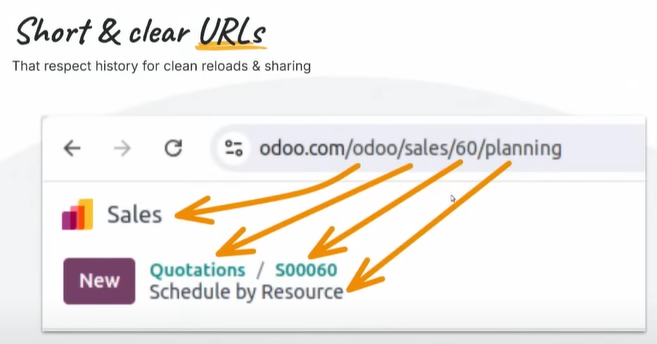
Shorter URLs
URLs have got shorter, and the breadcrumb trail is easier to read off the URL.
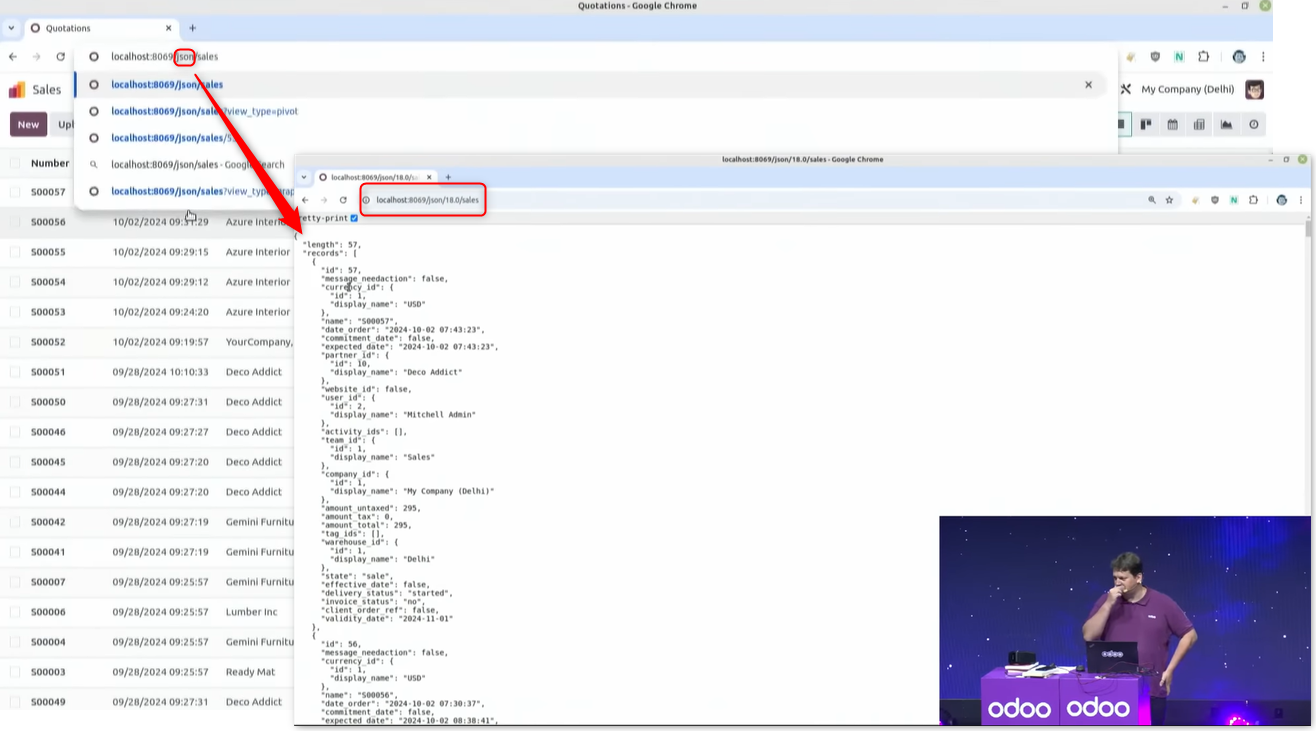
Showing json data
This one is for developers: change the word Odoo in the URL to "json" and you can inspect the json data behind what is on screen.
Performance
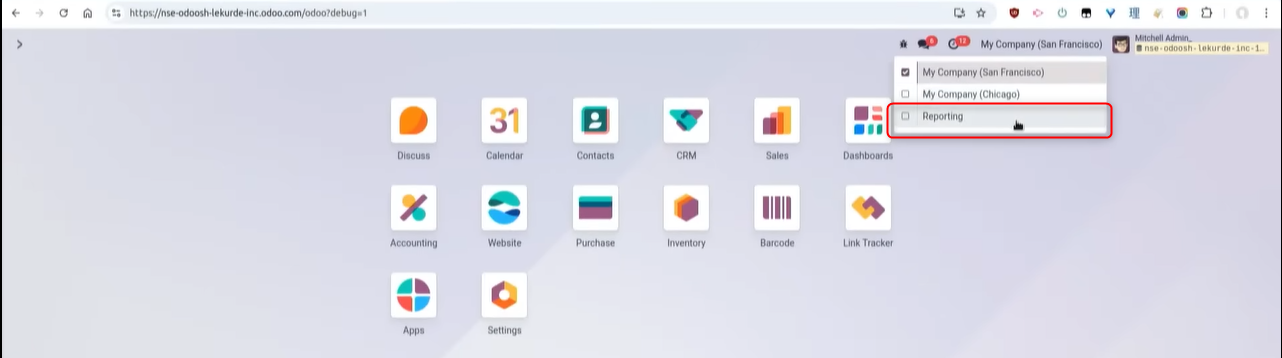
Using a company for reporting
An accounting report with a lot of data to aggregate can take time to display. Posting a day's summary journal entries to a reporting company makes the consolidation reports display faster.
Odoo.sh
Odoo.sh offers a powerful platform.
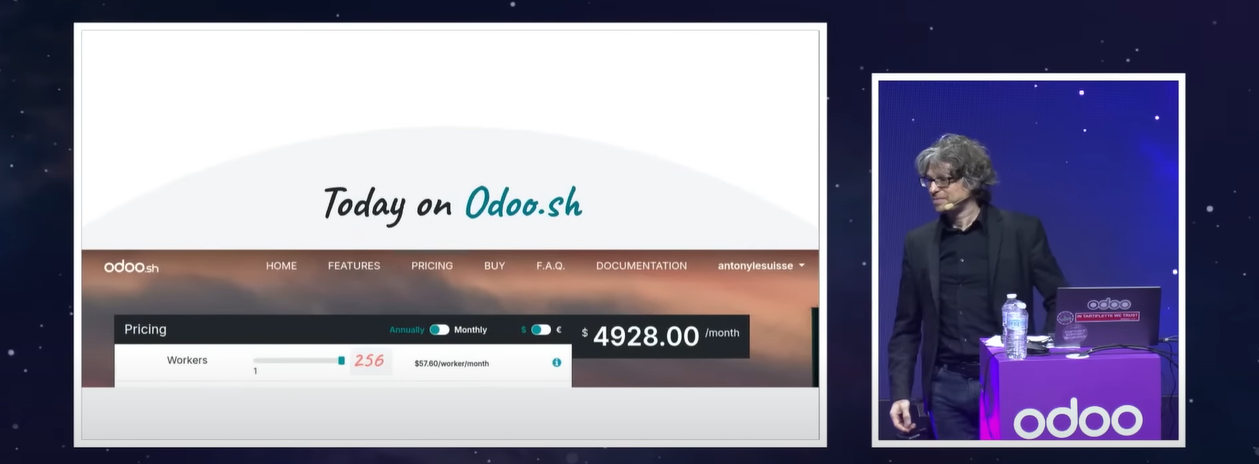
※ A note: what Odoo.sh is
There are three choices of Odoo environment.
- online hosting of the SaaS (Software as a Service) kind
- on-premise
- Odoo.sh, which is PaaS (Platform as a Service)
Odoo.sh is a mix of the two hosting types, SaaS and on-premise. You can create a cloud-based database while installing custom development and third-party apps.
Support from the performance team
Performance problems in Odoo's standard flows are fixed straight away. A consultant can help with performance problems in custom code too.
Related links:
Odoo V18 released - new features and improvements