
Odoo Experience 2020 was held online from 30 September to 1 October 2020, and Odoo version 14.0 was unveiled there. Below is a summary from Fabien's keynote speech on day one. It goes through the various new features and improvements apart from accounting, following the presentation, a bit at a time.
The website builder improved
This Quartile website is itself built with Odoo's standard features.
A website builder inside an ERP comes as a surprise, but the blog, the forum, events and the rest have been perfectly usable since V12.0.
V14.0 adds more still, and an amateur can now put together a website that looks good.
There are plenty of free themes.
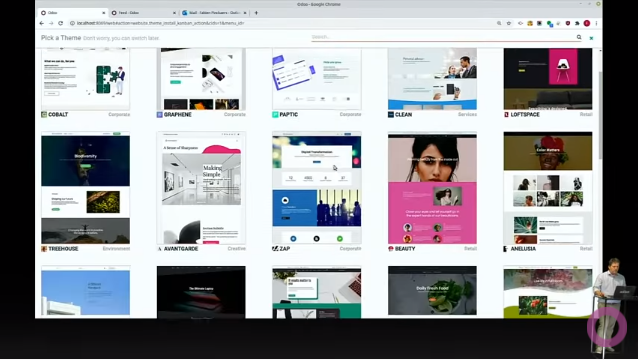
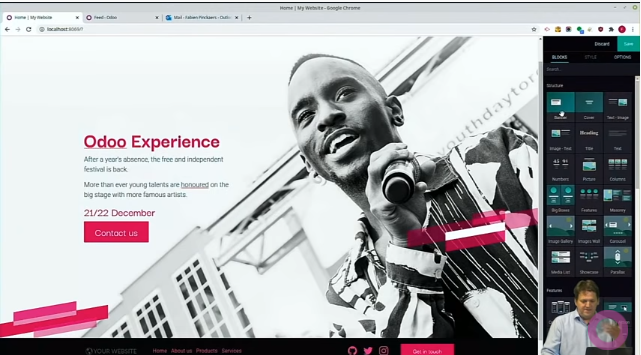
The background colour and the position of the text are easy to change, and filters easy to apply.
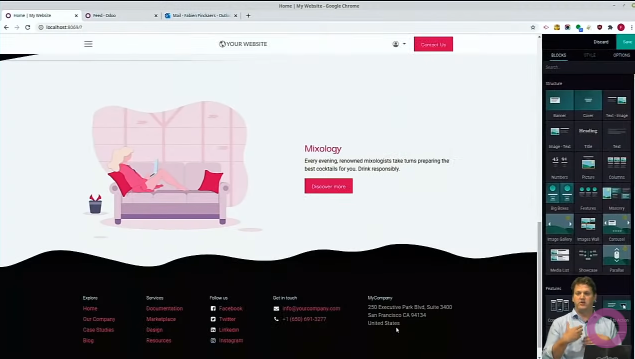
Footer templates are easy to use too.
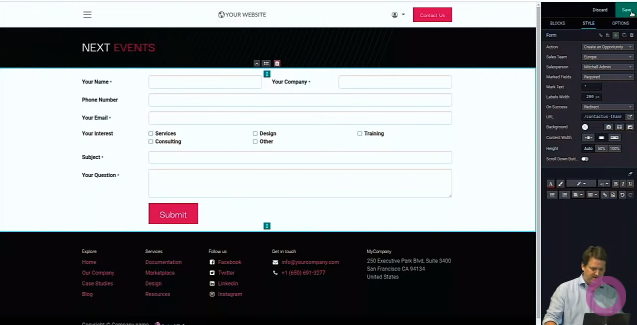
There are building blocks of all sorts: a restaurant menu, graphs, charts, forms.
This is the setup for the form block.
Going by the video, it really does look easy. Odoo's website builder is in the Community edition, so it is free to use.
There is a Windows build too, so download it and give it a try.
※ For which features are in the Community edition, see here, on odoo.com.
CRM
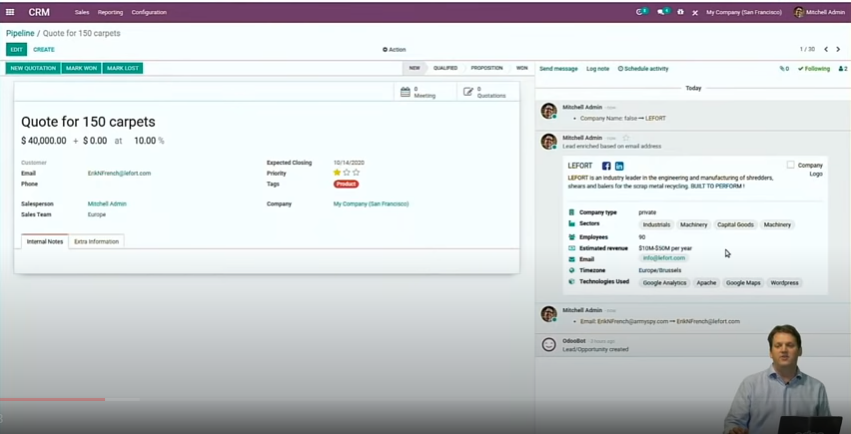
In the CRM app, press the 「エンリッチ」 (Enrich) button and the company information appears from the email address, as on the right of the screen.
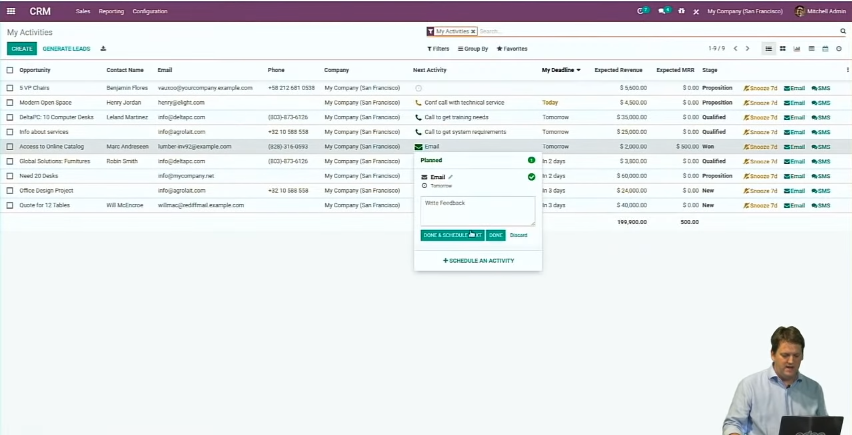
An email can be sent directly from the activity list.
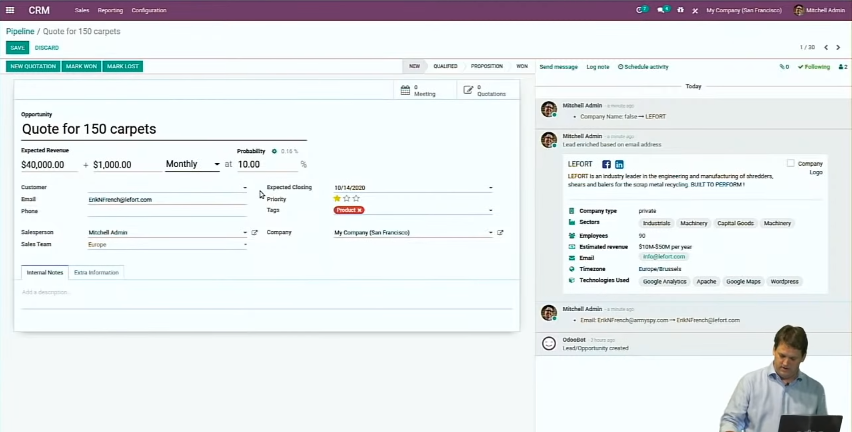
For recurring business — a business with regular transactions, a subscription business — a recurring quotation can be created.
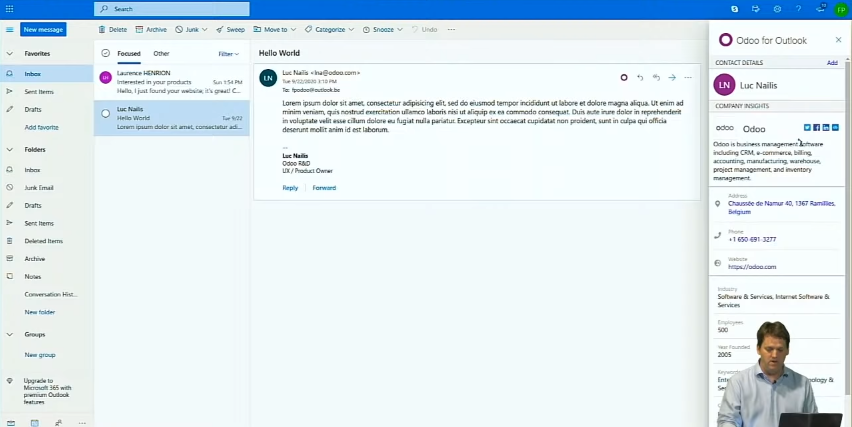
Integration with Outlook and Google.
Press the button that connects to Odoo and the company information appears, as it did three screens ago; press Add and it is registered as a CRM contact.
Push an email and it is registered in the CRM, where the whole history can be seen.
This looks extremely useful. In the CRM I used at a previous job, the email we received was registered by hand.
Inventory improvements
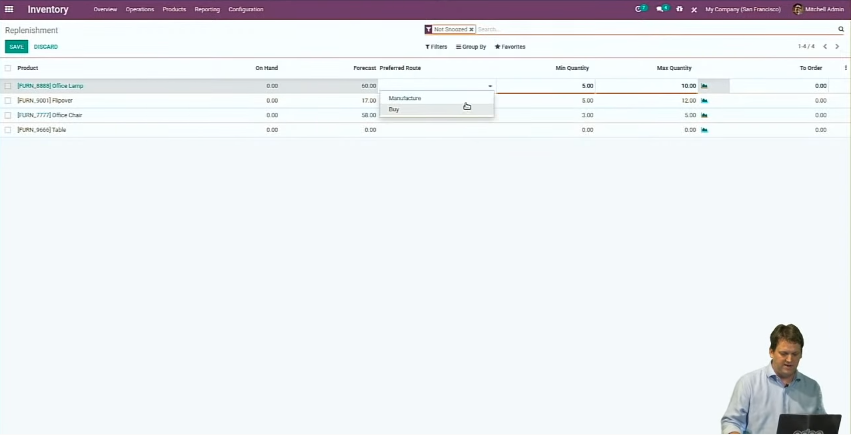
Replenishment orders:
When stock runs short a replenishment order is created automatically, and from it a manufacturing order or a purchase order can be made.
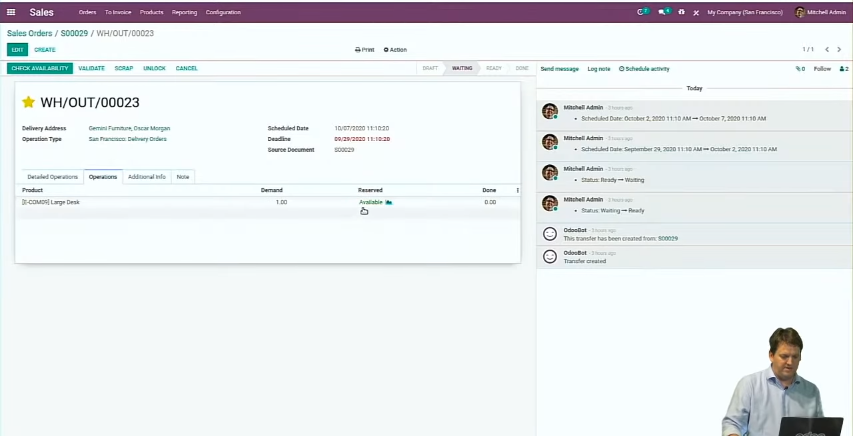
Reservation priority:
Raising the priority of a delivery order raises the priority of its reservation easily.
Barcode:
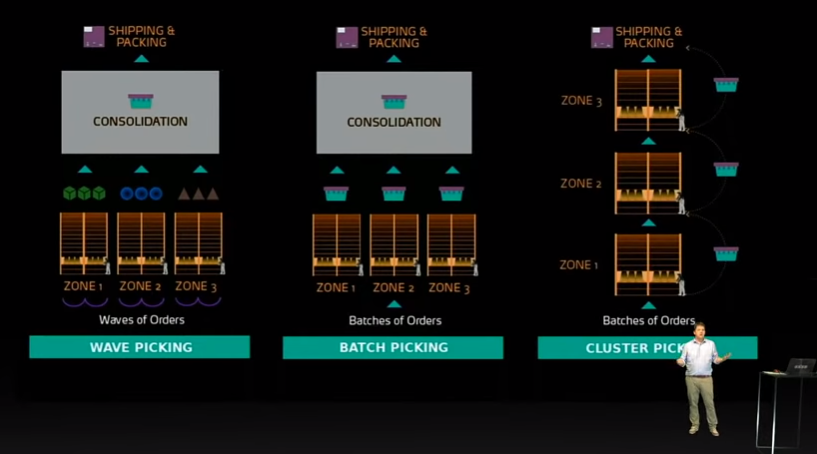
Odoo supports three kinds of picking.
Wave picking: pick by zone, then split the whole lot by order
Batch picking: pick several orders at once, scan the barcodes together, then split by order
Cluster picking: pick several orders at once, splitting by order as you scan the barcodes
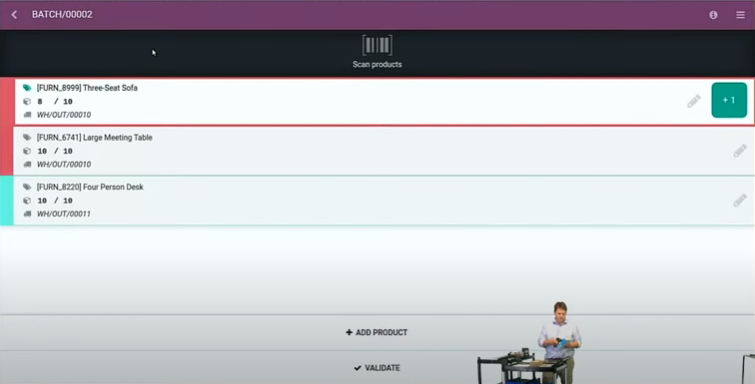
In batch picking, several orders go through the barcode process at once.
Timesheet improvements
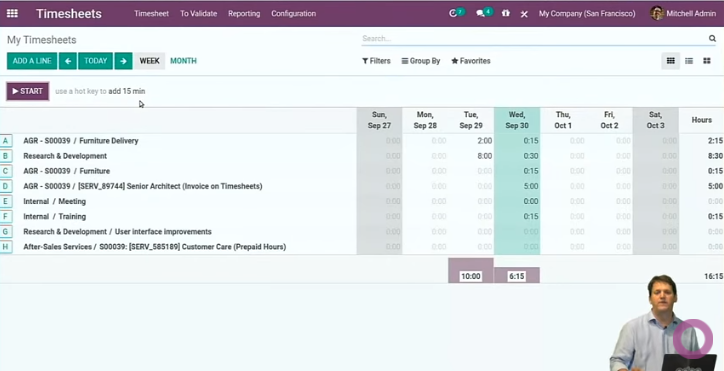
Where you bill a customer by the hours worked, as a consultant does, the hours have to be recorded on a timesheet in fine detail; in V14.0 choosing the project and pressing the start button is all it takes.
Expense improvements
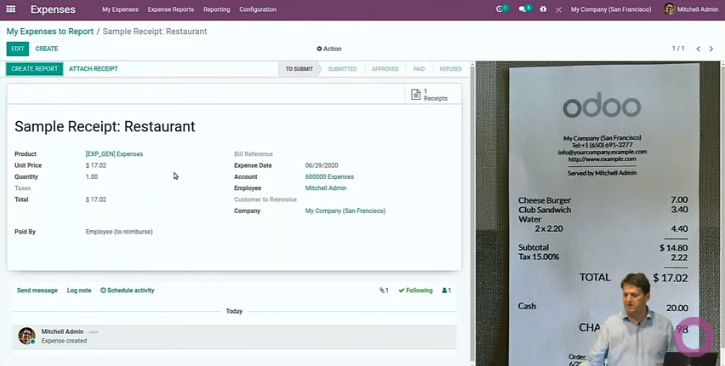
Upload a photo of the receipt and AI fills in the fields it needs, automatically.
(Whether it handles Japanese is another matter…)
Manufacturing improvements
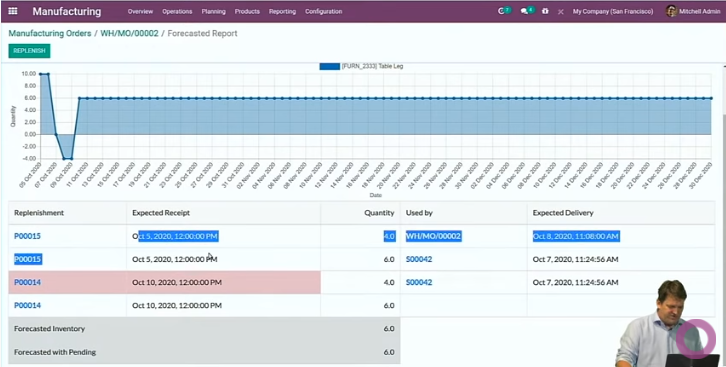
A manufacturing order can be given a priority too, and changing the date changes the reservation easily.
A manufacturing order can also be entered without a bill of materials registered.
Improvements for on-time delivery
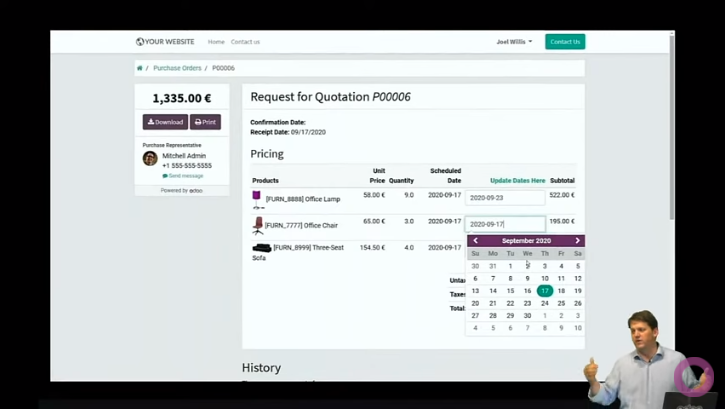
When a purchase request for quotation is entered, how well the vendor keeps to delivery dates is shown next to the Receipt Date.
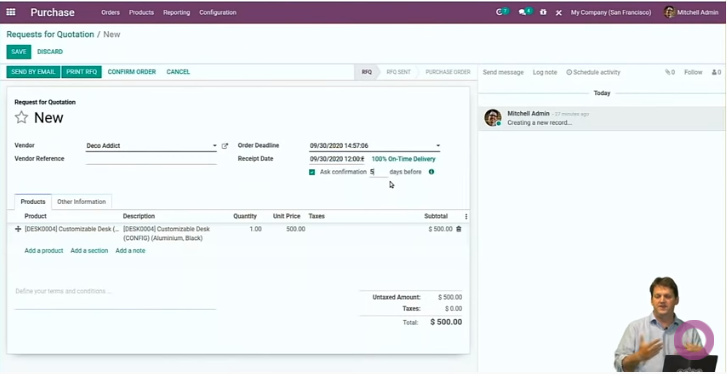
An email can go to the vendor a few days before the date, to confirm the delivery.
New in spreadsheets
A report can be shown as a spreadsheet in Odoo, and the figures in a report used in formulas.
Bringing in business intelligence costs both money and effort; Odoo's spreadsheet needs no data warehouse and no importing or exporting, and shows live Odoo data as a spreadsheet.
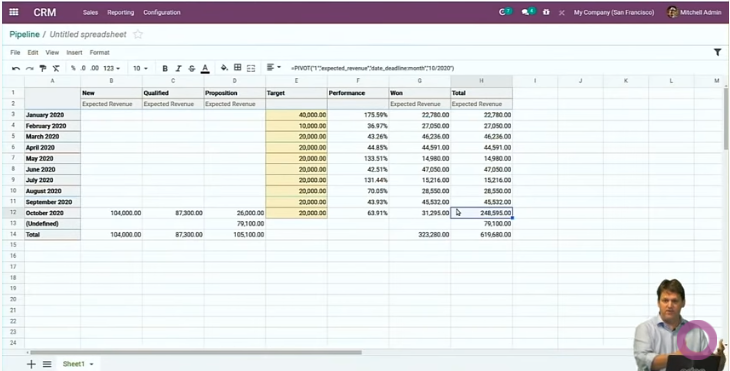
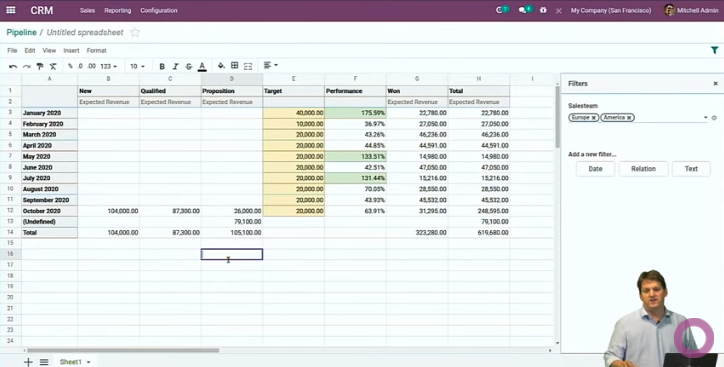
Conditions can be set to colour the cells at a given value, and filters can be set.
Data cleaning improvements
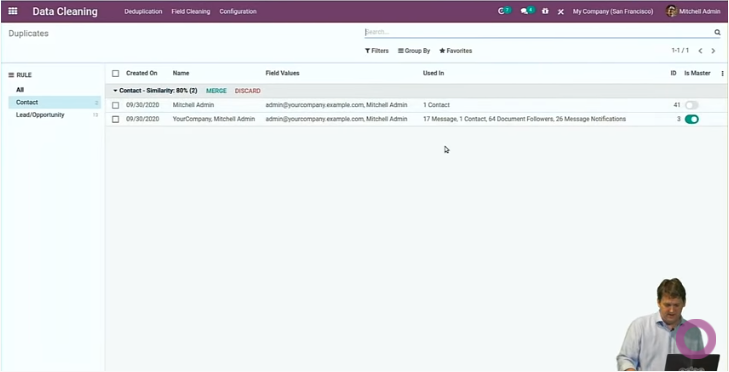
Set the rules for what counts as a duplicate in advance, and the records most likely to be duplicates can be pulled out and merged. You choose which record the merge treats as the primary one. Merging duplicates can be set to run automatically or to be done by hand. This one matters too: when I used a CRM at a previous job we checked for duplicate data regularly, and it took a fair while.
Document digitisation improvements
This is the document management screen.
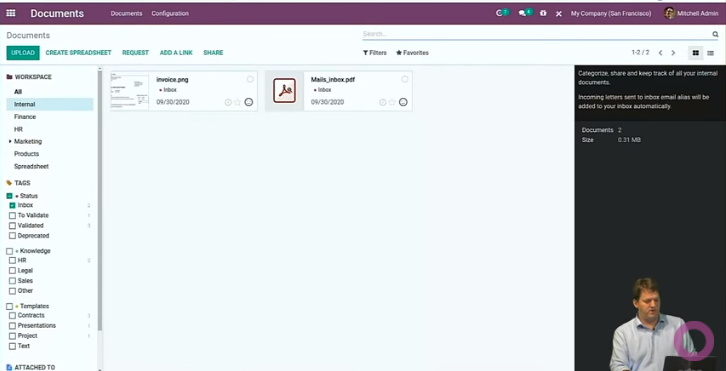
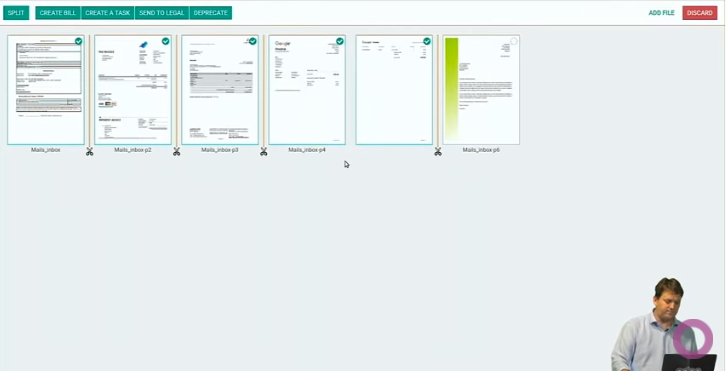
Documents taken into Odoo are organised here. Pages belonging to the same document can be gathered into one file, and documents you do not want taken in can be dropped from the selection.
Studio improvements
With the Studio tool an approval workflow can be set up freely.
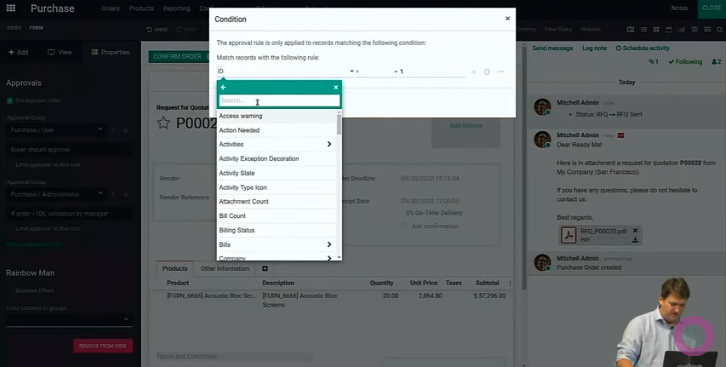
Odoo V14.0 has a great many improvements and a good reputation, which makes it something to look forward to.
Related article: V13 released (1) - new features and improvements
Photo by Joshua Earle on Unsplash
Odoo V14 released - new features and improvements